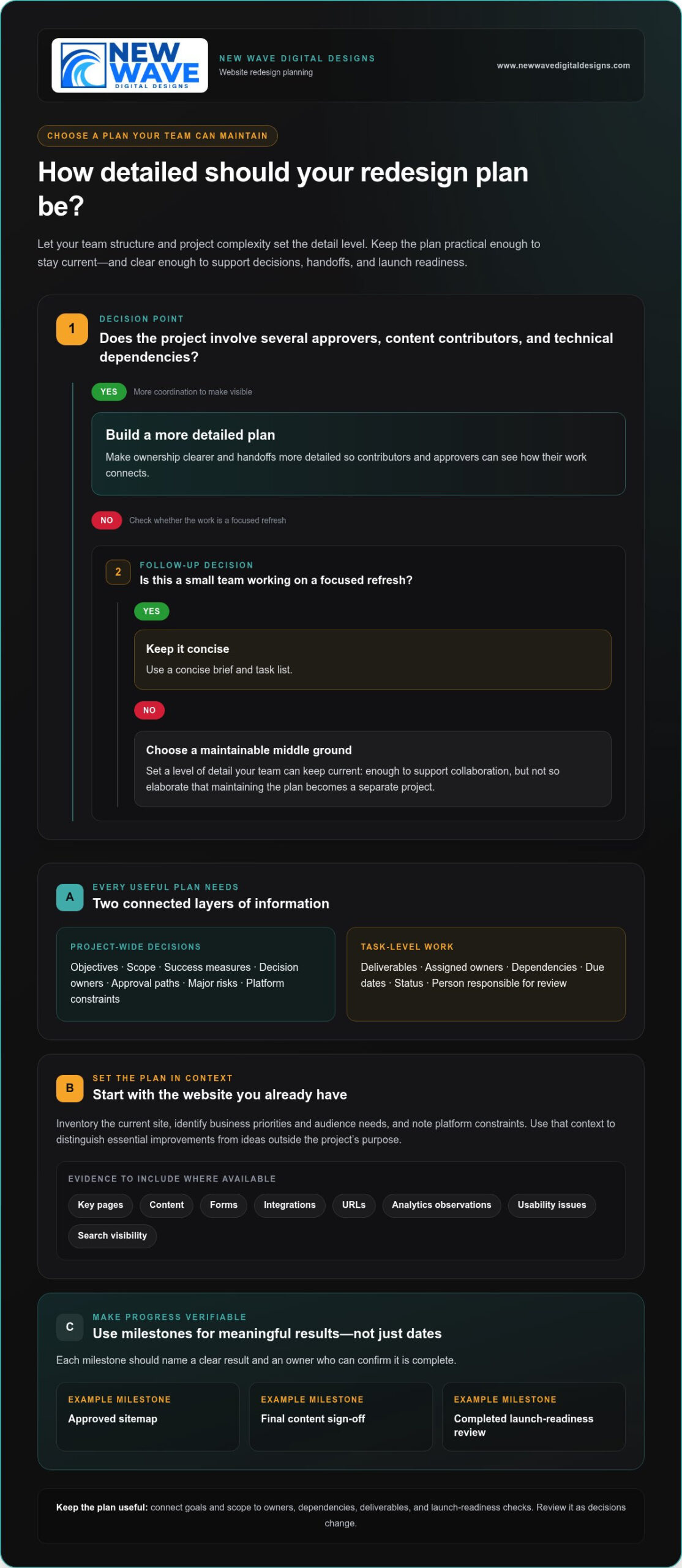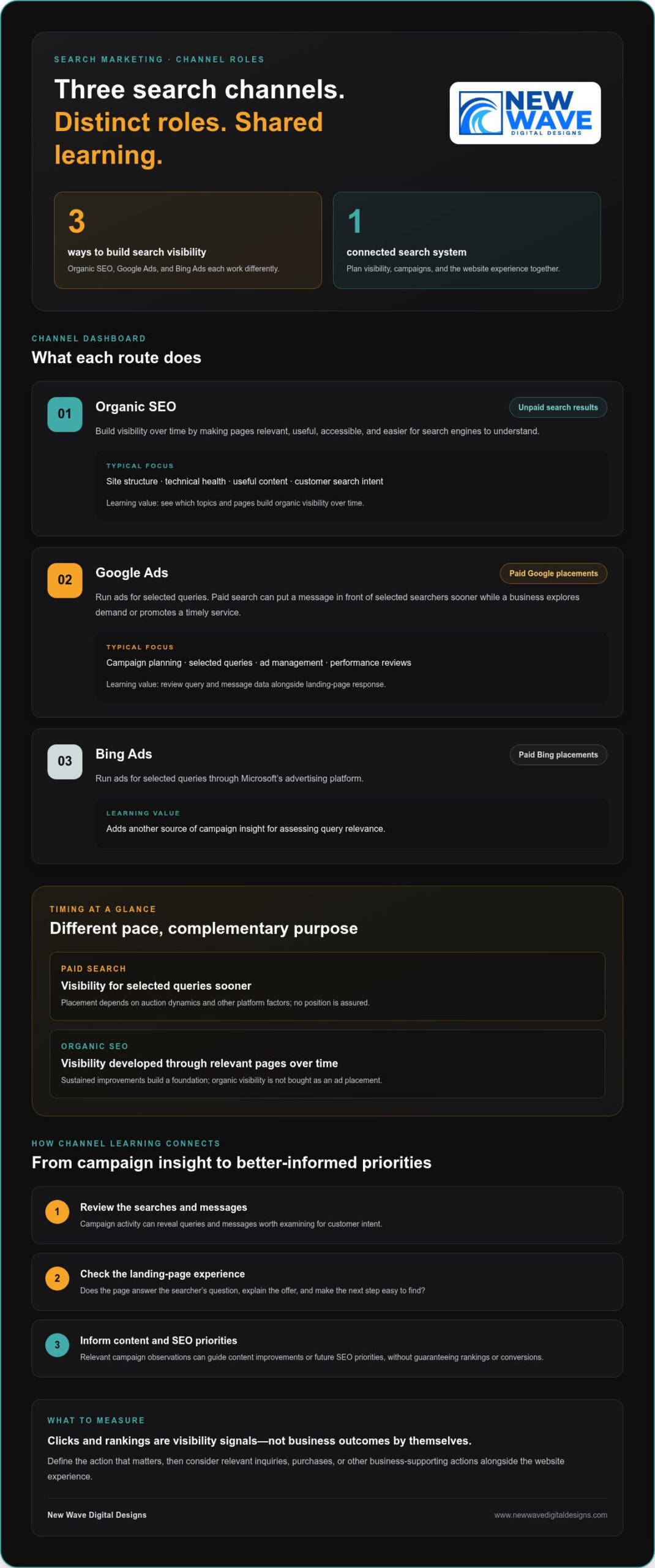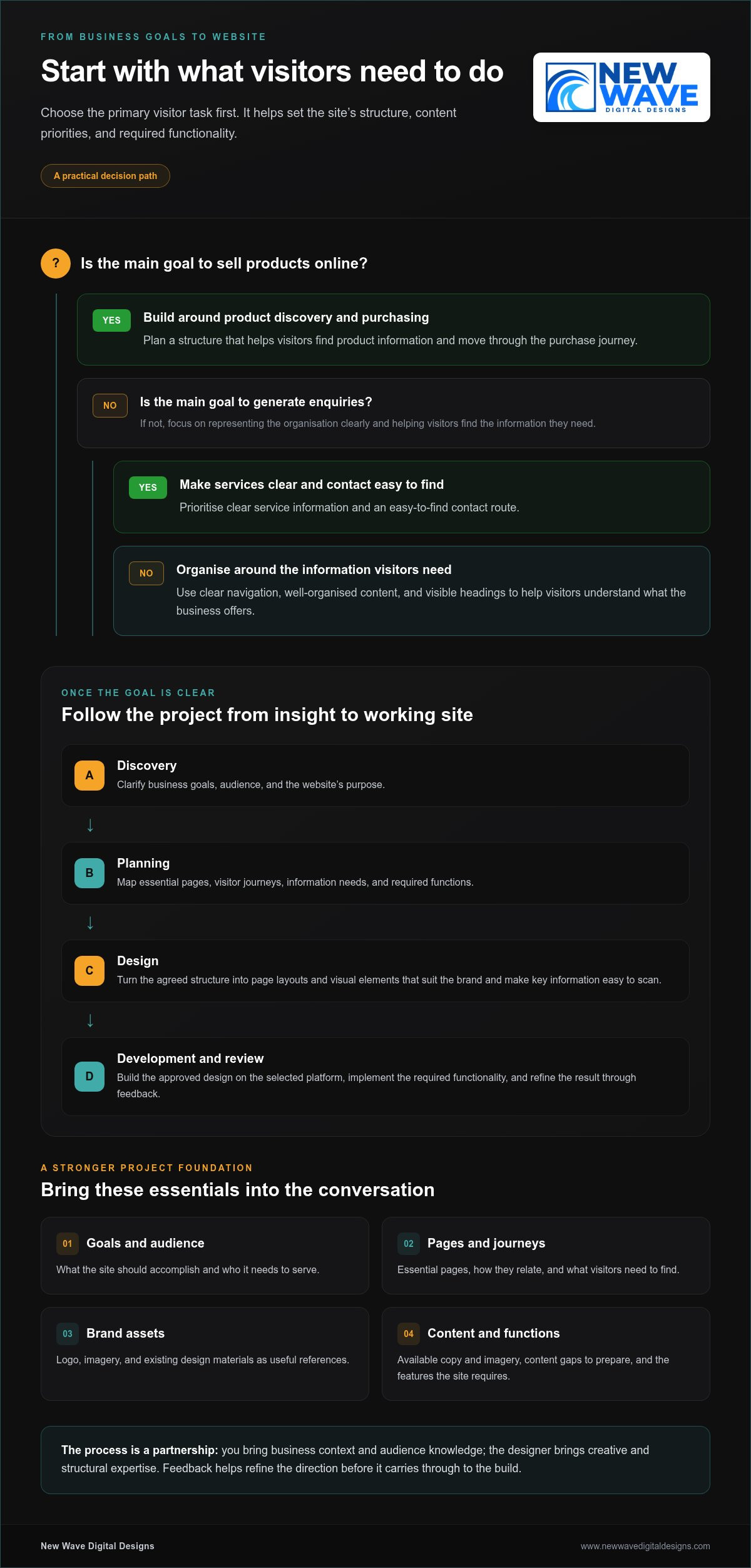
5 fixes to consider when your website isn’t generating leads

The first fix for a website that isn’t generating leads may not be a redesign. To decide what to do when your website isn’t generating leads, review the last 90 days of analytics and identify whether the problem is traffic, conversion, or what happens after an enquiry.

It’s frustrating when a site attracts visitors but doesn’t turn their interest into conversations. The answer is to follow the evidence: check whether the right people are arriving, whether key pages make the value clear, and whether the next step is easy to take. This article walks through five practical fixes, from refining calls to action and checking mobile performance to building trust and connecting your website with your sales process. You’ll learn how to prioritize improvements, estimate how long they may take, and focus on the changes that better match buyer needs.

Key Takeaways

  • Use recent analytics to identify whether the main obstacle is traffic, conversion, or enquiry follow-up before choosing a fix.
  • Give each priority page one clear next step that matches what visitors are ready to do.
  • Separate focused changes, such as simplifying a form, from broader work on messaging or site structure when estimating timelines.
  • Assess mobile usability, page speed, and trust-building details as part of the visitor’s path to contacting you.
  • Connect website enquiries to a defined sales process so you can see which leads progress and where prospects lose momentum.

1. Writing specific, stage-appropriate calls to action

Start with the visitor’s intent, not a generic “Contact us” button. Someone reading a service overview may want to compare approaches, while someone on a service page may be ready to request a quote. Give each priority page one clear next step, and make its wording fit the decision that page helps visitors make.

For example, a page explaining a problem could invite visitors to “Explore your options.” A service page could offer “Request a project quote.” A detailed guide might direct readers to a related service page before inviting them to get in touch. Keep the message consistent from the headline to the call to action, so visitors know what to expect after clicking.

Make the action easy to find. Place the main call to action near the top of key pages, then repeat it where it fits, including on landing pages and blog posts. A long article can introduce a relevant next step beside the section that answers the reader’s question, then repeat it near the end. This creates a clear path without turning every paragraph into a sales pitch.

Reduce form friction by requesting only information your team will use. A simple starting point is three fields: name, email, and a brief description. If a form asks for 10 or more fields when three would do, remove fields that aren’t essential to responding. Keep any necessary extra questions tied to a clear purpose, such as understanding the project type or preferred contact method.

To improve website conversion rates and lead generation, review the last 90 days of analytics, choose a high-traffic page, and test one change at a time. Compare a specific call to action with the current wording, or simplify the form and observe what changes. If the page receives fewer than approximately 100 monthly visitors, prioritize attracting relevant traffic before drawing strong conclusions from small numbers of submissions.

Agency fees depend on the project’s scope, the pages involved, analytics setup, and any testing or design work. Conversion rates also vary by industry, audience intent, traffic source, and the action being measured. Rather than relying on a broad benchmark, compare similar pages and lead types on your own site.

When deciding what to do when your website isn’t generating leads, start with the page’s purpose, the visitor’s next decision, and the effort needed to act. A full redesign won’t fix a confusing call to action by itself. First try a clearer message, a more relevant next step, or a shorter form.

2. Estimating how long website lead-generation fixes take

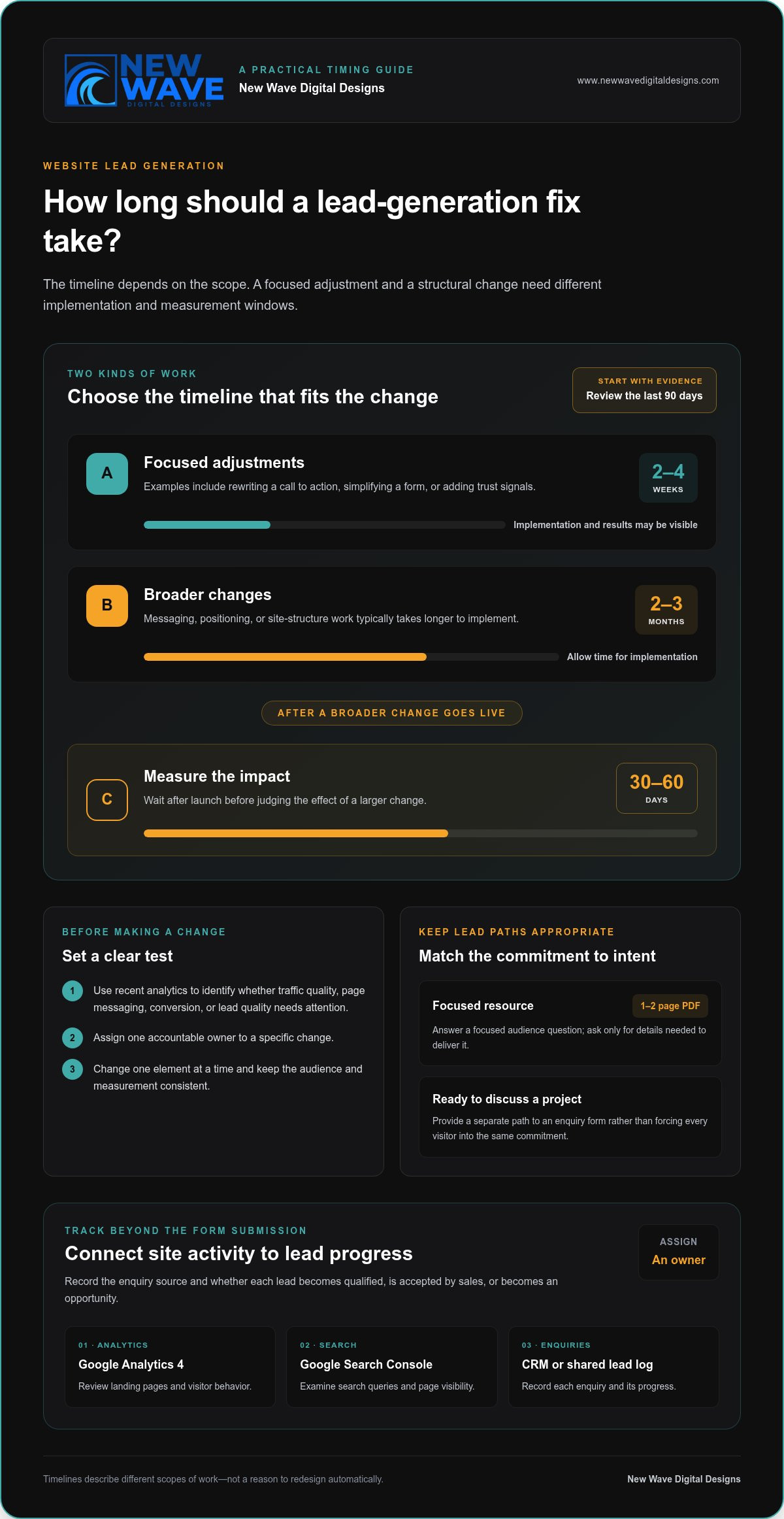
Set a realistic measurement window before changing your site. Quick adjustments, such as rewriting calls to action, simplifying forms, or adding trust signals, can produce results in 2-4 weeks. Changes to messaging, positioning, or the site’s structure typically take 2-3 months to implement. After larger changes go live, allow another 30-60 days to measure their impact.

Those timelines describe different kinds of work, not a reason to redesign automatically. First, review the last 90 days of analytics and identify whether traffic quality, page messaging, conversion mechanics, or lead quality needs attention. Then assign one accountable owner to a specific change and set its measurement window. If traffic is low or poorly matched to the offer, rebuilding pages alone won’t address the underlying reasons.

Lead magnets can give visitors different levels of commitment. A useful starting option is a 1-2 page PDF that answers a focused question for your audience. Offer it on a relevant article, and make the form request only details needed to deliver it. Visitors who are ready to discuss a project can follow a separate path to an enquiry form, rather than being pushed through the same commitment level.

Tracking should continue after submission. Use Google Analytics 4 to review landing pages and visitor behavior, Google Search Console to examine search queries and page visibility, and a CRM or shared lead log to record each enquiry. Assign an owner, record the enquiry’s source, and track whether it becomes qualified, accepted by sales, or an opportunity. A defined process makes it easier to distinguish a traffic issue from a follow-up gap.

To attract more qualified website leads, create SEO content around the questions buyers ask before choosing a service. Link each article to a relevant service page, and make sure the page delivers on the search query’s promise. When testing changes, compare versions with one element changed, such as the headline or call to action. Keep the audience and measurement consistent, then use what you learn to guide the next test.

Before beginning a redesign, check whether a targeted change can address the problem. Structural issues may justify broader work; an isolated form or message problem usually calls for a focused fix. For planned website lead-generation improvements, keep the scope tied to the evidence, the buyer’s needs, and the sales process.

3. Website speed, mobile usability, and technical performance

More than 50% of web traffic comes from mobile devices. A visitor arriving from a phone should be able to understand the page, use its navigation, and reach a useful next step without pinching or hunting. Test important pages on an actual phone, not only in a desktop preview.

Speed shapes that first interaction. A mobile page taking more than three seconds to load can lose visitors before they see its content. A one-second delay in website loading can reduce conversions by 7%. Start with your homepage, top landing pages, and contact form, then identify which elements delay their visible content.

Google’s Core Web Vitals guidance helps assess loading, responsiveness, and visual stability. Use these targets to identify technical work: Largest Contentful Paint under 2.5 seconds, Total Blocking Time under 200ms, and a mobile PageSpeed score above 70. A time to first byte above 800ms can flag an underpowered host. These measures point toward issues to investigate; they don’t replace testing the actual visitor journey.

Responsive design should do more than shrink a desktop layout. Check that headings wrap cleanly, buttons are easy to tap, and forms fit the screen without sideways scrolling. Then follow the route from a service page to its enquiry form. If phone users need to zoom, dismiss an obstructive banner, or hunt for the next step, simplify the journey.

Review how content appears on mobile, too. A long case study needs readable paragraphs, clear section labels, and visible links to related services. Keep essential details near the top, including what the business offers and whom it helps. This makes key information easier to find without forcing visitors through a dense wall of copy.

Use a practical diagnostic sequence: test your most visited pages, check mobile loading and layout, then submit each form yourself. Note where the experience slows down or breaks. If large media files make a case study slow to load, optimize them; if the mobile menu hides the enquiry route, adjust its layout. Fix the observed problem before considering a wider redesign.

  • Check mobile loading and layout on priority pages.
  • Use Core Web Vitals to locate performance issues.
  • Complete the enquiry journey on a phone, including form submission.

After each technical change, repeat the same tests and review how visitors use the page. Speed matters most when visitors can also find relevant information and complete the intended action. Track technical performance alongside enquiries, so improvements support lead generation rather than becoming an isolated score.
5 fixes to consider when your website isn’t generating leads

4. Building buyer trust and supporting decisions

Visitors need to understand your offer before they can trust it. Make the homepage messaging answer three questions: what you do, whom you help, and why visitors should keep reading. A headline should communicate what the business does, who it serves, and where within five seconds. Remove broad claims that leave people guessing, and explain the specific problem your service solves.

Support each claim with relevant evidence. Use testimonials that describe the customer’s situation, the work completed, and the outcome they experienced. A vague “great service” quote gives less context than one that explains how a project addressed a particular need. Place testimonials beside the service or decision they support, instead of gathering every quote on a disconnected page.

For a more considered purchase, case studies can show how a business approaches real challenges. Structure each one around the customer’s starting point, the decisions made, and the result. In complex B2B sales, a buying group may include multiple people who need different evidence. A technical lead may want process details, while a decision-maker may need to understand business value. Use analytics and sales conversations to learn which questions visitors seek to answer.

Local trust signals matter when customers want to know whether a business serves their area. Show the relevant location or service area clearly, and keep business details consistent across the site. Pair those details with local testimonials or case studies when available. A visitor should not have to search several pages to establish where a business works or whether its offer fits their needs.

Make proof easy to assess. Use named customer testimonials only with permission, and keep quotations faithful to the customer’s words. Label case studies clearly, distinguish examples from guarantees, and explain the scope of any result. If you display credentials or partner logos, explain what they represent. A badge without context may add visual weight without addressing a buyer’s concern.

Review the homepage from a first-time visitor’s perspective. In 10 seconds, can someone identify the business’s location, price range, and differentiator? If not, bring those details into clearer view. Ask a colleague unfamiliar with the site to describe its offer after a brief glance. Their response can reveal whether the design and messaging communicate the intended meaning.

Finally, make trust actionable. Place relevant proof near the next step, such as a testimonial beside a service enquiry form. Keep any response-time statements realistic and make promises only when you can consistently meet them. Clear evidence, accurate details, and credible expectations help buyers make informed decisions.

5. Alignment between website and sales process

A website can attract visitors and collect enquiries yet still lose potential sales. The gap often appears after the click: an ad promises one thing, the landing page says another, or no one owns the incoming enquiry. Treat lead generation as a connected path from first message to sales outcome, not just a count of form submissions.

Map the buyer’s journey from each major channel. If a Google Ads campaign promotes a specific service, send visitors to a page that continues the same promise. Explain the service, answer likely buyer questions, and offer a relevant next step. Sending everyone to the homepage makes visitors search again for the information that earned their click.

Next, write down what happens after someone submits a form. Assign an owner for reviewing each enquiry, define how it is routed, and set a clear follow-up process. Every website enquiry should trigger an immediate response. That response can acknowledge the request, explain what happens next, and give the prospect a useful way to continue the conversation.

Make the handoff visible to both marketing and sales. Track each enquiry through qualification, sales acceptance, and opportunity creation. Record its source, landing page, requested service, and outcome in a shared CRM or lead log. These stages help show whether the problem is unqualified traffic, a poor page-to-offer match, or a follow-up gap. A form fill is a starting signal, not proof of sales progress.

Use sales conversations to improve your website strategy. Ask the team which questions prospects raise, what concerns delay decisions, and which details help a lead move forward. Then update the homepage, service pages, and relevant content to answer those questions. For example, if prospects repeatedly ask what a project includes, explain the process and deliverables before the enquiry step. Useful content supports real decisions, not simply a higher page count.

Close the loop with regular reviews. Compare lead sources with qualification and opportunity outcomes, then share what you learn between marketing and sales. If a channel generates enquiries that rarely fit, refine its targeting or destination page. If qualified leads stall after submitting a form, examine who owns the response and how follow-up works. Tie each improvement to a specific stage instead of relying on traffic or form totals alone.

When your website and sales process need a more coherent structure, discuss your website strategy and how its pages can better support the buyer journey.

New Wave Digital Designs: Shopify Website Design

New Wave Digital Designs offers Shopify Website Design for businesses that need an online store with a clearer path from discovery to enquiry or purchase. If your analytics point to confusing page structure, inconsistent messaging, or a difficult visitor journey, a focused design review can help shape the site around your products and customers. Website Maintenance supports ongoing updates after launch, keeping key pages aligned as your business evolves.

A redesign makes sense when structural issues affect several parts of the customer journey. If the problem is limited to one form or page, a targeted improvement may be the better first step. Choose the change that addresses the evidence you’ve gathered and supports your sales process.

Contact New Wave Digital Designs to discuss your website goals and next steps.

Choose the next step that fits your site

Your next move doesn’t need to start with a blank canvas. Decide whether your current site needs focused refinements or a new structure that better reflects how customers explore and choose your services. This distinction keeps improvements grounded in your business priorities.

If you’re weighing what to do when your website isn’t generating leads, identify where the experience stops matching customer expectations. A new design may suit a business whose platform or page structure no longer supports its goals. New Wave Digital Designs offers Shopify Website Design, WordPress Website Design, and SquareSpace Website Design, with each project shaped around the platform and business needs.

Bring your goals, customer questions, and strongest sales insights into that conversation. They can help guide a website experience that feels cohesive and makes the path forward clearer. Contact New Wave Digital Designs to discuss your website and take the next step with confidence.

Frequently Asked Questions

How do you decide what to fix first?

Fix the earliest point where the buyer journey breaks. If the right audience never reaches relevant pages, examine acquisition; if visitors arrive but don’t engage, review the page experience; if enquiries come in but stall, inspect follow-up. Compare customer questions with the pages they visit, then make one change that addresses the clearest obstacle. This keeps your effort focused on a cause, not a cosmetic preference.

How many leads should a small business website generate?

There isn’t one useful target for every small business. Lead volume depends on audience size, traffic relevance, the offer, and how many enquiries your team can handle. A site that attracts a few highly suitable prospects may serve the business better than one that generates more unqualified requests. Set a baseline using your own enquiry and sales history, then assess whether leads meet your goals.

Is the problem my website or my marketing?

The issue may be the traffic, the page, or a disconnect between them. Compare the promise in your ads, search listings, or email campaigns with the page visitors land on. If the wording attracts people seeking something the page doesn’t address, the traffic and destination are misaligned. If the audience is appropriate but visitors leave without taking a relevant action, inspect the page itself. Review each channel separately before making broad changes.

Why is my website getting traffic but no leads?

Traffic alone doesn’t show whether visitors are potential buyers or can find a suitable next step. A blog post may attract people seeking general information, while a service page should address purchase concerns. Check which pages attract visits, what search intent brought people there, and whether the content connects naturally to an offer. Test the enquiry journey yourself, too, since a broken link or form can block interested prospects.

How do you diagnose why a website is not generating leads?

Trace a visitor’s path from the entry page through key interactions to the enquiry stage. Review landing-page behavior, traffic sources, form submissions, and where visitors exit. Then test the site as a prospective customer: follow a navigation link, complete a form, and check that the confirmation appears. Compare tracked submissions with actual enquiries to identify measurement gaps before interpreting a low conversion count.

How do you optimize landing pages, forms, and calls to action for more leads?

Make the landing page match the message that brought visitors there, then remove distractions around its main action. For example, a page promoting an estimate should explain what it covers and what information the form needs. Test one meaningful adjustment at a time, such as changing the opening message or removing an unnecessary field. Review completed enquiries as well as form starts to see whether the change attracts suitable prospects.

How does website speed and mobile usability affect lead generation?

A slow or awkward mobile experience can stop visitors before they understand your offer or finish an enquiry. Test key pages on a phone, including dropdown menus, phone links, and form fields. Check that buttons remain visible when the keyboard opens and that text can be read without zooming. If a page is difficult to use, identify whether loading, layout, or an interactive element is the obstacle, then address it.

How can you tell whether website leads are high quality and converting into sales?

Define lead quality using criteria sales can apply consistently, such as service fit, project readiness, and the information provided. Record each enquiry’s source and track its progress through qualification, sales acceptance, and opportunity stages. Review outcomes with the sales team to identify which pages and campaigns attract prospects who advance. This separates useful demand from form submissions that don’t match your offer or become sales conversations.

How to Create a Website That Builds Trust Through Clear, Helpful Choices

Trust starts before a visitor is asked to commit. To create a website that builds trust, keep information current, make essential details easy to find, show authentic evidence of your work, and explain what happens next. Give visitors a comfortable next step instead of pushing for personal information or a purchase too soon.

Polished design matters, but appearance alone cannot answer the questions a cautious visitor has: Is this business credible? Does it understand what I need? Are the terms clear? A trustworthy website answers through useful content, intuitive navigation, authentic testimonials or case studies, accessible contact details, and transparent privacy and service information.

This guide covers practical ways to strengthen those signals, from reviewing pages and links to designing for different devices and presenting credible proof. You’ll also learn how to clarify costs and terms and build confidence before asking visitors to share information or make a decision.

Key Takeaways

  • Build a simple review routine to catch outdated pages, broken links, and content that no longer reflects your business.
  • Make it easy for visitors to find their way around and use your site across devices and abilities.
  • Use genuine testimonials and relevant examples of your work to support your claims with credible proof.
  • Explain contact options, privacy practices, and service terms in clear, approachable language.
  • Offer useful information and low-pressure next steps before asking visitors to share details or make a commitment.

Record a pre-launch baseline, then compare the same analytics events after a redesign. Track completed enquiries or purchases, form abandonment, and visits to key pages. Compare similar time periods and traffic sources to avoid misleading conclusions. Conversion changes show whether visitors act; task completion and page engagement add context about trust.

Start with a content inventory. Review every page for outdated service details, former staff information, expired event dates, and broken links. Use a link checker to find broken destinations, and redirect visitors when you remove or rename a page. Test key journeys, such as moving from a service page to its contact form, to catch dead ends.

Keep navigation simple so first-time visitors can find essential information. Group related pages under familiar labels, put key actions where visitors expect them, and use the same menu structure throughout. Someone looking for opening hours shouldn’t have to search unrelated blog posts. Clear headings and concise, error-free writing also make pages easier to scan.

Schedule maintenance instead of waiting for a visible problem. Update the site and its plugins, check links, and review pages after changes to your services or business details. For a simple five-page business website without projected high traffic, allow 5-10 hours monthly for maintenance. The actual workload rises with frequent content changes, added features, and more complex site structures.

Nonprofits have recurring content to review. Keep the latest annual report in a prominent, accessible location, and update the impact page annually. Set calendar reminders to review the team, events, and impact pages quarterly. This helps supporters find current information instead of relying on details that no longer reflect the organization’s work.

Educational content builds credibility when it answers real audience questions. Create a clear guide to a recurring customer concern, then review it when your process or terminology changes. Invite focused feedback by asking readers which step remains unclear. Use their responses to improve explanations, and avoid promises your business can’t support.

Comprehensive content doesn’t mean including every possible detail. Give each page a clear purpose, explain unfamiliar terms, and link to related information where useful. A service page, for example, can outline what’s included, the steps involved, and what visitors need to provide. This helps people decide whether the service suits them before getting in touch.

Make content upkeep routine: assign an owner, set review reminders, and record completed updates. A shared calendar can flag seasonal pages before dates pass, while a change log shows when key information was last checked. Together, these habits help keep the site accurate, navigable, and useful as the business evolves.

2. Designing for visitors’ needs and initial skepticism

Common trust mistakes include slow pages, confusing menus, hard-to-read text, and visuals that don’t match the business. Google suggests 53% of mobile visitors leave if a page takes longer than two seconds to load, so speed can affect whether visitors see your proof at all.

Design around the task a visitor wants to complete. Put the main navigation in a predictable place, choose familiar labels, and make clickable elements look clickable. A “Contact” link, for example, should stand apart from ordinary paragraph text. Clear headings and consistent page layouts help visitors understand where they are and what to do next.

A strong first impression should establish credibility quickly. The research recommends making a positive impression within three seconds of a visitor landing on a page. Use a clear headline, briefly explain what the business does, and offer one prominent next step. Too many competing calls to action can leave visitors unsure whether to read, browse, or get in touch.

Choose high-quality images that support the page’s message. A professional photo of a real team or workspace can give visitors a more concrete sense of the business than a generic stock image. Keep image style, color, and cropping consistent across pages. Each image should serve a purpose, such as showing a product, explaining a process, or adding context to a case study.

Responsive design should work across desktop, tablet, and smartphone screens. Check that menus, forms, buttons, and text remain usable on smaller displays, not simply that the layout shrinks. Visitors should be able to read a service description and complete its form without zooming or scrolling sideways.

Accessibility is part of usability. Roughly one in four U.S. adults lives with some type of disability, so make sure visitors can navigate with a keyboard and read text with sufficient color contrast. Add alt text so screen readers can describe meaningful images, caption videos for deaf or hard-of-hearing visitors, and avoid flashing content that could trigger seizures.

Test the design with real tasks before launch. Ask someone unfamiliar with the site to find a service, locate contact details, and complete a form on a phone. Note where they hesitate, then adjust labels, spacing, or page order. These observations reveal whether visitors can move through the site confidently and easily.

3. Testimonials, case studies, and third-party reviews

Testimonials, reviews, case studies, and relevant awards give visitors evidence beyond a business’s own claims. More than 9 out of 10 people check online reviews before making decisions, so make authentic feedback easy to find. Place a concise testimonial beside the service it describes, rather than gathering every endorsement on one distant page.

Choose testimonials that describe a genuine experience. With permission, include the customer’s name and relevant context, such as the service used or challenge addressed. Don’t edit praise until it sounds like marketing copy. A short, specific account of a smoother booking process is more useful than a vague claim that a business is “the best.”

Verify testimonials and reviews by checking their origin, confirming the customer’s permission, and preserving the meaning of the original feedback. For trust badges, identify the issuing organization and make sure the badge represents a current, genuine credential. Never manufacture reviews, credentials, or other social proof.

Case studies turn claims into clear accounts of work and outcomes. Structure each around the customer’s starting point, the approach taken, and the result. A local service business, for example, could explain how it simplified appointment requests and describe the change using real records. Label hypothetical examples clearly, and never present invented results as customer evidence.

Use high-quality photography to support a story, not merely decorate it. A genuine project image, product detail, or team portrait can connect a written account with visible work. Keep captions accurate and relevant. When a before-and-after comparison is appropriate, use images from the same project and explain what changed.

Third-party reviews can add perspective because they appear outside the company’s own website. A G2 and Heinze Marketing survey found that 40% of B2B buyers say negative reviews help build product credibility. Don’t conceal criticism with selective editing. Respond calmly, address the concern, and explain any practical step taken without exposing private customer details.

Social media can support credibility when profiles show consistent business details and genuine customer interaction. Keep the business name, visual identity, and contact information aligned across channels. A dormant profile or mismatched branding can create uncertainty, so link only to active accounts and review their public information during routine upkeep.

Place proof where it can help visitors decide. Add a short review near a relevant service description, a case study beside a related project, or a customer quote near an enquiry form. Visitors should be able to see who is speaking, what experience they describe, and why it matters before taking action.

How to Create a Website That Builds Trust Through Clear, Helpful Choices

4. Transparent contact information, costs, and terms

Make it easy to start a conversation. Put a clear contact link in the main navigation and repeat it on service pages, where visitors are deciding whether to reach out. Offer practical options such as a form, email address, or phone number, and label each clearly. Remove pop-ups that obscure contact details or interrupt visitors before they understand the offer.

For a U.S. website, explain in a privacy policy what information you collect and why. Describe cookie use and visitor choices in clear language, and make terms and any applicable notices easy to find. Cookie and data-protection obligations depend on the site’s practices and applicable rules, so align notices and consent controls with those obligations.

Show accurate contact information where visitors expect it, such as the footer and contact page. Include the business name, a working email address, and other useful contact methods. If a nonprofit uses a contact form, the page can set a response expectation, such as a reply within 24 hours, only when that matches its actual process. Clear expectations help visitors decide what to do next.

Secure the connection before inviting visitors to submit personal details. HTTPS is the secure version of HTTP, which sends data between a browser and a website. A site using HTTPS displays a padlock beside its URL. Use HTTPS on forms and other pages that collect information, and maintain the site’s security arrangements.

Explain costs and the conditions that affect them. A service page can state what an estimate includes, what might change the scope, and what visitors need to provide. For example, clarify whether content preparation or additional features affect the work involved. If you provide a price after receiving a quote request, say so clearly and describe the factors used to prepare it.

Make terms easy to read before visitors commit. Use descriptive headings, short paragraphs, and direct language to explain cancellation conditions, payment steps, delivery expectations, or data handling where relevant. Keep important details near the related action. Visitors shouldn’t have to search unrelated pages to learn what happens after submitting a form or making a purchase.

Accessible contact details support visitors using different devices or assistive tools. Give form fields clear labels, identify required information, and provide useful error messages, such as “Enter a valid email address.” Keep keyboard focus visible and use descriptive text for contact links. These details make the next step easier to find, understand, and complete.

5. Building trust gradually before requesting commitment

Trust grows through a sequence of useful interactions, not a single dramatic ask. Over 81% of consumers need to trust a brand before considering a purchase. To understand how to create a website that builds trust, design each page to offer value first, then invite a next step that matches the visitor’s readiness.

Start with a low-pressure action. Someone reading a guide might explore a related service page before sharing contact details. Offer helpful explanations, a clear comparison, or a practical checklist without putting a form in front of every answer. This gives visitors room to understand your approach and decide whether it suits them.

Create a visible hierarchy of commitment. A page might offer three paths: learn more, request details, or make a purchase. Keep the first step easy, and request sensitive information only when it’s genuinely needed. A general inquiry form, for example, can ask for a name and email, while a detailed project brief can come later.

Explain the value of each request beside the form. If visitors provide an email to receive a guide, say what they’ll receive and whether the business will contact them again. If a form asks about project goals, explain how those details help shape a useful response. Specific context makes the exchange feel fair rather than one-sided.

Let visitors move toward a decision at their own pace. A product page can link to a detailed guide, then customer examples, and finally a purchase step. A service business can explain its approach before inviting a conversation. Each transition should answer a new question, not repeat the same sales message.

Reduce pressure at the point of commitment. Use action labels that explain what happens, such as “Send my question” instead of “Submit.” Show what follows with a confirmation message stating that the inquiry was received. Avoid countdowns, preselected add-ons, or repeated pop-ups that make a careful decision feel rushed.

Review the journey from a first visit to the final action. Map each page, form, and message, then ask whether visitors get something useful before each new request. If a newsletter prompt appears before the page’s main guidance, move it lower. If checkout asks for information unrelated to the purchase, remove that friction. These steps show how thoughtful choices help create a website that builds trust.

For campaigns, align the promise in an ad with the landing page’s next step. Align your Google Ads with a clear visitor journey so the click leads to relevant information and a proportionate invitation. A coherent path respects attention, supports confidence, and gives the relationship space to develop.

New Wave Digital Designs: Shopify Website Design

New Wave Digital Designs can help when your website needs clearer structure, more useful content, or a design that better reflects your business. Shopify Website Design supports businesses building an online store, while WordPress and SquareSpace Website Design serve other website needs. Website Maintenance helps keep a site’s content and technical details current after launch.

Consider a design service when visitors struggle to understand your offer or find a clear next step. For an existing site that needs ongoing attention, Website Maintenance may be the better fit. A thoughtful website aligns its message, navigation, and customer journey, helping visitors make informed choices.

Contact New Wave Digital Designs to discuss your website needs, or visit www.newwavedigitaldesigns.com.

Shape the Next Chapter of Your Website

A website isn’t a finished artifact. As your business evolves, its structure and digital experience can evolve too. Start by identifying the one change that would make visitors’ decisions clearer, then build from there. Knowing how to create a website that builds trust means treating each design choice as part of an ongoing relationship, not a one-time launch.

New Wave Digital Designs offers Shopify Website Design, WordPress Website Design, and SquareSpace Website Design. If your current site no longer reflects your business or helps visitors move forward, a considered redesign can bring its purpose and presentation into alignment.

Share what you want your website to help visitors understand or do, and explore a path that fits your goals. Contact New Wave Digital Designs to discuss your website. Clear choices create a stronger foundation for what comes next.

Frequently Asked Questions

What website design elements build trust with visitors?

Consistent visual design, clear page hierarchy, and predictable interactions make a site feel coherent. Use the same button style for similar actions, for example, and give each page one clear purpose. Pair a concise headline with supporting information that answers the visitor’s likely next question. Avoid decorative effects that compete with important content. These choices make the experience easier to understand and clarify what the business offers.

How do HTTPS, SSL certificates, and security badges affect website trust?

HTTPS encrypts the connection between a visitor’s browser and a website, helping protect information sent through the site. An SSL/TLS certificate supports HTTPS, and browsers show a padlock beside the site address when a secure connection is active. A security badge builds confidence only when it represents a genuine, relevant credential or service. Don’t use graphics that imply a security review or certification that hasn’t taken place.

What trust signals should a business website include, such as reviews, testimonials, and certifications?

Use evidence visitors can understand and assess: attributable customer feedback, specific case studies, and relevant awards or certifications. For a certification, name the issuing organization and explain what it covers rather than displaying a logo alone. Distinguish documented outcomes from illustrative examples in case studies. Place proof near the claim it supports, such as a customer quote beside the service they used.

How can clear contact information and an About page make a website more trustworthy?

Clear contact details show visitors how to reach the business, while an About page explains the people and purpose behind it. Keep business details consistent and explain who handles common enquiries. For example, introduce team members, describe the company’s approach, and use real photographs with accurate captions. This helps visitors connect the business they see online with a clear, understandable human presence.

How should a website display pricing, fees, refunds, and guarantees transparently?

Show the price and any additional fees beside the relevant offer, then explain what affects the total. State refund conditions, exclusions, and guarantee limits clearly near the purchase decision, not only in dense terms. For services, clarify what an estimate includes and which project factors can change its scope. Avoid broad claims such as “risk-free” unless visitors can see the exact conditions.

What website accessibility and usability practices improve visitor trust?

Make key tasks possible without relying on a mouse, sound, or color alone. Use descriptive link labels, visible keyboard focus, form labels, and error messages that explain how to fix a problem. Pair a red error state with text identifying the field that needs attention, for example. Add video captions and useful alternative text to meaningful images. Test forms and navigation with a keyboard as well as a touchscreen.

Improve Google Ads Conversion Rate With Relevant Keywords

A click is not a conversion; the action that follows is what counts. Google Ads conversion rate is the percentage of people who click an ad and complete a desired action, calculated by dividing conversions by total visitors and multiplying by 100%. To understand how to improve Google Ads conversion rate, first make sure you’re measuring the action that matters to your business.

If your ads attract clicks but few people buy, sign up, or request a quote, the gap may be between the search, the ad, and the landing page. Measuring those steps gives you a practical starting point, rather than leaving you to judge performance by clicks alone.

This guide explains how conversion tracking works, how to interpret the rate in context, and how to refine keywords, landing pages, and calls to action. You’ll see how each element can help bring the right visitors closer to taking the next step.

Key Takeaways

  • Measure conversion rate by connecting ad clicks to meaningful actions, such as purchases, sign-ups, or quote requests.
  • Use search-term insights to refine keyword targeting and exclude searches unlikely to lead to action.
  • Judge performance in context: search and display campaigns can behave differently, and results depend on the audience and offer.
  • Make each landing page deliver the same message and offer as the ad that brought visitors there.
  • Use a clear, action-focused call to action, then test variations to learn which best encourages the next step.

1. Adding relevant search terms as keywords

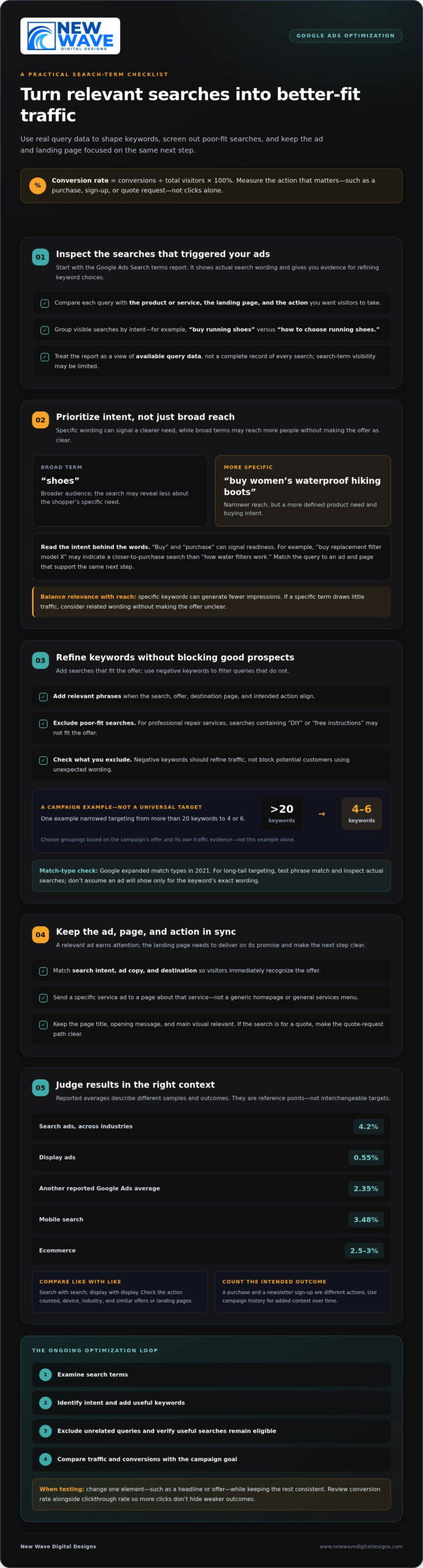
Start with the Search terms report in Google Ads. It shows the actual words people searched before your ads appeared, providing evidence to refine keyword choices. Compare each search with the product or service promoted, its landing page, and the action you want visitors to take. A search that aligns with all three is a stronger candidate than one that merely shares a broad topic.

Specific keywords can attract people with clearer intent, but they may generate fewer impressions than general terms. For example, “shoes” reaches a broad audience, while “buy women’s waterproof hiking boots” signals a more defined need. The longer phrase narrows who sees the ad, so weigh relevance against reach. If a specific term draws little traffic, consider related wording rather than broadening the keyword so much that the offer becomes unclear.

Search intent matters as much as the words themselves. Someone searching “buy replacement filter model X” may be closer to purchasing than someone searching “how water filters work.” Action words such as “buy” and “purchase” can signal readiness. Match those terms to an ad and page that support the same next step, such as ordering the exact product or requesting a quote.

Use negative keywords to screen out searches that don’t fit your offer. If a paid campaign promotes professional repair services, searches containing “DIY” or “free instructions” may be poor matches. After reviewing the report, add irrelevant terms as negatives, then check that useful searches aren’t being excluded too. Negative keywords should refine traffic, not block potential customers who use unexpected wording.

Reviewing search terms is an ongoing optimization step, not a one-time setup. Add relevant phrases as keywords, exclude unrelated queries, and revisit results as new searches appear. One campaign example reduced targeting from more than 20 keywords to 4 or 6; that illustrates a possible refinement, not a universal target. Choose keyword groupings according to the campaign’s offer and evidence from its own traffic.

Match types also shape reach. Google expanded match types in 2021, and the resulting changes may still influence which searches trigger ads. For long-tail targeting, test phrase match and inspect the search terms report to see whether the queries remain aligned. Don’t assume a chosen keyword will show your ad only for its exact wording. Review actual searches, then adjust keywords and negatives based on relevance and conversion activity.

Use a simple cycle: examine search terms, identify intent, add useful keywords, and exclude poor-fit queries. Then compare the traffic and conversions with the campaign’s goal. This measured approach helps optimize keyword coverage without mistaking more impressions for success.

2. Average conversion rates for search and display ads

Conversion benchmarks vary by campaign type and audience. Reported figures include a 4.2% average for search ads across industries and 0.55% for display ads. Another reported average for Google Ads is 2.35%, while mobile search is reported at 3.48%. Ecommerce conversion rates average 2.5-3%. These figures describe different samples and contexts, so they aren’t interchangeable targets.

Compare like with like: review search campaigns against search campaigns, and display campaigns against display campaigns. Check which action is counted, the device, and the industry before drawing conclusions. A purchase is not the same outcome as a newsletter sign-up. Your campaign history also provides context, especially when comparing similar offers and landing pages over time.

Use the Search terms report to assess which queries trigger ads and which lead to conversions. Search-term visibility may be limited, so treat the report as a view of available query data, not a complete record of every search. Group visible terms by intent, such as “buy running shoes” and “how to choose running shoes,” then compare conversion activity for each group.

To improve ad copy, responsive search ads, and offers, provide headline and description variations that reflect search intent and the landing-page offer. Google’s machine learning optimizes eligible combinations over time. Keep the message and offer consistent, then review which combinations support conversions.

Smart Bidding strategies such as Target CPA use conversion-focused bidding to pursue the campaign’s target cost per action. Choose a meaningful conversion action, review its recorded performance, and assess whether the target reflects the value of that action.

To find higher-converting traffic, compare search terms with audience segments and location targeting in your campaign. For example, review whether quote requests come from particular service areas or audience groups, then adjust targeting based on conversion results.

Run a Google Ads experiment by changing one element, such as a headline or offer, while keeping the rest of the test consistent. Compare variations, rotate ads, and review conversion rates alongside clickthrough rates so increased clicks don’t obscure weaker outcomes.

3. Landing page and ad message alignment

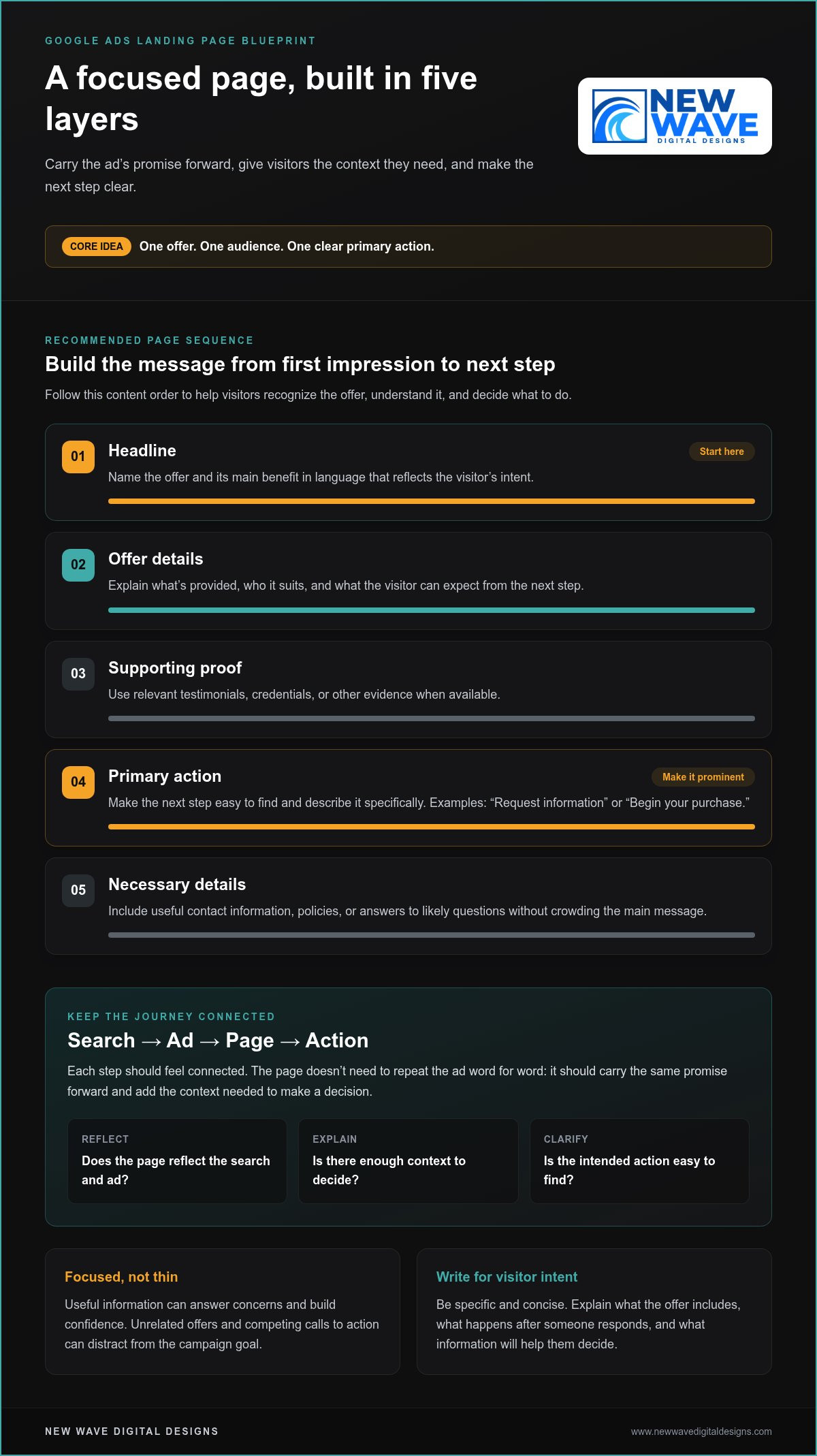
A relevant ad earns attention, but the landing page must deliver on its promise. If someone searches for a particular product, clicks an ad about it, and lands on a generic homepage, the next step becomes harder to follow. Align search intent, ad copy, and destination so visitors recognize the offer immediately. This connection creates a clearer experience and a more focused path to purchase.

Start by matching the page to the ad group’s central theme. For an ad promoting a specific service, use a landing page that explains that service rather than sending every visitor to a general services menu. Keep the page title, opening message, and main visual relevant to the search. A visitor looking for a quote should see a clear way to request one, not a page focused on an unrelated offer.

Offer consistency is equally important. If an ad promises a 20% discount, the landing page should show that same discount and explain how it applies. If the ad highlights a particular product feature, the page should make that feature easy to find. Differences between the ad and page can create doubt, especially when visitors need to search for the terms that first prompted their click.

Reduce friction by making the next step visible and the page easy to navigate. Put essential product or service details near the top, organize supporting information under clear headings, and make the main action easy to find. For example, a page promoting a consultation can explain what the visitor will receive, then show the request form without sending them through several menus. Check load speed too, since a slow page can interrupt the visit before the offer appears.

  • Match the message: Use the same product, service, and offer in the ad and page.
  • Make details accessible: Place relevant information where visitors can find it quickly.
  • Remove obstacles: Keep navigation clear and the intended action easy to reach.

Review the landing page from the visitor’s perspective after each campaign change. Search a promoted term, read the ad, and follow its destination. Ask whether the page answers the search, delivers on the ad’s promise, and makes the next action clear. If a campaign introduces a new offer, update the corresponding page before directing traffic there. This sequence helps maintain relevance throughout the journey, from search to decision.

When visits don’t lead to action, compare the ad’s promise with the page’s content before changing targeting. A relevant message and a well-structured destination give interested visitors a coherent experience, helping them evaluate the offer and decide whether to proceed.

Improve Google Ads Conversion Rate With Relevant Keywords

4. Specific and emotionally compelling calls to action

A clear call to action tells visitors what to do next. “Get a quote,” “Book a demo,” and “Shop the collection” describe distinct actions; “Learn more” may leave the next step less obvious. Choose wording that matches the offer and the visitor’s intent, so the action feels like a natural continuation rather than a demand.

Give people enough information to decide before asking them to act. For a demo, explain what it covers and who it suits, then use “Book your product demo.” For a newsletter, say what subscribers will receive, then invite them to “Get practical marketing tips.” Specific context makes the action meaningful and helps visitors understand what happens after the click.

Emotional resonance comes from relevance, not pressure. Someone browsing a gift page may respond to “Find a thoughtful gift,” while someone comparing software may prefer “See how the platform works.” Let the offer, audience targeting, and search intent guide the tone. Avoid urgency claims or promises the business can’t support.

  • For a purchase: “Choose your color” or “Add to cart.”
  • For an inquiry: “Request a project quote” or “Tell us what you need.”
  • For consideration: “Compare plan features” or “View the product details.”

Place the primary action where visitors can find it when they’re ready to decide. On a product page, put a purchase button near the item’s essential details. On a service page, a request form can follow a concise explanation of the service. Keep secondary actions visually distinct so “View examples” doesn’t compete with “Request a quote.”

Test alternative calls to action with an A/B comparison. For example, compare “Request a quote” with “Plan your project” while keeping the audience, landing page, and offer consistent. Review completed actions, not just clicks: a button can attract attention without producing the conversion the campaign seeks. Record the wording and result, then use the better fit as the starting point for your next test.

Make the action easy to complete after the click. If “Book a demo” opens a form, ask only for the information needed to arrange it, and label each field clearly. If “Shop now” leads to a product, make the item and its purchase options easy to identify. Matching the CTA to the destination creates a clear path from browsing to response.

Review CTA language whenever the offer or campaign targeting changes. An invitation to “Download the guide” won’t fit a page that now promotes a consultation. Keep the call to action, ad promise, and page destination aligned, then test changes against the same conversion goal.

5. Google Ads conversion rate definition and formula

Conversion rate describes how often ad traffic completes a chosen action. That action could be an online purchase, demo booking, phone call, quote request, newsletter sign-up, or gated-asset download. Choose an action that reflects meaningful progress, rather than counting every visit as success.

Use this formula: conversion rate = conversions ÷ total visitors × 100%. For example, divide recorded quote requests by the visitors who arrived from ads, then multiply by 100%. The result expresses how often that traffic completed the selected action. Keep the numerator and denominator tied to the same campaign and reporting period.

Conversion tracking connects ad interactions with actions on your website, such as purchases or sign-ups. Before judging a campaign, confirm that tracking records the intended action and that the report uses the right conversion goal. If purchases and newsletter sign-ups both count, the combined rate describes two different outcomes, not purchase performance alone. Separate goals when you need to understand each result.

A rate can exceed 100% when Google Ads counts multiple conversions for each ad interaction. That does not automatically indicate an error; it may reflect repeat actions, depending on the selected conversion settings. For a purchase-focused campaign, examine purchase counts separately. For a lead campaign, distinguish completed quote requests from other tracked actions.

In the United States, Google Ads policies and privacy requirements for data collection, consent, and use can affect which conversions tracking records. Configure measurement to respect user permissions and platform policies, then interpret reported conversions within those limits.

Allow enough time for conversions to appear in reporting before interpreting a campaign change. A visitor might click today and submit a quote request later, so a recent period can undercount actions still in progress. Check whether the data includes the full path from ad click to conversion, and compare equivalent periods with consistent goals and settings.

The data needed to draw a conclusion depends on how often the chosen action occurs and how consistently tracking captures it. A campaign with infrequent purchases needs more observation than one generating regular sign-ups before a pattern becomes persuasive. Avoid reacting to a single conversion or short-lived shift; look for a stable direction across comparable traffic and campaign conditions.

To improve your conversion rate, use the formula as a diagnostic tool: identify the action, verify its tracking, and examine the traffic that leads to it. Review your Google Ads measurement approach to make campaign decisions from clearer conversion data.

New Wave Digital Designs: Shopify Website Design

New Wave Digital Designs can help when your campaign sends visitors to an online store that needs a clearer, more relevant experience. Its Shopify Website Design service can shape product pages around the offer in your ads, creating a focused path from product details to purchase. WordPress Website Design and SquareSpace Website Design are also available for sites on those platforms. Website Maintenance can support your existing site as its content and needs evolve.

Consider this next step when your ads attract relevant traffic, but visitors struggle to understand the offer or take action on the destination page. A cohesive design can better align the message, page structure, and next step. Contact New Wave Digital Designs to discuss your website needs.

Make Your Next Improvement Deliberate

Better campaign performance grows from observation and thoughtful adjustment. Choose one point in the visitor journey that could be clearer, make a focused change, and assess how people respond. This disciplined process turns “how to improve Google Ads conversion rate” into practical work, not a search for a single clever setting.

Consider whether your website gives each campaign a destination that reflects its purpose. New Wave Digital Designs offers Shopify Website Design, WordPress Website Design, and SquareSpace Website Design, shaping sites around their platform and business goals. Considered design can give your advertising a cohesive destination for interested visitors.

When you’re ready to explore how your website can better support your campaigns, contact New Wave Digital Designs. Take the next step with clarity, and keep building an experience that earns each visitor’s attention.

Frequently Asked Questions

What is conversion rate?

Conversion rate is the proportion of ad-driven visitors who complete a defined business goal. For example, a visitor who clicks an ad and submits a lead form can count as a conversion. The rate distinguishes traffic that advances a business objective from traffic that merely arrives. Its meaning depends on the action selected, so clarify whether you’re measuring purchases, qualified leads, or another outcome.

What Qualifies as a Conversion Activity?

A conversion activity is a meaningful action you choose to measure, such as an online purchase, subscription upgrade, demo booking, phone call, free-account sign-up, quote request, newsletter subscription, or gated-asset download. Select actions tied to a business goal. For example, a retailer may prioritize completed purchases, while a consultant may track qualified quote requests. Don’t treat low-intent interactions, such as viewing a page, as equivalent to completed sales.

Why the low CVR?

A low conversion rate can point to a mismatch between the search and the completed action. Check whether the ad attracts the intended audience, the page answers their needs, and the form or checkout works as expected. A form asking for unnecessary details, for example, may discourage submissions. Compare mobile and desktop performance, and confirm that tracking records successful completions rather than button clicks alone.

What is a good Google Ads conversion rate by industry and campaign type?

There isn’t one benchmark that fits every industry and campaign. Reported averages include 4.2% for search ads across industries, 0.55% for display ads, and 2.5-3% for ecommerce conversion rates. Compare only similar campaign types and conversion goals. A search campaign measuring purchases shouldn’t be judged directly against display ads measuring newsletter sign-ups. Use benchmarks as context, then assess progress against your own campaign’s past performance.

How do you calculate Google Ads conversion rate, and which conversions should count?

Divide conversions by the relevant total visitors, then multiply by 100%. Choose actions that represent real progress toward your goal, such as completed orders or qualified inquiries. If you count several actions together, the resulting rate may obscure which one drives value. For clearer reporting, keep purchases, form submissions, and other goals distinct, and ensure the visitor total matches the campaign and reporting period you’re evaluating.

How do you set up and troubleshoot Google Ads conversion tracking and GA4 imports?

Define the desired action first, then configure tracking to record its successful completion. For a GA4 import, link the relevant accounts and select the event that represents the goal, such as a completed purchase. Test the full journey from ad landing page to confirmation, and compare recorded events across platforms. If counts differ, review event triggers, attribution settings, duplicate tags, and whether both systems measure the same action.

How can you improve Google Ads conversion rates with better keyword targeting and negative keywords?

Build keyword groups around distinct offers and search intent rather than placing unrelated terms in one group. Review search terms for patterns that indicate research, employment, or a different product need, then exclude unsuitable queries with negative keywords. For example, a paid repair service might exclude searches clearly seeking free do-it-yourself instructions. Keep useful variations eligible, and check query quality again after changes affect campaign traffic.

How do landing page speed, relevance, and design affect Google Ads conversion rates?

A slow or confusing page can interrupt a visitor before they complete an action. Check load performance on mobile and desktop, then test the page as a new visitor. Keep the headline, product details, and offer relevant to the ad, and make the next step easy to find. Clear navigation, readable content, and a working checkout or form help remove friction between arrival and conversion.

How to Reduce Shopping Cart Abandonment: A Practical 2026 Guide

What if the best way to recover abandoned carts isn’t a discount, but a clearer checkout? If you’re wondering how to reduce shopping cart abandonment, start by finding out why shoppers leave. Unexpected delivery costs, limited payment options, confusing forms, or simply browsing can all lead to an unfinished order. Treating every exit as a request for a discount can cut into margins without addressing the friction that matters.

It’s understandable to look for one quick fix, especially when cart exits are difficult to explain. But checkout is part of the wider ecommerce experience, shaped by the information shoppers see and the steps they’re asked to take. The most useful improvements begin with evidence, not assumptions.

This guide shows you how to identify where shoppers drop off, form testable explanations, and prioritize changes by customer impact, effort, and evidence. You’ll also learn how to test checkout improvements and measure what changes, from making delivery details easier to find to simplifying payment and form choices. The goal is a repeatable process that makes buying clearer and easier without relying on blanket discounts.

Key Takeaways

  • Learn how to reduce shopping cart abandonment by tracing exits across cart, checkout, and purchase steps instead of treating every unfinished order alike.
  • Use analytics, customer feedback, and usability observations to investigate potential friction before choosing a fix.
  • Separate checkout improvements that prevent barriers from recovery efforts that invite shoppers back, then measure each by its intended outcome.
  • Follow a repeatable test process: establish a baseline, form a hypothesis, prioritize a change, and review the results.
  • Shape checkout as part of the wider ecommerce experience, aligning product, delivery, payment, and policy information with customer needs.

How to Reduce Shopping Cart Abandonment Starts with Measuring the Problem

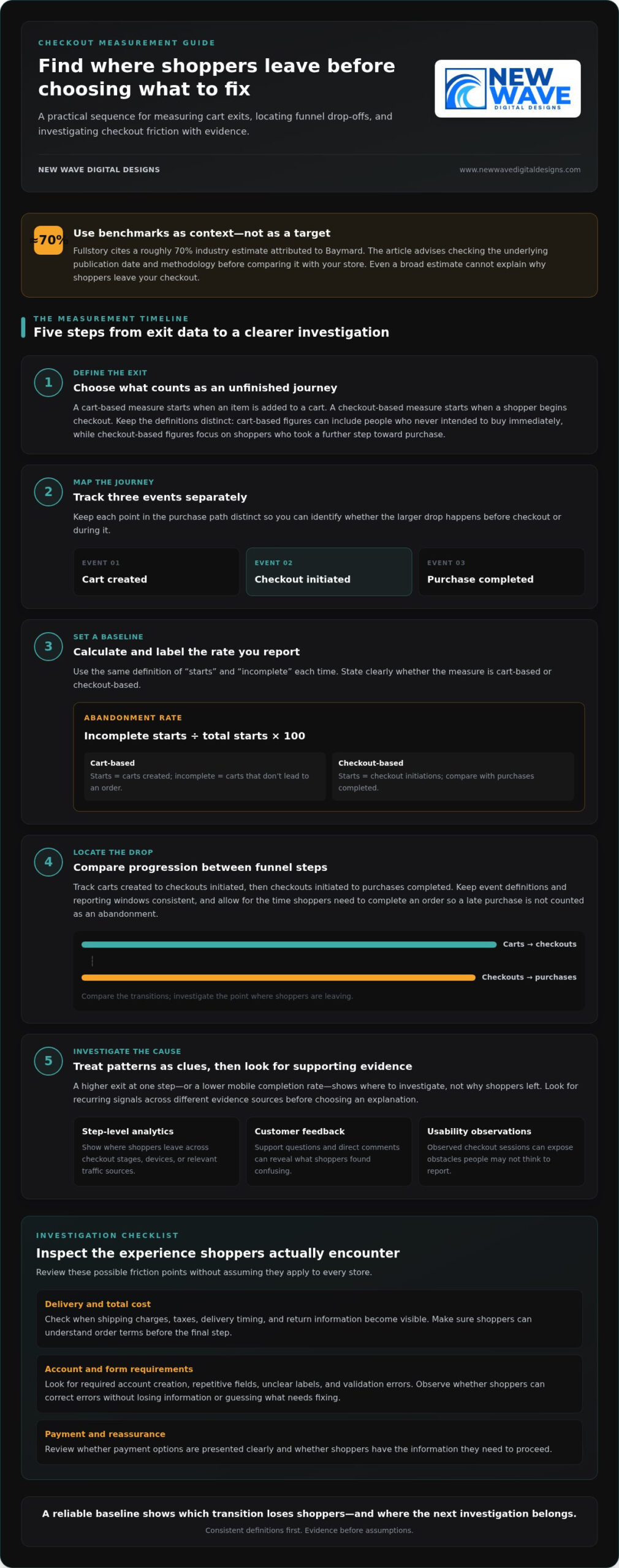
Cart exits are common, but the reasons behind them differ from store to store. A shopper may add an item and leave to compare options, or begin checkout and stop when a required step creates friction. Those actions can look alike in an overall abandonment figure, yet they raise different questions. To learn how to reduce shopping cart abandonment, first define what counts as an exit and measure the same events consistently.

Map the path from a shopper’s first cart action to a completed order. Keep cart creation, checkout initiation, and purchase completion as distinct events. This makes it easier to see whether the larger drop happens before checkout or during it, rather than treating every incomplete journey as the same problem.

What does shopping cart abandonment mean?

Shopping cart abandonment is when a shopper leaves without completing the intended transaction. The rate depends on where you begin counting. A cart-based measure starts when an item is added to a cart; a checkout-based measure starts when a shopper begins checkout. The first can include people who never intended to buy immediately, while the second focuses on shoppers who took a further step toward purchase.

Benchmarks can mislead if they use different definitions, time windows, or analytics events. Fullstory cites a roughly 70% industry estimate attributed to Baymard. Treat it as context, not a performance target: check the underlying publication date and methodology before comparing it with your store’s data. Baymard’s broader estimate aggregates 50 studies, but it still can’t explain why shoppers leave your particular checkout.

Which numbers reveal where shoppers leave?

Abandonment rate is the share of carts or checkouts that don’t result in a completed purchase, calculated as incomplete starts divided by total starts, multiplied by 100. For a cart-based rate, define “starts” as carts created and “incomplete” as those that don’t lead to an order. For a checkout-based rate, use checkout initiations and the purchases completed from them. State which version you report.

Track that overall trend alongside progression between funnel steps. For example, measure carts created to checkouts initiated, then checkouts initiated to purchases completed. Use consistent event definitions and a consistent reporting window, and allow for the time it takes shoppers to complete an order. Otherwise, a late purchase may be incorrectly counted as an abandonment.

  • Compare rates by device, traffic source, and product category to spot patterns worth investigating.
  • Check that each segment uses the same events, attribution rules, and time window.
  • Treat a difference as a clue, not proof of cause. A lower mobile completion rate, for instance, signals where to investigate, not why shoppers left.

A reliable baseline shows which transition loses shoppers and helps direct your next investigation to the right part of the journey.

Find the Checkout Friction Behind Shopping Cart Abandonment

A sharp drop at a checkout step can point to friction, but it doesn’t identify the cause on its own. Shoppers may be comparing prices, waiting to decide, or interrupted before they can finish. Treat each possible explanation as a hypothesis to test. That distinction is central to how to reduce shopping cart abandonment without changing parts of checkout that aren’t causing the problem.

Look for patterns across different kinds of evidence. Step-level analytics show where shoppers leave; support questions and direct feedback reveal what they found confusing; usability observations can expose obstacles people may not think to report. When the signals point in the same direction, you have a stronger basis for choosing what to investigate next.

How do you identify the point where shoppers hesitate?

Compare exits across checkout stages, devices, and relevant traffic sources. If a particular step has higher exits on mobile, inspect how it appears and works on a smaller screen. Then look for supporting evidence in shopper comments, support conversations, and observed checkout sessions. A single session or segment difference is a lead, not proof that every shopper faces the same issue.

Keep alternative explanations in view. A shopper who leaves after viewing delivery options may have found the information unclear, or may simply be comparing delivery choices. Look for recurring signals before deciding which explanation is more likely.

Which checkout barriers deserve a closer look?

Review checkout as a shopper experiences it. Note when essential details appear and what shoppers must do before placing an order. The aim isn’t to assume a familiar issue applies to your store, but to spot where the journey may create uncertainty or unnecessary effort.

  • Delivery and total cost: Check when shipping charges, taxes, delivery timing, and return information become visible. Make sure shoppers can understand the order’s terms before they reach the final step.
  • Account and form requirements: Look for required account creation, repetitive fields, unclear labels, and validation errors. Observe whether shoppers can recover from an error without losing information or having to guess what needs correcting.
  • Payment and reassurance: Review whether payment options are presented clearly and whether shoppers can find relevant security and policy information. Don’t assume that adding a payment method or trust message will solve exits without evidence.
  • Performance and interruptions: Check for slow-loading steps, buttons that don’t respond as expected, and disruptions that may be more pronounced on particular devices or traffic sources.

Use your findings to describe a specific, testable concern, such as “shoppers may be leaving because delivery timing appears too late to inform their decision.” That’s more useful than labeling the whole checkout “confusing.” A thoughtfully arranged custom ecommerce website design can bring product, delivery, payment, and policy information into a more coherent experience, guided by evidence about what shoppers need.

Compare Cart-Abandonment Fixes: Prevent Checkout Friction or Recover Shoppers?

Once you have a plausible explanation for where shoppers leave, match your response to the evidence. Prevention removes a barrier from the active buying journey. Recovery uses a later reminder or return visit to re-engage someone who left. The approaches can work together, but recovery shouldn’t replace fixing a checkout obstacle that continues to affect shoppers.

When should you improve checkout rather than launch recovery marketing?

Prioritize prevention when step-level exits, feedback, or usability observations point to recurring friction during checkout. If shoppers struggle to understand delivery details or correct form errors, address that experience first. Consider recovery when the checkout is clear and functional but some shoppers still leave. A reminder may create another opportunity to complete a purchase, but it won’t remove the original barrier.

Guest checkout or simpler forms
Friction addressed: Unnecessary account steps or repetitive fields.
Evidence required: Exits at account creation or observed difficulty completing forms.
Measurement: Compare checkout completion and form-step exits.

Clearer order and delivery details
Friction addressed: Uncertainty about shipping, taxes, delivery timing, or returns.
Evidence required: Feedback or exits around the point those details appear.
Measurement: Track progression past that step and completed purchases.

Payment presentation or usability fixes
Friction addressed: Confusing payment choices, unclear errors, or a technical obstacle.
Evidence required: Payment-step exits, error patterns, or observed usability issues.
Measurement: Monitor payment completion, errors, and checkout progression.

Abandoned-cart email
Friction addressed: A shopper may need a reminder to return.
Evidence required: Available contact details and appropriate consent under applicable rules and platform requirements.
Measurement: Measure return visits and purchases attributed to the message.

Retargeting
Friction addressed: Re-engagement after a shopper leaves the site.
Evidence required: Suitable audience data, permissions, and platform eligibility.
Measurement: Assess return visits and completed purchases against campaign exposure.

How do common interventions differ in effort and trade-offs?

Guest checkout and form simplification change the steps a shopper must complete. Clearer delivery or payment information changes what shoppers understand before deciding. Recovery email and retargeting instead depend on being able to reach eligible shoppers later. Their requirements differ: email needs usable contact information and appropriate permission, while retargeting depends on audience data and platform rules. Implementation effort varies by store, platform, and the change involved.

Discounts aren’t a default solution. First establish that price is a verified barrier, then weigh any offer against its effect on margin. A discount may encourage a return without correcting unclear terms or a difficult checkout. Choose the smallest change that addresses the evidence, then measure its intended outcome. Custom ecommerce website design can align checkout details with the broader customer journey.

How to Reduce Shopping Cart Abandonment: A Practical 2026 Guide

How to Test Shopping Cart Abandonment Improvements Step by Step

A checkout change is a hypothesis, not a result. A clear testing sequence helps you learn whether an improvement addresses the friction you observed and prevents competing changes from obscuring the lesson. This is how to reduce shopping cart abandonment through deliberate iteration rather than guesswork.

Use this workflow to move from a customer signal to a measured decision:

  1. Set a baseline. Record current checkout progression and completed purchases before making changes. Keep event definitions, reporting windows, and relevant audience segments consistent so you can make a fair comparison.
  2. Gather evidence. Bring together analytics, shopper feedback, support questions, and usability observations. Look for a recurring issue, not just one unusual session or an isolated comment.
  3. Write a hypothesis. State the suspected barrier, the change you propose, and the outcome you expect. For example: “If delivery timing is easier to find before payment, more shoppers will progress from delivery selection to purchase.”
  4. Prioritize the change. Rank possible improvements by customer impact, strength of evidence, and implementation effort. Start with a repeated issue supported by multiple signals, especially if it affects a meaningful checkout step.
  5. Run a focused test. When practical, change one meaningful element at a time, such as the placement of delivery information. If a change necessarily affects several connected elements, document what changed and avoid introducing unrelated updates during the test.
  6. Review and record. Compare the results with the baseline, note any changes in checkout progression and purchases, and record what the test can and can’t tell you. Keep supported improvements, revise weak hypotheses, and plan the next test.

How do you prioritize which checkout change to test first?

Choose the test with the clearest connection between observed friction and a measurable checkout outcome. A repeated form error backed by session observations may deserve attention before a speculative redesign. Balance likely customer impact against effort, then define success in advance. Clicks can help explain interaction, but they don’t establish that more shoppers completed an order.

How should you interpret and maintain test results?

Measure completed purchases alongside the relevant step-to-step progression, using the same event definitions as your baseline. Give a test enough time and shopper activity to produce useful evidence. The required duration and sample depend on traffic and conversion volume, so avoid arbitrary cutoffs. Don’t declare a winner from a small sample or changes made simultaneously.

An inconclusive result is still useful if you capture what was tested, the evidence behind it, the outcome, and any limitations. Revisit the assumption, check whether the change worked as intended, and continue monitoring the journey after implementation. A disciplined testing process can turn each result into a clearer foundation for the next improvement.

Build a More Resilient Ecommerce Checkout with Thoughtful Website Design

Checkout isn’t a standalone form. It’s the final part of a connected ecommerce experience, shaped by what shoppers learn about a product, delivery, payment, and store policies before they’re ready to buy. Thoughtful design brings those details together, helping the journey feel coherent while reflecting the brand behind the store.

What does a considered ecommerce redesign address?

A considered redesign reviews the whole journey, from product discovery through purchase completion. It asks whether shoppers can find essential information, understand their choices, and move between pages without losing context. Clear headings, well-placed details, and consistent page patterns help customers make sense of each step. The aim is a more usable experience, not a promised conversion lift or guaranteed reduction in abandonment.

Design decisions should respond to what measurement and customer evidence reveal. If shoppers hesitate before selecting delivery, make relevant details easier to locate. If a form creates difficulty, examine its labels, sequence, and error messages. Custom website design for Shopify, WordPress, or Squarespace can bring brand presentation and practical usability into alignment. Organic SEO also supports the wider journey by helping shoppers discover relevant products and reach useful pages.

How can ongoing digital support sustain improvements?

Design changes need attentive site stewardship after launch. Website maintenance provides ongoing care, while managed hosting and security support the technical environment the site relies on. These are distinct responsibilities that help keep a website cared for as content and business needs evolve. Ongoing website maintenance services can support that continuity, while regular review helps identify when a once-clear journey needs refinement.

Improving checkout is a continuing practice. Measure the journey, make evidence-led changes, and keep the wider store experience in view. If you’re considering checkout refinements or a broader ecommerce design project, New Wave Digital Designs can help shape a website around your store’s needs.

Make Your Next Checkout Improvement Count

The next step doesn’t need to be a sweeping redesign. Choose one customer need your evidence has brought into focus, then shape an improvement that fits the store as a whole. That steady, considered approach turns learning into lasting progress and makes how to reduce shopping cart abandonment an ongoing part of building a more thoughtful ecommerce experience.

When the opportunity calls for a broader design perspective, New Wave Digital Designs creates custom ecommerce websites for Shopify, WordPress, and Squarespace, with ongoing maintenance, managed hosting, security, organic SEO, and Google Ads and Bing Ads management. Together, these services can support a cohesive path from discovery through purchase and continued site care.

Explore ecommerce website design from New Wave Digital Designs and take the next step toward a clearer, more customer-centered checkout experience.

Frequently Asked Questions

What is shopping cart abandonment?

Shopping cart abandonment happens when a shopper adds a product or starts checkout but leaves before placing an order. Someone might add an item while comparing options, while another shopper might reach payment and stop there. Those journeys have different implications, so define the starting event your report uses. Keeping that definition consistent helps you interpret changes over time instead of mistaking a shift in tracking for a change in shopper behavior.

How do you calculate the shopping cart abandonment rate?

Divide the number of carts or checkouts that don’t lead to a purchase by the total number of carts or checkouts started, then multiply by 100. If you begin counting at checkout initiation, use completed purchases from those initiated checkouts as the comparison. Apply the same event rules and reporting window each time. Before comparing your figure with an industry benchmark, check that its starting event and calculation are comparable.

What is a good shopping cart abandonment rate?

There isn’t one ideal abandonment rate for every store. Product type, shopping behavior, device mix, and measurement choices can all affect the figure. Rather than treating a published average as a target, build a reliable baseline for your own store and monitor it consistently. A more useful goal is to identify a specific step where shoppers are leaving, test a relevant improvement, and see whether that pattern changes.

Why do customers abandon shopping carts?

Customers may leave because of unclear delivery details, difficult forms, account requirements, unavailable payment choices, confusing policies, or technical problems. They may also be browsing, comparing options, or interrupted by something unrelated to checkout. For example, a spike in exits at a particular step is a reason to investigate that point, not proof of a single cause. Combine analytics with shopper feedback and usability observations to find stronger clues.

Can abandoned-cart emails reduce shopping cart abandonment?

Abandoned-cart emails can remind eligible shoppers to return, but they don’t repair a confusing or faulty checkout. Their use depends on having suitable contact information and meeting applicable consent requirements and platform rules. If you send them, assess whether they lead to completed purchases, not just opens or clicks. A shopper who returns but encounters the same obstacle may still leave, so consider recovery messages alongside improvements to the buying experience.

How can I reduce cart abandonment without offering discounts?

To learn how to reduce shopping cart abandonment without discounts, first connect shopper exits to a specific point in the journey. If customers hesitate before confirming delivery, make those details easier to understand earlier. If they struggle with a form, remove unnecessary fields or clarify error messages. Then monitor the relevant checkout step and completed orders. This focuses effort on reducing friction instead of lowering the order value without evidence that price is the issue.

Does a slow website cause shopping cart abandonment?

A slow or unreliable page can disrupt shopping, but speed shouldn’t be assumed to explain every incomplete order. Look for performance problems on product, cart, or checkout pages, then compare those findings with where shoppers leave. For instance, repeated loading issues during payment would give you a concrete area to investigate. After addressing a confirmed issue, track the same checkout events and purchase outcomes to see whether the pattern changes.

How long should I run an A/B test for checkout changes?

There’s no fixed test length that suits every store. The time needed depends on how much relevant traffic and purchase activity your checkout receives, as well as how often the measured outcome occurs. Decide what you’ll measure before the test begins, and avoid stopping because of a brief favorable fluctuation. If the result is unclear, record that limitation and gather more evidence instead of treating a small or inconclusive sample as a decisive answer.

Squarespace vs. WordPress for Small Business: How to Choose in 2026

The easiest platform to launch may not be the easiest one to manage as your business grows. That’s the real question behind squarespace vs wordpress for small business: which foundation suits your goals, your working style, and the time or technical support you can commit to your website?

It’s tempting to focus first on appearance, features, or the monthly plan. But a website also needs ongoing care. Squarespace combines hosting and platform maintenance in one managed system, while self-hosted WordPress offers more control and flexibility, along with more upkeep decisions. Neither is the right choice for every business.

This comparison covers the practical differences in ownership, maintenance, design, content and search tools, commerce, and room to grow. You’ll also find steps to take before building or migrating, so your choice reflects how your business operates, not just how a template looks. With thoughtful design and ongoing support, either platform can provide a useful foundation for what comes next.

Key Takeaways

  • Start with what your website needs to accomplish, whether that’s generating leads, publishing content, taking bookings, or selling online.
  • Understand how Squarespace’s hosted model and self-hosted WordPress differ in ownership and ongoing upkeep.
  • Use the squarespace vs wordpress for small business comparison to weigh design workflows, search tools, content needs, and future growth.
  • Use a practical scorecard to identify must-have features, maintenance capacity, and the support your business can provide.
  • See how custom design for either platform can align your website’s structure and visual direction with your business goals.

Squarespace vs. WordPress for Small Business: Start With the Job Your Website Must Do

The better platform depends on what your website needs to do and who will look after it. Before comparing templates, name its primary job: attracting qualified leads, publishing useful content, managing bookings, or selling online. A consulting firm seeking enquiries has different priorities from a shop managing a growing product catalogue. Start with the task, then choose tools and design that support it.

Next, consider how the site will fit into your working week. Are you comfortable editing pages and adding content? How much time can you set aside for updates and routine upkeep? Would you rather use a managed environment, or make more decisions about hosting, extensions, and technical configuration? These answers matter as much as a feature list. A platform that fits your capacity is easier to maintain.

Squarespace is a managed website platform that combines the site-building experience and hosting in one service. WordPress has two distinct routes: WordPress.com is a hosted service, while WordPress.org provides open-source software commonly installed with a hosting provider. They aren’t interchangeable models. The WordPress Wikipedia article offers a broader overview of the software’s history and its role as a content management system.

Which small businesses may prefer Squarespace?

Squarespace may suit an owner who values a cohesive visual editing experience and wants a managed setup for a business website, portfolio, or service offering. It can be a practical fit if you expect to update service descriptions, team details, and other core pages yourself without building a custom technical stack. The managed model can reduce some operational decisions, but it doesn’t replace planning, regular content updates, or attention to how the site serves customers.

When might WordPress suit a small business better?

WordPress may suit a business that needs more control over its site structure, extensions, or development choices, particularly when its requirements call for a tailored setup. That flexibility comes with decisions about hosting, themes, plugins, and maintenance. A hosted WordPress.com site has a different responsibility profile from self-hosted WordPress. WordPress isn’t automatically the better choice for every growing business; the right fit depends on the complexity you need and the support available.

Use this quick orientation before comparing specific features:

  • Lead generation: Prioritize clear service pages, persuasive calls to action, and a straightforward way to manage enquiries.
  • Publishing: Consider how often you’ll add articles, organize content, and keep a useful library up to date.
  • Bookings or sales: Map the customer journey and the functions the website must support before settling on a design.
  • Limited technical time: Choose an operating model that fits the upkeep you can realistically handle, either personally or with ongoing support.

That is the practical heart of squarespace vs wordpress for small business: choose for the work the site must do and the people who will care for it. Design should make that work clearer, not distract from it.

How Squarespace and WordPress Work: Hosted Platform or More Hands-On Control?

A hosted website platform provides an environment for building and running a site as one managed service. With self-hosted WordPress, you use the open-source software but arrange hosting separately. That distinction shapes who makes decisions about infrastructure, updates, security, and technical configuration. It’s central to understanding squarespace vs wordpress for small business.

Squarespace is a hosted platform. WordPress can mean either WordPress.com, a hosted service, or WordPress.org software installed with a hosting provider. The names are related, but the operating arrangements aren’t identical. Comparisons such as this Forbes comparison of Squarespace vs. WordPress can help orient your research. First, identify which WordPress setup is being considered.

WordPress.com vs. self-hosted WordPress: what is the difference?

WordPress.com hosts websites through its service, with features and responsibilities shaped by the plan. Self-hosted WordPress uses software from WordPress.org, while the site owner or their team selects a hosting arrangement and configures the site. This can allow more control over hosting and development choices, but it also means more decisions. Before comparing platforms, clarify the hosting model, who manages it, and which parts of the site your team will control.

Who handles updates, hosting, and routine upkeep?

Separate platform infrastructure from site-level care. A provider may manage the underlying hosted environment, while the business still needs to maintain content, settings, accounts, and integrations. Self-hosted WordPress generally requires the site owner or a support team to coordinate more of the technical work.

  • Squarespace: The platform manages hosting and platform-level maintenance. The business remains responsible for site content, configuration, and reviewing whether the website continues to meet its needs.
  • WordPress.com: Hosting is part of the service, but plan features and responsibilities can vary. Review the current service details instead of assuming every setup includes the same management.
  • Self-hosted WordPress: Hosting must be arranged separately. Updates to WordPress, themes, and plugins, along with backups and security tasks, need an owner, a hosting arrangement, or a maintenance partner.

Plugins, themes, integrations, and custom development can add capabilities to a self-hosted site, but they also create components that need to stay compatible and maintained. A maintenance partner can support a WordPress or Squarespace site with ongoing care, hosting, or security services. Support can clarify responsibilities and reduce the technical burden, but no platform or maintenance arrangement makes routine attention unnecessary.

Platform features, plan inclusions, and service arrangements can change. Before building or migrating in 2026, review the current platform documentation and spell out who is responsible for hosting, updates, backups, and site-level changes. A clear handoff prevents important tasks from becoming assumptions. Custom website design and ongoing support can help align the platform setup with how your business operates.

Compare Squarespace vs. WordPress on Design, SEO, Content, and Growth

A useful comparison looks beyond headline features. Consider how you’ll shape the site, publish and refine content, connect the tools your business uses, and manage changes over time. In squarespace vs wordpress for small business, those day-to-day realities matter as much as the design you launch with.

Criteria Squarespace considerations WordPress considerations Best-fit signal
Design and editing Visual editing and designed starting points support a cohesive look; layouts can be tailored within the platform’s framework. Block-based editing, themes, and development options offer different ways to shape pages, depending on the setup. Choose the workflow your team can confidently use to maintain the brand experience.
Content and search Built-in tools support common site and SEO tasks; content organization and customization follow the platform’s capabilities. Content workflows and SEO controls can be extended through the chosen configuration, including plugins on self-hosted sites. Match your publishing rhythm and optimization needs to the tools you’ll actually use.
Extensions and integrations Available connections and features depend on the platform and its current offerings. Extensions can broaden functionality, while each added component brings setup and maintenance considerations. List essential integrations first, then assess how they fit the specific setup.
Future changes A more unified environment can suit businesses whose needs fit its available features. More choice in structure and development can support tailored requirements, with added decisions to manage. Consider likely changes, not hypothetical complexity.

Which platform fits your content and search strategy?

Neither platform guarantees stronger search rankings. Results depend on useful content, sound technical execution, and consistent optimization, including clear page structure and relevant internal links. Squarespace provides built-in SEO tools for common needs, while WordPress setups can offer more granular options through plugins and configuration. Consider how your team plans, publishes, and improves pages, and whether it can sustain that work. Regular website maintenance services can help keep content and site elements cared for over time.

How should design needs and future growth affect the comparison?

Start with the visual identity and functionality your business genuinely needs. A service firm may need polished pages and a clear enquiry path; an online shop may need room to manage products and refine the customer journey. Both platforms support design work, but custom requirements, integrations, and editing preferences can affect the best fit. Map the next plausible stage of growth, then weigh each platform’s capabilities against the time and support available to manage them.

For a more precise decision, assess the specific platform configuration rather than relying on broad labels. A carefully designed site can bring structure, content, and function into alignment on either platform. The strongest choice is the one your business can operate well as its needs evolve.

Squarespace vs. WordPress for Small Business: How to Choose in 2026

A Practical Squarespace vs. WordPress Decision Framework for Small Businesses

Turn the platform choice into a sequence of practical decisions, not a contest over which system is universally better. For squarespace vs wordpress for small business, begin with what the website must do, then weigh its capabilities against the time and support available to care for it.

  1. Define the goal. Decide whether the site should explain services, publish regularly, collect enquiries, take bookings, or support transactions. Choose one primary goal to guide the structure.
  2. Map required functions. List the essentials for launch, such as enquiry forms, a blog, a booking flow, or an online store. Separate these from features that would be appealing but can wait.
  3. Assess maintenance capacity. Identify who will create pages, publish updates, review integrations, and handle technical upkeep. Consider the time and expertise actually available, not an ideal future arrangement.
  4. Choose the platform model. Compare your requirements with each platform’s current capabilities, editing workflow, and operational responsibilities. Select the setup that meets your essentials without adding complexity you can’t support.

Match platform requirements to your business model

A service business focused on explaining its offer and receiving enquiries may value a clear, manageable site. A frequent publisher should consider how easily the team can create, organize, and refresh content. A business with custom requirements may value more control over structure or development, provided someone can manage that added flexibility. These are useful starting profiles, not fixed platform prescriptions.

Quick scorecard: Write a short answer in each category before comparing platforms.

  • Must-haves: What must work at launch for the website to serve customers?
  • Nice-to-haves: Which features could wait until there’s a clear reason to add them?
  • Ownership needs: Who controls the domain, content, accounts, and key site decisions?
  • Available support: Who can take responsibility for publishing, technical upkeep, and changes?

Plan for ownership, maintenance, and a future platform change

Before committing, assign recurring tasks to a person or support partner. Include content edits, security practices, backups, and technical updates in the plan, with responsibilities suited to the chosen setup. If a migration may be needed later, record where the domain is managed and organize content and media files. Plan redirects and review what can move; designs and functions may need to be rebuilt rather than transferred unchanged.

Use this pre-build checklist to make the handoff clearer:

  • Content: Gather page copy, images, service details, and publishing priorities.
  • Domain: Record account access and who is responsible for domain settings.
  • Integrations: List essential connected tools and the role each one serves.
  • Accessibility: Review readable text, meaningful headings, image descriptions, and keyboard-friendly navigation.
  • Launch: Assign responsibility for reviewing pages, testing key tasks, and managing post-launch updates.

A considered plan connects platform choice to the realities of ownership. Plan a custom Squarespace or WordPress website around your business goals and available support.

Turn Your Platform Decision Into a Thoughtful Small-Business Website

A platform decision becomes useful when it shapes a website around the business, not just its software. A considered discovery process connects your goals, brand, content, and operational capacity to a practical choice between Squarespace and WordPress. New Wave Digital Designs creates custom websites on both platforms, bringing design and technical planning together so the structure serves the way your business works.

What a platform-aware design process should address

Begin with the brand’s character and the actions visitors need to take. A clear user journey, responsive layouts, and well-organized content help turn visual identity into a site people can use across devices. Project requirements then inform the platform: a focused service site may need a different setup from one with specialized features, complex integrations, or distinct content workflows. For a tailored Squarespace approach, explore custom Squarespace website design.

The squarespace vs wordpress for small business decision shouldn’t stop at launch-day appearance. A strong build also considers how pages will be edited, how new content will fit the site, and who will manage changes. For WordPress, that may include planning the hosting and extensions that support the requirements. For Squarespace, it means shaping the available tools and design framework around the business. Either way, deliberate design can make the site feel cohesive without losing sight of its purpose.

Build for launch and the work that follows

Launch planning brings together content, functionality, and ownership. Prepare page copy and media, review navigation, test key interactions, and clarify who is responsible for routine edits after the site goes live. A clear handoff gives the business a workable path from launch into daily use, whether the owner updates content directly or works with ongoing support.

Care continues after launch. Website maintenance and support can help keep site elements current and functional, while managed hosting and security services address important operational needs. The right arrangement depends on the platform and agreed responsibilities. A thoughtful plan doesn’t remove every technical consideration; it makes ownership clearer and gives the site a considered foundation for future changes.

  • Before launch: Confirm the site’s content, navigation, forms, and other essential functions.
  • At handoff: Document account access and establish who handles content edits and technical tasks.
  • After launch: Review the site as business needs change, and plan updates rather than allowing small issues to accumulate.

New Wave Digital Designs brings custom Squarespace and WordPress design together with website maintenance, hosting, and security support. Explore a website design partnership to shape a website around your goals and the way you’ll care for it.

Set Your Website Up for Its Next Chapter

Turn your platform shortlist into a clear project brief. Note what visitors should understand, what action you hope they’ll take, and what your team can comfortably manage. Then consider how you’ll recognize when the site needs to change: a new service, a shift in your audience, or a different way of working may call for fresh content or functionality.

The decision in squarespace vs wordpress for small business doesn’t need to anticipate every possibility. It should give your business a considered foundation now, with room to reassess priorities as they develop. A thoughtful design partnership can translate those priorities into a digital experience that feels true to your brand and practical to manage.

New Wave Digital Designs creates custom websites on Squarespace and WordPress, with website maintenance, hosting, and security support for the work that continues after launch. Explore a website design partnership to shape a site around your business’s next chapter.

Frequently Asked Questions

Is Squarespace or WordPress easier for a small business to manage?

Squarespace’s managed environment can simplify some routine platform responsibilities, while WordPress management varies with the setup. For squarespace vs wordpress for small business, consider whether you’re using WordPress.com or self-hosted WordPress, how comfortable you are managing site administration, and whether maintenance support is available. Updating a service page, for example, is different from handling a plugin conflict or hosting issue. Neither platform is effortless, and ease depends on your site and support plan.

Can a small business rank on Google with Squarespace?

Yes, a Squarespace site can support search visibility, but no platform guarantees a place in search results. Rankings depend on useful, relevant content, sound technical implementation, and ongoing SEO work. A service business, for example, can build focused pages that explain its services clearly and answer customer questions. Those pages still need to be maintained and improved over time. Platform choice alone doesn’t determine search performance, so set realistic goals and assess results regularly.

Is WordPress.com the same as WordPress.org?

No. WordPress.com is a hosted service, while WordPress.org distributes WordPress software commonly used with separate hosting. That difference affects how much control you have and who handles hosting and maintenance tasks. Details can also depend on the specific plan or hosting arrangement. If a proposal or comparison simply says “WordPress,” clarify which model it means before assessing features, costs, or responsibilities. The distinction can change what your business needs to manage.

Can I move a Squarespace website to WordPress without losing SEO?

A careful migration can preserve important search signals, but it can’t guarantee unchanged rankings. Before moving, document existing URLs and plan redirects for pages whose addresses will change. Carry over relevant metadata and content, then review internal links and test that key pages work on the new site. Some platform-specific features or design elements may need rebuilding. After launch, check for broken links, missing pages, and indexing issues so you can address problems promptly.

What happens to my website if I stop using Squarespace?

Your website relies on an active Squarespace account, so cancelling may affect its availability and included services under the platform’s current terms. Before making changes, review those terms and plan what happens to your domain, content, and files you may need. Squarespace exports may not include every content type or site element, so don’t assume the full site will transfer intact. Make an inventory of essential pages and assets before you cancel or begin a migration.

Do I need a developer to run a WordPress website?

Not necessarily. Some owners can handle routine publishing, such as adding an article or updating a page, without developer help. Technical setup, custom functionality, troubleshooting, or ongoing maintenance may call for specialist support, depending on your skills and site configuration. Editing content is separate from managing hosting, security practices, updates, and backups. Decide who owns each responsibility before launch, so a task doesn’t fall through simply because the site appears easy to edit.

How to Calculate the Total Cost of Ownership for a Website

A website with the lowest launch quote can cost more to own over time. The initial fee is only part of the picture. Knowing how to calculate the total cost of ownership for a website means looking beyond the build to the recurring work and future changes that keep it useful.

When comparing proposals, it’s easy to overlook platform subscriptions, hosting, security, maintenance, and support. Marketing can blur the picture, too. SEO and paid advertising may help a website grow, but they’re better tracked separately from the cost of owning and operating the site. A clear model puts each expense in the right category.

This guide shows you how to build a practical website budget over a defined time horizon, compare options on fair terms, and separate ownership costs from growth investments. You’ll map setup, ongoing operations, and future updates, while considering how scope and platform choice affect the total. Whether you’re evaluating Shopify, WordPress, or Squarespace, you’ll have a clearer basis for choosing a website that fits your business now and as it evolves.

Key Takeaways

  • Calculate website TCO by combining setup, recurring, and planned variable costs across a consistent time horizon.
  • Compare DIY, platform-led, and custom-designed websites using equivalent requirements, including internal effort and future changes.
  • Use a practical worksheet to organize costs by amount, frequency, time horizon, and confidence level.
  • Separate website ownership expenses from marketing investments to keep your budget transparent and useful for decision-making.
  • Account for how design, platform choice, hosting, maintenance, and support shape a website plan that can evolve with your business.

What website total cost of ownership includes, and why the launch price is not enough

A website’s total cost of ownership (TCO) is the cost of owning and operating it over a chosen period. A launch quote captures a specific scope of work, such as design, development, and tasks agreed for launch. It may not cover the infrastructure, care, and improvements the site needs afterward.

Website TCO is the combined cost of the initial build, recurring operations, maintenance, and planned changes across a defined ownership period. This applies the wider TCO principle, which considers direct and indirect costs throughout a product or service’s lifecycle, to the costs of running a website. Total Cost of Ownership (TCO) is a financial estimate that includes direct and indirect costs over an entire lifecycle.

A useful model clarifies how to calculate the total cost of ownership for a website. Rather than treating the first invoice as the whole budget, list the work and expenses the site is likely to require from setup through the end of your chosen time horizon.

Which website costs belong in the ownership model?

Start with the costs required to create and launch the site, then add what it needs to keep operating. Include expenses relevant to your project rather than assuming every possible website cost applies.

  • Initial work: Design and development, platform setup, migration from an existing site, and initial copy, graphics, or other assets.
  • Recurring operation: Domain registration, platform subscriptions, hosting, security, and website maintenance. Record each expense at its billing frequency so monthly and annual charges can be compared over the same period.
  • Planned changes: Expected content work, integrations, feature updates, or a redesign. If a change is likely during the analysis period, include it as a planned cost instead of leaving it out.

Check for overlap. A platform plan may bundle services that could otherwise appear as separate line items. Hosting and security may also be accounted for in different ways. Record what each charge covers, and avoid counting the same service twice.

What TCO does not automatically measure

TCO describes the cost of owning and operating the website. It does not, by itself, show whether the site generates revenue, delivers a return on investment, or improves wider business performance. Those outcomes matter, but they answer different questions and require separate measures.

Keep growth spending visible without folding it into ownership costs. Organic SEO and paid advertising, including Google Ads or Bing Ads, can be tracked as separate marketing investments and reviewed alongside TCO. If your analysis deliberately includes marketing, label it clearly and apply the same approach to every website option. This distinction helps you see what it costs to operate the site, what you’re investing to attract an audience, and how each category supports your business goals.

How to calculate website TCO: build a complete lifecycle cost model

Start with one rule: assess every website option over the same period. Choose a horizon that suits your planning needs, such as three years, and apply it consistently. Comparing one option’s first-year expenses with another’s longer-term costs can distort the result.

Website TCO over a chosen horizon equals one-time initial costs, plus recurring costs multiplied by the number of billing periods, plus planned variable costs and reasonably attributable downtime or recovery expenses. This formula makes the time frame explicit and ties the total to identifiable expenses.

Gather initial and recurring website expenses

Build an inventory before calculating. Record design, development, setup, migration, and launch work as one-time costs. Then list platform, domain, hosting, security, maintenance, and support costs with their billing periods. Mark each item as one-time, recurring, usage-based, or planned future work. This makes it easier to bring different billing schedules into a common comparison.

For example, if a platform subscription is billed monthly and a domain renews annually, convert both to the same time unit before projecting costs across your chosen horizon. Include usage-based expenses only when you can estimate usage credibly. Keep optional SEO and paid advertising outside core ownership TCO unless your analysis deliberately includes marketing. Label those expenses separately so they remain visible.

Calculate the total and document assumptions

Multiply each recurring expense by the number of billing periods in the chosen horizon. Add one-time costs once, then include planned variable work expected during that period. Check for bundled services and duplicate entries. If hosting is included in a platform charge, for example, don’t add it again as a separate expense.

Include downtime or recovery costs only when you can reasonably estimate them and attribute them to the website. Avoid adding a speculative allowance. Likewise, don’t subtract a residual value simply because a formula used for equipment does so. A website has no automatic resale value. Include one only if your scenario supports a defensible, relevant estimate.

Assumptions are part of the calculation, not fine print. Note uncertain renewal terms, possible changes in usage, and planned work. Then test how the total changes when an assumption changes. If a redesign is possible but not scheduled, show a version with it and one without it rather than presenting uncertainty as a fixed expense. This gives decision-makers a range to discuss without treating estimates as confirmed costs.

To keep the process practical, define the horizon, gather and classify expenses, convert recurring costs to matching periods, then total only the items included in your stated scope. A website planning conversation with New Wave Digital Designs can help define project scope and identify the operating needs to include in your model.

Compare website options fairly: DIY, platform-led, or custom-designed

A comparison is useful only when each approach is measured against the same business needs. First define the required pages, content, functions, ownership period, and expected updates. Then assess DIY, platform-led, and custom-designed options against that shared brief. A lower estimate may simply reflect less scope, fewer responsibilities, or more work left for your team.

Compare Shopify, WordPress, and Squarespace against your requirements rather than treating them as interchangeable. An online store, a content-led site, and a service-business website may need different capabilities. Set the requirements first, then note how each option handles design, setup, maintenance, and future updates.

Compare the work, responsibilities, and internal effort

Use a side-by-side table to show what each scenario requires from your business. Keep the analysis period and content volume consistent, and distinguish cash expenses from staff time. If you assign a value to internal labor, apply the same method to every option. Otherwise, report estimated hours separately rather than implying that the time has no cost.

Approach Initial work Recurring costs Internal effort Planned changes
DIY Build and setup completed in-house Platform, domain, hosting, security, and maintenance as applicable Learning, content entry, and routine tasks Updates the team expects to make
Platform-led Platform configuration and design work Platform and other ongoing site expenses Content management and assigned upkeep Feature, content, or design adjustments
Custom-designed Scoped design, development, setup, and launch work Hosting, security, maintenance, and platform expenses as applicable Content coordination and internal approvals Integrations, new content, or redesign work

Fill each cell with your project’s actual scope, not assumptions about what an approach usually includes. A DIY route may reduce external build work but require more staff time. A custom design may move more initial work outside the business, while future costs still depend on the platform, support needs, and planned changes. The lowest upfront estimate is not automatically the lowest lifecycle total.

Keep ownership and marketing investments distinct

Website ownership costs and marketing budgets answer different questions. Keep organic SEO and paid search, such as Google Ads or Bing Ads, as separate lines in the comparison. If you’re evaluating the broader digital investment, show marketing alongside website TCO instead of blending it into the ownership figure. This keeps the site’s operating needs clear and lets you assess growth spending on its own terms.

For a fair view of ongoing technical responsibilities, include the work covered by website maintenance services in the relevant scenarios. With scope, time periods, and labor assumptions held constant, you can compare the total cost of ownership for each website option without confusing a smaller initial commitment with a better long-term fit.

How to Calculate the Total Cost of Ownership for a Website

Use this website TCO worksheet to make the numbers decision-ready

A worksheet turns a list of expenses into a comparison you can review and refine. Start by defining the project scope: pages, content, functions, platform, and expected changes. These professional web design considerations can help you decide what the project needs to include before you enter figures.

Follow a repeatable calculation workflow

Use the same scope and evaluation period for each option. Put initial, recurring, and expected variable costs in separate rows, then record the assumptions behind each estimate. The example below uses fictional planning units, not currency or a market benchmark. It demonstrates the worksheet structure and calculation only.

Cost item Amount Frequency Horizon Confidence
Initial design and setup 100 units One-time 3 years High
Platform and hosting 10 units Monthly 36 months Medium
Maintenance 5 units Monthly 36 months Low
Planned content update 20 units Once in year 2 3 years Medium

In this hypothetical example, the total is 100 + (10 × 36) + (5 × 36) + 20, or 660 planning units. Keep the math visible and place the confidence label beside each estimate so readers can distinguish firm figures from assumptions. If the scope includes an online store, include its specific design and operating requirements. Custom Shopify store design is one example of a project scope that should be represented accurately.

Interpret the result before selecting an approach

After totaling each option, identify the rows that create the largest differences. Then run a sensitivity check: recalculate with maintenance one step lower and higher, adjust an uncertain platform expense, or include and exclude a possible future change. This shows whether the result depends on one uncertain assumption or stays similar across plausible scenarios.

Use the result to understand trade-offs, not to promise a specific return. A lower projected total may involve different scope, internal effort, or planned capabilities. If the figures are close, those distinctions may matter more than the headline total.

To calculate website TCO usefully, make the inputs clear, show the assumptions, and compare like with like. For guidance on your website scope and cost model, explore website planning with New Wave Digital Designs.

Plan website ownership around design, maintenance, and measured growth

A TCO model is valuable when it informs a practical project plan. Use the figures to decide what the website must do, which platform fits its requirements, and who will handle the work after launch. Design, platform, hosting, security, maintenance, and marketing each have a place in the plan, but they are not one undifferentiated expense.

New Wave Digital Designs creates websites for Shopify, WordPress, and Squarespace. The right scope depends on your business goals, content, and required functionality. A clear comparison identifies those needs first, then assigns setup and ongoing responsibilities so the budget reflects the intended website, not just the bare requirements for launch.

Turn TCO findings into a website project brief

Bring the model into a concise brief that records business goals, essential site functions, content requirements, and the evaluation period. Mark each cost as fixed, recurring, variable, or an assumption, and note who owns each responsibility. For example, specify whether hosting, security, and content updates are part of the ongoing operating plan. Website maintenance planning makes continued technical care a deliberate part of the scope.

Separate operating choices from growth choices. Hosting and security support site operations, while maintenance covers ongoing care. Organic SEO and paid search are distinct investments in visibility. These activities may all contribute to a broader digital plan, but keeping their roles and budgets visible makes it easier to identify what the website itself requires.

Build a website that can evolve with the business

Design and development establish the site’s foundation. Plan future content, integrations, platform needs, and maintenance as separate decisions rather than assuming they are included in the initial build. For an online store, define commerce requirements and expected content alongside the design scope to give Shopify project planning a clearer basis.

Choose support arrangements that match the site’s operating needs. Decide who will maintain it, manage hosting and security, and coordinate future updates. These responsibilities can vary by platform and project scope, so documenting them keeps the ownership model useful as the business changes.

With goals, scope, and responsibilities documented, you have a stronger basis for calculating website TCO and comparing it with the value you expect the site to provide. The model does not promise a particular business return, but it can clarify trade-offs and guide a measured next step.

Discuss your website goals with New Wave Digital Designs to shape a project scope around your business needs and ongoing website plans.

Make your website budget a foundation for what comes next

A website budget can do more than guide a launch decision. Treat it as a working guide and revisit priorities as your business, content, and customer needs change. Knowing how to calculate the total cost of ownership for a website gives you a clearer basis for those decisions without mistaking a forecast for a promise of business results.

The next step is to connect your budget to a considered digital plan. New Wave Digital Designs creates custom websites for Shopify, WordPress, and Squarespace, and provides website maintenance, hosting, and security to support ongoing site needs. Organic SEO and Google Ads and Bing Ads management can be planned as separate investments in visibility.

Bring your goals and scope together, then build a website plan around the work that matters to your business.

Frequently Asked Questions

What is the formula for calculating a website’s total cost of ownership?

Add initial costs to recurring expenses and expected variable costs across a defined period. Initial work might include design, development, setup, and migration. Recurring expenses could include a platform subscription or hosting renewal. To calculate the total cost of ownership for a website, match every expense to the period you’re evaluating. Keep assumptions visible, remove duplicate charges, and leave out costs that do not belong to the website scenario you’re comparing.

Which costs should I include when calculating website TCO?

Include expenses required for the website scenario you’re assessing, such as launch work, migration, and initial content creation, followed by relevant recurring services and planned changes. If staff will maintain pages or manage content, note the time involved. You can keep labor hours separate from cash expenses or assign them a value if your business uses a consistent method. Label marketing costs clearly so it’s obvious whether they are included.

Should SEO and advertising be included in website total cost of ownership?

Not by default. Organic SEO and paid advertising support visibility and growth, while core website TCO focuses on the costs of building and operating the site. For a broader digital investment comparison, add SEO or advertising as separate lines rather than folding them into platform or maintenance expenses. This lets you compare a site’s operating budget with a separate Google Ads campaign without confusing their purposes or assuming either guarantees revenue.

How many years should I use to calculate website TCO?

Choose a time horizon that fits the decision, then use the same period for every option. A shorter window may suit a near-term launch decision, while a longer window can reveal more renewals and planned work when you’re comparing ongoing commitments. There is no universal period for every business. Document your chosen horizon and assumptions so another person can understand how you formed the total.

How do I compare website TCO when one option has a lower upfront cost?

Check that both options deliver the same essential functions, content, and level of support over the same period. Compare setup expenses, recurring costs, internal effort, and expected changes separately. A lower initial quote may leave more work with your team or exclude a capability covered by another scope. For a fair decision, identify those differences and test whether the lower-cost scenario still meets your business requirements.

Is website TCO the same as website ROI?

No. TCO estimates the expense of owning and operating a website over a stated period. ROI evaluates returns in relation to an investment’s costs using a chosen method. TCO may inform the cost side of an ROI calculation, but it cannot establish revenue, savings, or business performance on its own. Keep the calculations distinct and state how you define returns so readers do not mistake a cost estimate for a forecast.

How can I estimate website maintenance costs in a TCO model?

List the maintenance work your site is expected to need, such as planned updates, security care, technical support, or content changes. Separate scheduled recurring work from occasional fixes, and note how often you expect each. If the future workload is uncertain, document a reasonable assumption or compare multiple scenarios. This is more useful than a single unsupported figure and clarifies what ongoing care the budget is meant to cover.

How to Create Effective Landing Pages for Google Ads

What if your landing page is the missing link between a promising Google Ads click and a qualified lead? When visitors arrive and can’t find the offer they expected, even a polished page can leave them unsure what to do next. Learning how to create effective landing pages for Google Ads starts with treating the page as a continuation of the ad, not a separate design exercise.

If paid clicks aren’t producing enough leads or sales, it can be difficult to know which change to make first. Start by checking whether the page matches the ad, explains the offer clearly, and makes the next step easy to take. This guide walks through how to align campaign intent with page content, create a smooth experience on desktop and mobile, and measure what happens after each click. Use these steps to bring your ad, page design, and visitor needs into closer alignment.

Key Takeaways

  • Learn how to create effective landing pages for Google Ads by carrying the ad’s promise through to a relevant page and clear next step.
  • Shape the page around one offer, one audience, and one primary action, with supporting details that build confidence without competing for attention.
  • Compare a dedicated landing page with an existing website page to choose a destination suited to your campaign and visitor journey.
  • Follow a practical process from campaign research and page planning to review and launch, keeping each page tied to a specific campaign theme.
  • Measure meaningful actions and lead or purchase quality, then use documented, focused changes to guide ongoing refinement.

What makes a Google Ads landing page effective?

A Google Ads landing page is a focused destination that continues the ad’s promise and helps visitors take a relevant action. They should recognize the offer, understand why it matters, and see what to do next without searching through unrelated content. For a basic overview, see What is a Landing Page?

A landing page doesn’t have to be a separate website or a unique URL for every campaign. A homepage introduces the broader business and gives visitors several paths to explore. A landing page puts one campaign’s message and visitor need first. A relevant service page on your existing site can also work when it provides the information the visitor needs and makes the next step clear.

Message match builds confidence: when the page reflects the ad’s offer and audience, visitors can understand what happens after the click and what to do next. That alignment is central to how to create effective landing pages for Google Ads. Focus the page, but don’t hide useful information or make it difficult to navigate.

How does a landing page connect to a Google Ad?

The journey begins with a search query, continues through the ad, and ends at a page where the visitor can take an intended action, such as submitting an enquiry or making a purchase. Each step should feel connected. If an ad promotes Google Ads management, for example, the page should identify that service, explain what the visitor can learn or do, and present a relevant next step.

Google Ads reports landing page experience as one component in its Quality Score diagnostics, alongside ad relevance and expected click-through rate. Use it as a reason to investigate the visitor experience, not as a conversion guarantee or a score to optimize in isolation. If the ad and page seem misaligned, review the wording of the offer, the intended audience, and the expectations the page sets.

When is a dedicated landing page useful?

A dedicated page is useful when a campaign promotes a distinct offer or targets a specific search intent that needs a tailored explanation. An ad about Google Ads management, for instance, may lead to a page focused on that service, while a broad search for a business name may be better served by the homepage. Choose a destination based on visitor intent, the complexity of the offer, and the quality of the relevant content already on your site.

Before creating a page, ask what the visitor needs to understand before acting. A straightforward offer may need only a concise explanation and a clear action. A more considered decision may require extra context, supporting details, and answers to likely questions. In both cases, the page should make the path from interest to action feel natural.

Evaluate the page with three questions: does it reflect the search and ad, give the visitor enough context to decide, and make the intended action easy to find? A homepage can work if it answers those questions for the campaign. A dedicated landing page can be a better fit when the wider site would force visitors to navigate through unrelated choices. The goal is a purposeful journey, not simply a shorter page.

Build the page around one offer, one audience, and one clear action

Once visitors arrive, the page structure should make their decision straightforward. Lead with a headline that names the offer and its value. Explain who it’s for and what to do next, then add concise supporting details and a prominent call to action. This order helps visitors move from recognizing the offer to understanding it and deciding whether to act.

Keep the page focused, not thin. Useful information can answer concerns and build confidence, while unrelated offers and competing calls to action can distract from the campaign goal. Use a simple content plan:

  • Headline: State the offer and its main benefit in language that reflects the visitor’s intent.
  • Offer details: Explain what’s provided, who it suits, and what the visitor can expect from the next step.
  • Supporting proof: Include relevant testimonials, credentials, or other evidence when available.
  • Primary action: Make the next step easy to find and describe it specifically.
  • Necessary details: Add useful contact information, policies, or answers to likely questions without crowding the main message.

Message match means maintaining continuity between a person’s search, the ad they choose, and the page they reach. The page doesn’t need to repeat the ad word for word. It should carry the same promise forward and add the context the visitor needs to make a decision. This is a practical foundation for how to create effective landing pages for Google Ads.

What should the headline and page copy communicate?

Write the headline for the visitor’s likely intent, not just the business’s internal description of its service. If the ad promotes Google Ads management, make that subject clear at the top of the page. Use the following copy to explain who the service is for and what the visitor can do next. Specific, concise language helps people quickly decide whether they’re in the right place.

Answer the questions that matter at this stage: What does the offer include? What happens after someone responds? What information will help them decide? Prioritize those answers over broad claims or mechanical repetition of the ad.

How should forms, calls to action, and trust elements work together?

Use a CTA that names the action, such as “Request information” or “Begin your purchase,” instead of a vague label. Make the primary action visually prominent and limit secondary links that could pull attention away. For forms, ask only for details needed for the next meaningful step. Every additional question should have a clear purpose.

Place trust details where they can help with a decision. A testimonial may support the offer, while a relevant policy or contact detail can address a concern near a form. Keep these elements clear and accurate. Thoughtful Google Ads and website design can help bring campaign intent and page structure into closer alignment.

Dedicated landing page or existing website page: which should you choose?

The best destination is the page that answers the searcher’s need with the least friction. A dedicated landing page gives a campaign more control over its message and layout. An existing product or service page may already provide the right detail and a clear path to action. Neither option is automatically better. Choose based on how closely the page fits the campaign and how much work it needs.

Consideration Dedicated landing page Existing website page
Message match Can be tailored closely to a specific ad, audience, or offer. Works well if its content already reflects the ad’s promise and search intent.
Setup effort Requires planning, writing, design, tracking, and ongoing upkeep. May be ready to use, though content or layout changes could be needed.
Page flexibility Offers more control over campaign-specific content and journey. Must fit within the existing site structure and page purpose.
Measurement Can make campaign actions easier to isolate, provided tracking is configured appropriately. Can be measured too, but shared content or multiple actions may require careful interpretation.

When does a dedicated campaign page make sense?

Consider a dedicated destination when the campaign has a distinct offer, targets a clearly defined audience, or needs a focused conversion journey. A time-sensitive promotion, for example, may need terms and a call to action that aren’t prominent on a general service page. A campaign for one service can also benefit from copy that directly addresses the visitor’s questions instead of asking them to navigate a broad menu.

That control comes with responsibility. Each additional page needs accurate content, thoughtful design, functioning measurement, and updates as the offer changes. An outdated campaign page can undermine the relevance it was created to provide.

When can an existing page be the better destination?

Use an existing page if it already answers the search query, supports the ad’s promise, and makes the intended action clear. Someone searching for a particular product may be better served by its detailed product page than by a new page that repeats the same information. A general homepage is less suitable if visitors have to sift through unrelated services to find that product.

Review the page from the visitor’s perspective. Does the main heading reflect the ad’s offer? Are competing calls to action or unrelated sections drawing attention away? Could a modest edit to the headline, opening copy, or placement of the primary action make the page more relevant? If so, refine what’s already there before building another destination.

Use this decision rule: choose a dedicated page when the campaign needs an experience the current site doesn’t provide; choose an existing page when it already fits the visitor’s intent and supports the next step. This balance is part of how to create effective landing pages for Google Ads without adding pages that have no clear purpose.

How to Create Effective Landing Pages for Google Ads

How to create and launch a Google Ads landing page step by step

A dependable launch starts before design work. Establish what the campaign promises, who it’s meant to reach, and what action the page should support. Then build and review the destination as a complete journey, from the first screen to the confirmation visitors see after submitting a form or completing a purchase.

Test the complete visitor journey before directing paid traffic. A page can look polished and still fail if its form, links, or measurement don’t work as intended.

  1. Research the campaign. Review its search themes, ad language, audience, offer, and intended action. Connect each landing page to a specific campaign theme rather than combining unrelated search intents on one destination.
  2. Write a page brief. Record the visitor’s likely need, the offer, supporting evidence, and the primary conversion action. Map the ad’s central promise to the page headline, key content, and call to action.
  3. Plan the visitor journey. Decide what a person needs to know before acting, such as what the offer involves or what happens after an enquiry. Arrange the content in a logical order and make the next step easy to find.
  4. Build the page. Create or refine the destination using the brief. Check that the layout adapts to mobile and desktop, text is readable, controls are easy to use, and links and forms work correctly.
  5. Review the experience. Check accessibility, loading issues, clear privacy information, accurate content, and distractions that could interrupt the intended journey. Confirm that the final destination URL matches the campaign plan.
  6. Verify measurement and launch. Test that the intended action, such as a form submission or purchase, is recorded accurately. Review the relevant Google Ads, Google Analytics 4, or Google Tag Manager configuration against current product documentation before relying on the data. Then direct campaign traffic to the tested page.

What belongs in the landing page brief?

Make the brief specific enough that a designer or writer can understand the campaign before building begins. Include the audience, search intent, offer, available supporting evidence, primary conversion action, and questions visitors may need answered. Note the ad’s central promise and how it should carry through to the headline, supporting content, and CTA. This gives you a clear reference for reviewing the finished page and helps keep copy and design aligned with campaign intent.

What should you check before sending Google Ads traffic?

Test common mobile and desktop screen sizes, including the full form process and what visitors see after submission or purchase. Check that buttons and links lead to the right places, text remains legible, the page loads reliably, and privacy disclosures are easy to find wherever personal information is collected. Confirm the final destination URL and verify that tracking records the action you want to measure, not just a button click that may not represent a completed conversion.

Building a strong destination takes coordinated campaign thinking, design, and measurement. New Wave Digital Designs provides website design and paid search services to help align those elements.

Measure, refine, and connect landing page design with Google Ads

A landing page’s results involve more than the number of conversions. A page may generate many enquiries but attract people who aren’t a good fit. Pair performance data with lead or purchase quality, then identify where the visitor journey works smoothly and where it creates friction. That fuller view helps distinguish useful improvements from changes that only make a dashboard look better.

Which landing page metrics can guide improvements?

Conversion rate is the share of measured visitors who complete a defined action. It’s useful for tracking a page over time, but interpret it alongside traffic sources and conversion quality. A form submission matters more when it represents a relevant prospect than when it’s an unqualified enquiry. For purchases, consider order quality as well as completed transactions.

Review multiple signals together. If visitors arrive but few begin a form, the offer, page content, or action may not be clear enough. If they start but don’t complete it, check for unnecessary questions or usability barriers. Engagement measures can show where visitors spend time or leave, but no single metric explains why. Combine the data with a careful page review and, where possible, feedback on lead or customer quality.

Use Google Ads and Google Analytics 4 reports only after checking that tracking records the intended actions accurately. Confirm that a conversion represents a completed enquiry or purchase, rather than an incidental click, and that reporting is configured consistently. Review current Google product documentation before drawing conclusions from the data.

How can design and campaign management work together?

Campaign intent sets the direction: which audience the ad reaches, what the offer promises, and what action the page should support. Website structure and visual design make that journey easier to understand, while measurement shows where it may need refinement. These elements inform one another. If visitors engage with the ad but don’t complete the intended action, review both traffic relevance and the page experience before deciding what to change.

Make each test deliberate. Write down the issue you’re investigating, the change you’ll make, and the result you expect. When practical, change one important element at a time, such as the headline or form layout. Then compare the outcome with your original hypothesis, including lead or purchase quality. If several elements change together, it’s harder to tell which adjustment mattered. Keep a record of what changed and what the evidence suggests, even when a test has no clear result.

Website design, graphic design, and Google Ads management can work together to align brand expression, campaign intent, page structure, and measurement. New Wave Digital Designs offers these services alongside organic SEO, helping businesses develop a coherent digital presence. This cycle of observing, refining, and learning is central to how to create effective landing pages for Google Ads without relying on guesswork.

Give your next campaign a clearer path forward

The next step doesn’t have to be a complete rebuild. Choose one campaign, review the experience from a visitor’s perspective, and identify the most useful improvement to explore. A thoughtful, measured approach to how to create effective landing pages for Google Ads can turn each insight into a stronger foundation for future decisions.

New Wave Digital Designs provides website design for Shopify, WordPress, and Squarespace, along with Google Ads and Bing Ads management, graphic design, hosting, and website maintenance. These services can support a coherent experience from campaign to page and ongoing site care, shaped around your business needs.

Work with New Wave Digital Designs on a landing page aligned with your campaign goals.

Frequently Asked Questions

Can I use my homepage as a Google Ads landing page?

Yes, your homepage can work if it directly addresses the ad’s subject and makes the intended action easy to find. It may suit branded searches from people looking for your business, but be less useful for an ad promoting one specific service if visitors have to search through a broad menu. Review the page on mobile, too. If the offer and next step aren’t immediately clear, a more focused destination may serve the campaign better.

How many landing pages should a Google Ads campaign have?

There’s no fixed number. Build or select pages around meaningful differences in search intent, audience, or offer, rather than creating a separate page for every keyword. Several search terms seeking the same service may fit one page, while a product promotion and a service enquiry may need distinct experiences. Keep the number of pages manageable so you can maintain accurate content, functioning tracking, and relevant information as campaigns change.

What is a good conversion rate for a Google Ads landing page?

There isn’t one conversion rate that’s good for every campaign. The right interpretation depends on the action being measured, the audience, the offer, and whether conversions lead to qualified enquiries or purchases. Compare similar traffic and actions over time, and examine quality alongside volume. A higher rate isn’t necessarily better if it comes from less relevant enquiries. Treat benchmarks as context, not as a target that overrides business value.

How long should I wait before changing a landing page?

Wait until you have enough relevant data to make a considered comparison, rather than reacting to a short-term fluctuation. The time needed depends on traffic volume, conversion frequency, and how consistent the campaign has been. Before making changes, check that tracking works and review whether visitors match the intended audience. If you find a clear technical problem, such as a broken form, fix it promptly instead of waiting for more data.

Do Google Ads landing pages need a privacy policy?

If a page collects personal information, explain clearly how that data will be used and make the relevant privacy notice easy to find near the form. This helps visitors understand what they’re sharing before they submit it. The exact disclosures that apply can depend on your business and the data collected, so avoid generic copy that doesn’t reflect your practices. Keep the notice current when your data collection or use changes.

Can I test two landing page versions with Google Ads?

Yes, you can compare page versions, but structure the test so the result is useful. Decide what you’re testing, such as a headline or form layout, and keep the audience, offer, and conversion definition consistent where practical. Confirm that both versions load correctly and that tracking records the same intended action. Review current Google Ads experiment options and setup guidance before launching, since available controls can change.

Website Redesign Project Plan Template: A Practical 2026 Guide

What if the biggest risk in a website redesign isn’t the new design, but decisions no one owns? A website redesign project plan template brings goals, scope, approvals, and launch safeguards into one clear view, helping prevent missed content and unclear responsibilities from disrupting milestones.

It’s understandable to want a fresh, more effective website and still worry about what could go wrong along the way. A redesign touches more than appearance: content, search visibility, technical setup, and day-to-day business operations all need a place in the plan.

This practical guide shows you how to shape an adaptable plan around your team and project. You’ll clarify deliverables, owners, dependencies, and approval points, then map the work from discovery and content preparation through testing, launch, and post-launch measurement. You’ll also learn how to protect essential pages and search visibility while keeping business continuity in view.

Think of the plan as shared architecture: a structure that helps creative decisions and technical tasks support the same outcome. With clear stages and safeguards, progress is easier to track and launch readiness is easier to assess.

Key Takeaways

  • Shape the website redesign project plan template around clear goals, measurable baselines, and decisions with named owners.
  • Use evidence from your existing site, including priority pages, search visibility, analytics, and usability issues, to guide scope.
  • Choose a checklist, spreadsheet, or detailed brief based on your project’s complexity and how your team collaborates.
  • Sequence work from discovery through post-launch review, making dependencies, deliverables, and completion criteria visible at each stage.
  • Before launch, bring content, approvals, technical needs, and safeguards together so your redesigned site is ready for ongoing care.

Why a Website Redesign Project Plan Template Needs More Than a Timeline

A timeline can show when work is expected to happen. On its own, it can’t explain why a page is changing, who approves the change, what needs to be ready first, or how the team will know the site is ready to launch. A website redesign project plan template should function as a shared decision document, connecting goals and scope to owners, dependencies, deliverables, and launch-readiness checks.

That distinction matters because a redesign starts with an existing digital foundation. The team needs to decide which pages and features to retain, improve, consolidate, or retire, and use current performance to inform those choices. A new website plan may focus on building the initial structure. A redesign plan must also account for the site people already use, along with the content and search visibility it has built.

The plan gives business owners, marketing leads, content teams, and developers a common reference point. Each group can see how its decisions affect the others. The plan organizes the work, but your team still needs to assess priorities, constraints, and trade-offs as the redesign takes shape.

What a website redesign project plan template should contain

Start with project-wide context, then record the work that moves the project forward. This makes leadership decisions easy to scan while giving contributors enough detail to act.

  • Project-wide decisions: Objectives, scope, success measures, decision owners, approval paths, major risks, and platform constraints.
  • Task-level work: Deliverables, assigned owners, dependencies, due dates, status, and the person responsible for review.

For example, “preserve key organic landing pages” is a scope decision. Reviewing and updating a specific page is a task. Linking the two shows why the work matters and who needs to approve it. Use milestones to mark meaningful progress, not just dates on a calendar. Examples include an approved sitemap, final content sign-off, or completed launch-readiness review. Each milestone should have a clear result and an owner who can confirm it’s complete.

How to adapt the template to your redesign

Begin with what exists. Inventory the current site, identify business priorities and audience needs, and note platform constraints that could shape design or development decisions. This context helps distinguish essential improvements from attractive ideas that fall outside the project’s purpose. For broader design context, this professional website redesign guide explores how strategy and design work together.

Next, choose a level of detail your team can keep current. A small team with a focused refresh may need a concise brief and task list. A larger project with several approvers, content contributors, and technical dependencies will benefit from clearer ownership and more detailed handoffs. Make the plan substantial enough to support collaboration, but not so elaborate that maintaining it becomes a separate project.

Think of the plan as a practical map through the web development lifecycle, adapted to the realities of your existing site. Review it as decisions change, and use project evidence to guide the next steps.

Build the Redesign Plan Around Goals, Scope, and Site Evidence

A redesign plan becomes actionable when it connects business goals with evidence from the current site. Record the objective, the audience need behind it, the evidence you’ll use as a baseline, and the person responsible for the decision. This keeps the project anchored in business priorities rather than visual preferences alone.

For example, if the goal is to make it easier for prospective customers to submit an inquiry, document the user need, the existing form and its performance, the intended change, and who approves the new experience. The objective’s owner should also decide how progress will be reviewed, using the business’s own baseline and goals rather than an arbitrary target.

Turn business goals into project requirements

Translate broad priorities into outcomes the team can observe. “Increase sales” could prompt a review of the purchase path to identify where customers encounter friction. “Make navigation clearer” could lead to testing whether users can locate priority information. Assign each outcome an owner, a measure, and a review method so the team knows what evidence will inform decisions and who will interpret it.

  • Objective: What business priority should the redesign support?
  • User need: What should visitors be able to find or do?
  • Baseline and measure: What current evidence will provide a comparison?
  • Decision owner: Who approves the requirement and reviews the outcome?

For broader planning prompts across goals, content, search, and technical considerations, the website redesign checklist can serve as a useful companion. Use it to surface questions, then record project-specific decisions in your own plan.

Set scope using an inventory of the existing website

Before deciding what to build, create an inventory of key pages, content, forms, integrations, and URLs. Add available analytics observations, known usability issues, and search visibility information. This evidence helps the team see which elements support current needs and which require attention. For search planning, consider how page changes, content decisions, and URL changes fit together, with guidance from this organic SEO services guide.

Give each inventory item a clear disposition: keep, revise, consolidate, remove, or create. A priority service page might stay but need rewritten content, while overlapping articles could be consolidated. Record the rationale and approver, especially when a decision affects a URL or a page that draws search traffic.

Finally, capture constraints that shape the solution: platform and integrations, accessibility needs, responsive design requirements, and brand standards. Separate what’s included from what’s excluded, retained, rewritten, or newly created. If the project calls for experienced design and implementation, collaborative website design support can help bring those requirements into alignment.

Compare Project Plan Formats and Make Ownership Visible

The right format is the one your team can understand, update, and use to make decisions. A compact checklist may be enough for a contained refresh, while a redesign with multiple contributors and approvals needs a clearer view of task relationships. Choose a format that fits the work, not just one that looks polished.

Choose a format your team will keep current

Use this comparison to select a starting point. You can combine formats, such as keeping project-wide decisions in a brief and tracking day-to-day work in a spreadsheet.

Format Best fit Strengths Limitations Essential fields
One-page checklist A small, straightforward redesign with few contributors Quick to scan, easy to share, simple to maintain Limited space for dependencies, detailed ownership, and status updates Goals, key deliverables, owner, approver, milestone, completion check
Spreadsheet A project with multiple tasks, contributors, and handoffs Brings owners, dependencies, due dates, and status into one view Can become difficult to interpret if fields and updates aren’t consistent Task, accountable owner, approver, input, dependency, status, review date
Detailed project brief A complex redesign involving substantial content, technical work, or approvals Preserves context, scope decisions, requirements, and approval paths Takes more effort to prepare and may need a separate task tracker Objectives, scope, audiences, constraints, risks, decisions, milestones

A website redesign project plan template can start in any of these formats. Keep the project-wide brief focused on why the work is happening and what boundaries guide it. Use task tracking to show how the team will deliver it. If contributors struggle to find the latest decision or update, simplify the structure before adding more fields.

Map roles, approvals, and dependencies

Every major deliverable needs one accountable owner: the person responsible for moving it forward and confirming it’s complete. Name the approver separately when a decision affects scope, brand direction, content, or launch readiness. Contributors can supply expertise without leaving responsibility unclear.

  • Responsible owner: Coordinates the work and reports its status.
  • Approver: Makes or confirms the decision at the required review point.
  • Input providers: Supply content, technical details, or business context.

Make dependencies visible in the task record. For example, page design may depend on approved content, and launch may depend on completed testing and sign-off. Set review windows based on the people involved and the complexity of the decision, rather than assuming a standard duration. Add an escalation step for stalled approvals, such as naming who resolves a conflict or resets priorities.

Set dates according to the actual work sequence, review cycles, and team capacity. A proposed date is useful when its assumptions are visible; it becomes misleading when it ignores a dependency or competing workload. Revisit dates as decisions change, and record the reason for adjustments so the plan remains a reliable guide.

Website Redesign Project Plan Template: A Practical 2026 Guide

Use the Website Redesign Project Plan Template to Sequence Work

A clear sequence turns decisions into coordinated work. Use the website redesign project plan template to connect each phase to its inputs, deliverables, decision owner, dependencies, and completion criteria. Adjust the order where your platform or project requires it, but make handoffs explicit so teams know what must be ready before work advances.

Copy-ready fields for each phase

Give every task a consistent record. Copy these fields into your tracker, add phase-specific prompts, and keep planned dates separate from actual completion dates. The difference shows where approvals or dependencies have shifted the plan.

  • Task: What work or decision is required?
  • Owner and approver: Who completes it, and who signs off?
  • Due date and actual completion: What was planned, and when was it finished?
  • Dependency and status: What needs to happen first, and where does the task stand?
  • Acceptance criteria: What observable result means the task is complete?

Use the fields across this adaptable phase sequence:

  1. Discovery: Inputs include business priorities, audience needs, and current-site observations. Deliver a concise findings record; the business decision owner confirms the priorities. Complete the phase when goals and evidence are reviewed.
  2. Scope: Use discovery findings and the site inventory to define what stays, changes, or is added. Deliver an approved scope and requirements; the project decision owner signs off. Complete it when exclusions and dependencies are recorded.
  3. Content and design: Inputs include approved scope, content inventory, and brand requirements. Deliver reviewed content and approved designs; content and design approvers provide sign-off. Don’t begin page design until its content and requirements are clear.
  4. Development: Use approved designs, content, and technical requirements. Deliver implemented pages, integrations, and handoff notes; the development owner confirms readiness for testing.
  5. Quality assurance: Test the developed site against requirements across key page types, responsive layouts, forms, and integrations. The QA owner records defects and retests fixes; completion requires agreed launch issues to be resolved and sign-off recorded.
  6. Launch and review: Use approved QA results and launch checks. The launch owner coordinates release, then records post-launch observations with the relevant decision owner. Complete the review by documenting issues, measurement checks, and follow-up work.

Keep a simple risk register beside the sequence. Track each risk, its likelihood or impact, its owner, mitigation, and trigger for action. Include delayed content, integration issues, approval bottlenecks, and launch readiness. For instance, a missed content approval can affect design and development. Name an escalation owner and agree how a blocked decision will be resolved.

Protect search visibility and business continuity

Before launch, compare old and new URLs and document appropriate redirects for changed or retired pages. Review priority page titles, metadata, indexability, analytics, and conversion paths. Confirm forms work, backups are available, and post-launch checks have owners. Ongoing website maintenance services can support care after the redesign is live.

For a redesign that needs coordinated design, development, and launch planning, explore website redesign support.

Move from a Project Plan Template to a Supported Redesign

A completed plan should make the next decision clear: is your team ready to lead the work internally, or would experienced design, development, SEO, or maintenance support help bring the pieces together? The answer depends on your team’s skills, available capacity, platform, and project complexity. A website redesign project plan template helps you make that choice; it doesn’t require you to hand off every task.

Review the completed plan before work begins

Use a final readiness review to catch assumptions before they become delays. Check that goals and scope are agreed, and that every deliverable has a named owner, an approver, its dependencies, and an observable completion condition. Then verify that the people responsible for content, brand assets, platform requirements, technical decisions, and launch activities are identified.

  • Goals and scope: Does the planned work support the agreed priorities, and are exclusions clear?
  • People and approvals: Is there one accountable owner for each deliverable, with the right approver and contributors named?
  • Content and assets: Are owners assigned to writing, review, and supplying brand materials?
  • Technical dependencies: Are platform needs, integrations, and required handoffs recorded?
  • Risks and launch: Does each meaningful risk have a response owner, and are launch checks and post-launch measurement included?

If a field is blank, decide whether it signals a real gap or simply doesn’t apply. For example, a small team may combine content creation and approval, but the plan should still make that responsibility explicit. Treat launch readiness and post-launch review as planned work, not as tasks that will somehow happen once the site is live.

Connect the plan to design, development, and ongoing care

Internal teams may be well placed to manage a redesign when they have the capacity, platform knowledge, and expertise to coordinate content, design, technical work, and approvals. Additional support can help when a project calls for specialist implementation, existing workloads make ownership difficult, or design, development, and search considerations need to be aligned. A coordinated engagement can connect visual identity with business requirements while keeping platform and content needs in view.

New Wave Digital Designs creates websites for Shopify, WordPress, and Squarespace, and offers related website maintenance, managed hosting, security, and organic SEO. These ongoing services can be part of planning beyond launch, helping teams account for site care as well as the redesign itself. Define which responsibilities remain with your team and which are supported, so the handoff is clear.

With the plan in hand, you can discuss the redesign in the context of your goals and platform. Explore website design and digital services to consider support that fits the work ahead.

Turn Your Redesign Plan Into the Next Step

A well-shaped plan is more than a project document. It gives your team a way to make decisions with intention, adapt when priorities shift, and keep the experience you’re building connected to business needs. Treat it as a living guide: revisit it when new information emerges, and make sure changes are understood by the people whose work depends on them.

To move forward, bring the key decision-makers together, review the plan’s open questions, and agree on what needs to happen first. A collaborative perspective can help turn your priorities into a workable redesign.

Your website redesign project plan template can be the beginning of a more deliberate digital presence, shaped by clear choices and a shared sense of direction. Explore website design and digital services to discuss support for your redesign.

Frequently Asked Questions

What should a website redesign project plan include?

A useful website redesign project plan template includes the decisions and work needed to move from the current site to the new one. Alongside goals, scope, roles, dependencies, milestones, risks, content tasks, and launch checks, record page-level decisions and URL changes. Define what “done” means for each deliverable, such as a form being tested with a successful submission. Keep the plan accessible to contributors and note when key decisions change.

How do I create a website redesign project plan?

Start by stating the business outcome and reviewing the site’s current pages, user journeys, and available performance data. Turn that review into a defined scope, then identify the people who will create, review, and approve each deliverable. Build the schedule around actual task dependencies and team availability. As a practical check, ask a contributor unfamiliar with the plan to locate their next task and its approval path without extra explanation.

How long does a website redesign project take?

There’s no dependable universal duration: content preparation, integrations, decision-making, and available team capacity can all affect the schedule. Estimate work with the people responsible for completing it, and include time for review and revisions rather than scheduling only production tasks. Track planned dates beside actual completion dates. If a milestone moves, record the reason and which later tasks depend on it, so the team can adjust expectations based on project conditions.

Can a website redesign affect SEO?

Yes. Search performance may be affected if important pages disappear, URLs change without suitable redirects, or content and indexability settings are altered. Before changes go live, capture a reference list of priority pages and their addresses. After launch, investigate unexpected shifts by checking affected URLs, page availability, analytics, and search performance together. This gives the team a clearer basis for diagnosing whether a change is related to the redesign or another factor.

What is the difference between a website redesign plan and a website project plan?

A website project plan can guide a new build, feature update, or other web initiative; a redesign plan must also manage the transition from an existing site. That means documenting current URLs, important content, and business-critical journeys before changing the experience. For example, if a support page is being replaced, plan where its content will live and how visitors reaching the old address will be handled.

Can I use a website redesign project plan template for Shopify, WordPress, or Squarespace?

Yes. The planning framework can apply to Shopify, WordPress, or Squarespace, but the technical tasks should reflect the actual site rather than a generic platform checklist. For an online store, document the purchase journey and relevant integrations; for a content-led site, clarify how pages and their relationships will be maintained. Record platform-specific requirements with the person responsible for implementation, then test the features visitors rely on before launch.

Search Marketing Services for Small Business: SEO and Paid Search in 2026

What if choosing between SEO and paid search is the wrong first decision? For a small business, search marketing services for small business work best when organic visibility, advertising, and the website experience are planned together. It’s understandable to weigh near-term campaign activity against longer-term growth when time and marketing resources are limited. But clicks and rankings alone don’t show whether a strategy is attracting the right prospects or supporting business goals.

This guide explains how organic SEO, Google Ads, and Bing Ads serve different needs, and how to prioritize them based on your goals, website readiness, and available resources. You’ll also learn what a search marketing engagement can include, from practical deliverables to reporting that connects search activity with meaningful outcomes. A campaign can bring someone to your site, but the website and measurement framework help determine what happens next. Together, these elements create a clearer path from visibility to informed decisions.

Key Takeaways

  • Search marketing services for small business can combine organic SEO with Google Ads or Bing Ads, depending on your goals, timing, and website readiness.
  • Use paid search to explore which queries and messages resonate while organic SEO develops visibility over time.
  • Compare proposed work by how it connects to customer intent and business outcomes, and by the clarity of its deliverables and reporting.
  • Prioritize in sequence: define outcomes, review your website, choose a channel focus, then measure what matters.
  • A responsive, brand-aligned website helps carry the visitor experience forward after a search result or ad earns the click.

What search marketing services for small business actually include

Search marketing brings together the work that helps a business appear when people search: organic visibility earned through SEO and paid placements purchased through advertising platforms. The Search marketing overview describes this broader discipline, which includes both routes. For a small business, the distinction matters because each channel has a different mechanism, pace, and role in reaching potential customers.

SEO develops organic visibility over time; paid search can place an ad in eligible results for selected queries, subject to an auction and platform factors. Neither a ranking nor a click is a business outcome by itself. They are signals to interpret alongside what happens next, such as a qualified inquiry, purchase, or other action that supports the business.

Organic SEO and paid search: two routes to search visibility

Organic SEO improves a site’s relevance, accessibility, and ability to appear in unpaid search results. Work can include making pages easier for search engines to understand, aligning useful content with customers’ questions, and addressing technical barriers to discovery. Results develop through sustained improvements, not through buying an ad placement for a particular search.

Paid search uses platforms such as Google Ads and Bing Ads to show ads for selected queries. Advertisers set campaign parameters, but placement depends on auction dynamics and other platform factors, so no position is assured. Ads can provide visibility while a business explores demand or promotes a timely service. SEO develops a foundation for relevant searches over time.

What small-business search marketing services can cover

Well-defined search marketing services for small business turn strategy into practical work across search discovery, campaigns, and the website. Priorities depend on business goals and site condition, but the work may include:

  • Organic SEO: keyword research to understand search intent, technical and on-page improvements, and search-focused content that answers useful customer questions.
  • Paid search: campaign planning, ad management, and performance reviews to assess which queries and messages are bringing relevant visits and actions.
  • Website support: design, maintenance, hosting, and security to help keep the destination after the click responsive, clear, and dependable.

These elements are connected. An ad may earn a visit, but a confusing page can interrupt the journey. Strong content can also be harder to find if technical issues affect important pages. A responsive, brand-aligned website on Shopify, WordPress, or Squarespace gives search visitors a more coherent next step. Ongoing maintenance and security help support that experience.

Before judging performance, define the action you want a visitor to take. Then read rankings, impressions, and clicks as indicators of visibility, not proof of growth on their own. Pair them with relevant actions and the website experience to assess search marketing as a connected system, rather than a collection of isolated tasks.

How SEO, Google Ads, and Bing Ads work together

SEO and paid search can support the same business goal without doing the same job. Organic visibility develops as a site becomes more relevant and useful for important searches. Google Ads and Bing Ads can place ads for selected queries, subject to each platform’s auction and other factors. Together, they give a small business distinct ways to build visibility, observe customer intent, and refine its search presence.

Paid search can put a message in front of selected searchers sooner; organic SEO builds visibility through relevant pages over time. The channels can also inform each other: campaign activity can reveal queries and messages worth examining, while SEO develops useful pages around relevant topics.

Channel Placement Approach Learning value
Organic SEO Unpaid search results Improve site structure, page relevance, technical health, and useful content. Shows which topics and pages build organic visibility over time.
Google Ads Paid placements in Google search Set up ads for selected queries and manage campaign settings. Offers query and message data to review alongside landing-page response.
Bing Ads Paid placements in Bing search Run ads for selected queries through Microsoft’s advertising platform. Adds another source of campaign insight for assessing query relevance.

Share learning across channels thoughtfully. If a campaign attracts relevant searches for a particular service, review the landing page: does it answer the searcher’s question, explain the offer, and make the next step easy to find? That observation can inform content improvements or future SEO priorities, though it doesn’t guarantee a ranking or conversion. Effective SEM campaigns for small businesses also depend on aligning keyword choices with business objectives.

When organic SEO is the stronger priority

Organic SEO is a strong focus when a business wants to develop durable visibility around topics its customers search for. Start with a sound structure, clear and relevant pages, useful content, and technical health. These foundations help search engines interpret the site and give visitors a more coherent path through it. Organic SEO services can support a sustained visibility strategy.

When paid search can complement organic growth

Paid campaigns can complement SEO when a business wants to test selected queries or messaging while organic work develops. Review which searches bring relevant visitors, then compare the ad promise with the landing page’s content and response. Use those observations to guide testing and page refinement, not as automatic proof of what will succeed organically. Google Ads management for small business brings campaign planning and performance review into that process.

Search marketing services for small business are most useful when channel activity connects to a clear goal and a considered website experience. New Wave Digital Designs provides organic SEO and paid search support to help bring those priorities into the same conversation.

How to compare search marketing services for your small business

A useful proposal should make the connection between the work and your business goals easy to see. Start with the action you want a search visitor to take, such as requesting an estimate, booking an appointment, or completing a purchase. Then consider whether the proposed SEO or paid campaign targets the right customer intent and whether your website gives visitors a clear path to that action.

This makes comparison practical. A plan focused on paid visibility may suit a time-sensitive need, while organic SEO can support longer-term visibility around relevant topics. If key pages are hard to navigate or don’t explain your offer clearly, the website may need attention alongside search activity. A channel plan should account for that reality rather than treating clicks as the finish line.

Match services to goals, audience, and website readiness

Before comparing deliverables, describe the customer journey you want to support. What might a prospective customer search? What information would help them decide? What should they do next? Compare the proposed work against those questions. For example, a campaign aimed at people ready to request a service should lead to a page that clearly describes the service and makes the inquiry step visible.

Consider timing, too. If the business needs to promote a specific offer now, paid search may be part of the plan. If it’s building visibility for recurring customer questions, organic work may deserve greater emphasis. The right mix depends on goals, audience, and site readiness, not on the number of channels included.

Evaluate deliverables and reporting with useful questions

Look for clear descriptions of what will be done and how the work will be reviewed. Search marketing services for small business should translate technical activity into understandable tasks, priorities, and measures. Use questions like these to assess whether a proposal offers a coherent strategy:

  • Research: How will keyword and query research connect to customer intent and business priorities?
  • Execution: Which pages or technical areas will SEO work address, and what campaign planning or management is included for paid search?
  • Measurement: Which indicators will be reported, and how will relevant website actions be tracked where measurable?
  • Coordination: How might campaign observations shape future content, landing-page improvements, or channel priorities?

Reporting should distinguish leading indicators from outcomes. Impressions, rankings, clicks, and visits can show whether visibility is changing or people are reaching the site. They don’t, by themselves, show whether the business is attracting qualified inquiries or making sales. A useful report interprets those signals alongside relevant website actions, explains measurement limits, and identifies practical next steps.

It’s reasonable to want evidence of progress. A credible plan won’t promise specific rankings, traffic, leads, or revenue, because search results and customer decisions depend on factors beyond any one campaign. Instead, it should explain what will be measured, how findings will inform adjustments, and how progress relates to the outcomes the business cares about. That clarity gives the work a shared basis for decisions.

Search Marketing Services for Small Business: SEO and Paid Search in 2026

How to prioritize search marketing services on limited resources

A small business doesn’t need to pursue every search opportunity at once. Choose the first move that supports an important customer journey and fits the website’s readiness, competitive environment, and available resources. This sequence turns search marketing services for small business into a focused plan rather than a list of disconnected tasks.

  1. Define outcomes. Choose the customer action that matters most, such as a qualified inquiry, appointment request, or online purchase. Identify the products or services to prioritize.
  2. Review the site. Check whether relevant pages explain the offer, work well on mobile, and make the next step clear. Review site structure and conversion paths before expanding campaigns.
  3. Choose channel priorities. Match the opportunity to organic SEO, Google Ads, Bing Ads, or a focused combination. Account for customer intent, timing, competition, and available capacity.
  4. Measure and refine. Track indicators linked to the goal, review performance over a suitable period, and adjust priorities as search, campaign, or website data accumulates.

Build a practical first-phase search plan

Keep the first phase narrow enough to manage. Select a priority service or product, identify searches that suggest interest, then assess the page a visitor would reach. If the page needs clearer information or an easier mobile experience, address that gap before increasing campaign activity. If the page is ready but organic visibility is still developing, a focused paid campaign may complement ongoing SEO. Let the evidence guide the mix, rather than trying to be everywhere.

A simple scorecard can make the reasoning visible:

  • Activity: Improve a priority service page. Purpose: Help searchers understand the offer. Indicator: Relevant engagement or inquiry actions. Review point: After the page change has had time to be observed.
  • Activity: Run a focused paid campaign. Purpose: Reach selected searchers and assess query relevance. Indicator: Relevant clicks and qualified actions. Review point: During scheduled campaign reviews.
  • Activity: Develop organic content. Purpose: Address useful customer questions. Indicator: Relevant impressions, clicks, and page engagement. Review point: As visibility and content performance develop.

Measure progress without mistaking activity for impact

Impressions can indicate exposure; clicks show that a searcher chose to visit; landing-page engagement offers clues about what happened after the visit. Qualified inquiries or sales are closer to business outcomes. Read these measures together, and make sure reporting distinguishes what is observable from what can’t be attributed confidently.

Interpret results in context. A campaign change, revised page, or shift in targeted queries can affect what the numbers mean. Compare periods that make sense for the activity, note what changed, and use the findings to decide what to maintain, refine, or pause. A sound plan explains how progress will be assessed without promising a fixed ranking or return.

New Wave Digital Designs’ search marketing support connects channel priorities with your website and measurement needs.

How New Wave Digital Designs brings search marketing together

Search visibility is strongest when the campaign, website, and business goal work in concert. New Wave Digital Designs provides organic SEO and Google Ads or Bing Ads management, helping shape channel priorities around what the business wants search visitors to do. Each service has a distinct role, but both can support a considered path from discovery to the next step.

A coordinated approach to organic and paid search

Organic SEO develops a site’s relevance and visibility across valuable search topics. Paid campaign management supports selected queries through advertising on Google or Bing. Planning them together brings keyword opportunities, campaign observations, and business priorities into the same discussion, rather than treating each channel as an isolated task.

For example, paid campaign activity may show that a particular search phrase is attracting relevant visitors, or that a landing page needs to explain an offer more clearly. Those observations can inform future content or campaign priorities. They are useful signals, not guarantees: search positions, lead volume, and campaign returns can’t be promised. Measurement helps clarify what is happening and where adjustments may be worthwhile.

This approach keeps the focus on meaningful progress. Search marketing services for small business should reflect the customer journey, the website’s current readiness, and the resources available to sustain the work. New Wave Digital Designs provides organic SEO alongside Google Ads and Bing Ads management, so channel decisions can be considered in relation to the same business objectives.

Connect search visibility to the website experience

A search result earns attention; the destination page carries the experience forward. The page should match the visitor’s query or the promise of an ad, explain the relevant product or service, and make the next action clear. For instance, someone searching for a specific service needs a focused page with useful details, not just a general homepage.

New Wave Digital Designs creates responsive, brand-aligned websites on Shopify, WordPress, and Squarespace. Responsive design helps a site adapt across screen sizes, while clear page structure supports a consistent experience from search result to landing page. If a website refresh would strengthen that post-click journey, explore professional web design.

The work can continue beyond launch. Website maintenance, hosting, and security complement ongoing digital marketing by supporting the website that organic visitors and paid campaigns lead to. That creates a more connected foundation: visibility, a prepared destination, and continued attention to the digital experience.

A search marketing approach can bring together your business goals, website, and channel priorities, with organic SEO, paid search, and website experience considered as parts of the same plan.

Make your next search move a deliberate one

Your next step doesn’t have to be a sweeping marketing overhaul. Choose one business priority, identify the search opportunity around it, and shape a focused plan that can be reviewed and refined as you learn. The most useful search marketing services for small business give each activity a purpose and connect it to a website experience built to welcome the right visitor.

New Wave Digital Designs brings organic SEO and Google Ads or Bing Ads management together with website design, maintenance, managed hosting, and security. This combination keeps search visibility and the digital experience in view as your business evolves. The goal is a thoughtful direction, not a promise of a particular ranking or return.

Ready to explore a search approach shaped around your goals? Discuss your search marketing goals with New Wave Digital Designs and define a clear first priority for your business.

Frequently Asked Questions

What are search marketing services for a small business?

Search marketing services for small business help a company become easier to find when potential customers search online. For example, a home repair company might improve service pages for unpaid results while advertising for a specific repair query. The work can also include making sure search visitors land on a useful page with clear details and a next step. The right scope depends on business priorities, audience, website, and resources.

Are SEO and search engine marketing the same thing?

Not always. SEO generally means improving a website’s unpaid search visibility, while search engine marketing may describe the broader combination of organic and paid search. Some providers use “SEM” to mean paid advertising alone. Since terminology varies, compare the actual work behind the label: for example, whether it includes page optimization, ad management, or both, and how progress is reported.

How long does SEO take to show results for a small business?

There’s no universal timetable for SEO results. The pace depends on factors such as the site’s starting condition, the competitiveness of its topics, and the work being completed. Rather than waiting for one target ranking, review milestones along the way: whether technical issues were addressed, priority pages became more relevant, and qualified actions are being recorded. These checkpoints help guide adjustments without treating any date or position as guaranteed.

Can a small business use Google Ads and SEO at the same time?

Yes. A business can advertise for selected searches with Google Ads while developing its unpaid search presence through SEO. For instance, an ad campaign for a particular service can help assess whether a query attracts relevant visitors, while SEO work builds useful information around related customer questions. Review each channel by its own purpose, and don’t assume ad activity automatically changes organic rankings or performance.

How much do search marketing services cost for a small business?

There isn’t one universal cost for search marketing services. Scope can vary with the channels involved, the condition of the website, campaign complexity, and the amount of ongoing work. When reviewing proposals, compare the research, optimization, campaign management, and reporting included, along with each party’s responsibilities. A clear description of scope makes it easier to understand what a quoted fee covers without relying on a headline figure alone.

What should a small business track in a search marketing campaign?

Track measures that help explain whether search activity is supporting a business goal. For an online shop, that might mean reviewing relevant landing-page visits alongside completed purchases; for a service business, it could mean qualified inquiry forms rather than every form submission. Impressions and clicks provide context, but they don’t establish lead quality. Define what counts as a valuable action, then review that measure consistently alongside campaign activity.

Do small businesses need a new website before investing in search marketing?

No, a new website isn’t automatically necessary. A focused update may be enough if the existing site has a sound structure but needs a clearer service page, more prominent contact details, or simpler mobile navigation. Broader design work may make sense if important information is difficult to find across the site. Identify the specific obstacle first, then decide whether targeted improvements or a larger redesign better supports visitors.

Website Designer: How to Find the Right Fit for Your Business

What if your website looked polished but still left visitors unsure what to do next? Choosing a website designer is about more than colours and layouts. The right design connects your brand promise to a useful digital experience, giving each page a clear purpose and helping visitors take the next step.

It’s understandable to feel uncertain about which platform or design approach will suit your business. A site built to sell products has different needs from one designed to introduce services, and visual appeal alone won’t make either effective. Start with what visitors need to find and do, then consider how the site’s structure, features, and visual style can support those needs.

In this guide, you’ll learn what a designer contributes, how discovery and platform selection shape a project, and what to prepare before work begins. You’ll also see how Shopify, WordPress, and Squarespace can serve different website needs. New Wave Digital Designs creates responsive, brand-aligned websites for these platforms, bringing business goals, design, and functionality into one considered experience.

Key Takeaways

  • A website designer shapes a site’s structure and visual experience around its audience, brand, and business purpose.
  • A clear sequence from discovery through launch preparation helps turn business goals into practical design decisions.
  • Shopify, WordPress, and Squarespace suit different website purposes, so match the platform to the functionality your business needs.
  • Gathering goals, audience insights, brand assets, content, and feature priorities gives your project a stronger foundation.
  • Plan for ongoing website care alongside the initial design to support your site as your business evolves.

What Does a Website Designer Do for a Business?

A business website has two jobs: represent the organisation clearly and help its audience find what they need. Meeting both goals takes more than attractive colours or striking imagery. A website designer shapes the visual experience and site structure around the website’s purpose, bringing brand identity, usability, and business objectives together.

A website designer plans how a site looks, feels, and guides visitors, aligning its visual design and page structure with the brand, audience, and goals. Design and development are related but distinct. Design establishes the layout, visual direction, and user pathways; development builds those plans into a functioning website. Depending on the project, different specialists may handle these disciplines, or they may be coordinated as part of one process. Both matter: a considered design needs sound implementation, while technical functionality needs an intuitive experience around it. For a broader overview of the field, see What is web design?

How website design connects brand identity and user experience

Visual choices create a first impression before visitors read every word. Typography, colour, imagery, spacing, and graphic details can express whether a business feels warm, refined, energetic, or practical. When these elements reflect the brand’s character, the website feels like a cohesive introduction rather than a collection of unrelated pages.

Usability gives that identity a clear path to follow. Descriptive navigation labels, well-organised content, and visible headings help visitors locate services, understand what the business offers, and find a relevant next step. A clear page hierarchy gives important information prominence without crowding out useful details.

Responsive design adapts the presentation to different screen sizes, so layouts, text, and navigation remain usable on phones, tablets, and desktop screens. The goal isn’t simply to shrink a desktop page. It’s to preserve clarity and ease of use as the available space changes.

What a professionally designed website can support

A website’s structure should make intended actions easy to understand. Depending on the business, that might mean exploring services, viewing product information, submitting an enquiry, or completing a purchase. Page layouts can guide visitors towards these actions by placing relevant information and prompts at useful points in their journey.

Consistency matters, too. Shared visual patterns across pages help visitors recognise the brand and understand how to move through the site. A service page, for example, can use the same heading styles and navigation as the home page while presenting information tailored to that service. This creates a coherent experience without making every page identical.

Design is a foundation, not a promise of business results. A polished, easy-to-use website can support business goals, but it can’t guarantee traffic or sales on its own. Performance also depends on factors such as the offer, content, audience reach, and ongoing marketing. New Wave Digital Designs creates responsive, brand-aligned websites that bring visual craft and practical purpose into one considered experience.

How a Website Designer Turns Business Goals into a Website

A successful website project moves from understanding the business to preparing a practical, considered launch. The website designer brings structure to that journey, while you contribute knowledge of your business, customers, and priorities. The process works best as a partnership: creative direction takes shape through informed decisions and useful feedback, not guesswork.

Discovery clarifies the goals and audience; planning turns those insights into a site structure, and design and development bring that structure to life. Each stage informs the next, helping the finished website reflect the agreed direction.

Discovery and planning establish the design direction

Early conversations clarify what the website needs to accomplish and who it needs to serve. A business focused on enquiries may need clear service information and an easy-to-find contact route, while an online shop needs a structure that supports product discovery and purchasing. These goals help set priorities before visual decisions begin.

Next, the project takes shape through a plan for essential pages and visitor journeys. The designer considers what information visitors need, how pages relate to one another, and which functions the site requires. Brand assets, such as a logo, imagery, and existing design materials, provide useful reference points. Content matters just as much: available copy and imagery can influence page layouts, while gaps show what needs to be prepared.

At this stage, collaboration is an exchange. You bring business context and audience knowledge; the designer brings creative and structural expertise. Resources such as Smashing Magazine for web designers also explore design, user experience, and development considerations that inform thoughtful digital work.

Design, development, and review bring the concept to life

Once the direction and structure are agreed, design translates the plan into page layouts and visual elements. The goal is to create a coherent system that suits the brand and makes key information easy to scan. Feedback at this point helps refine the visual direction before it carries through to the build.

Development applies the approved design to the selected platform and implements the required functionality. This is where layouts become working pages, navigation connects the site’s sections, and features are configured for their intended purpose. The build should reflect the original plan rather than introduce unnecessary complexity.

Review brings the details into focus. Assess whether the pages communicate clearly, whether the content is in place, and whether the experience matches the agreed direction. Specific feedback, such as pointing out a missing detail or a confusing step, gives the designer a clear basis for refinement.

  1. Discovery: Clarify business objectives, audience, and project priorities.
  2. Planning: Map pages, visitor journeys, content, and required functionality.
  3. Design: Develop layouts and visual direction around the agreed plan.
  4. Development: Build the website on the chosen platform and apply its functions.
  5. Review: Refine the site using feedback on its content and experience.
  6. Launch preparation: Organise final checks and prepare the approved site for launch.

For a project grounded in your business goals, explore website design with New Wave Digital Designs, where platform, brand, and purpose come together in a responsive site.

Which Website Platform Fits Your Business and Website Goals?

The right platform is the one that supports what your website needs to do, not simply the one receiving the most attention. An online store, a content-rich website, and a brand-focused business site can have different requirements. Consider what content you’ll publish, which features visitors need, and how you expect the site to develop. These priorities give a website designer a practical foundation for recommending a platform and shaping its design.

When Shopify, WordPress, or Squarespace may suit the project

Each platform can support different kinds of projects, but the best fit depends on your needs. Shopify is a relevant option for businesses planning to sell products online. WordPress and Squarespace can also suit business websites, with the choice shaped by the site’s content, functionality, and presentation goals.

Platform Strength and typical fit Planning consideration
Shopify Designed for businesses building an online store. Plan how products, store content, and customer actions should be organised.
WordPress An option for business websites with content and functionality needs to define. Clarify the kinds of pages, content, and features the site must support.
Squarespace An option for businesses prioritising brand presentation and a cohesive website. Consider how the site’s content and required features fit the design direction.

For an online shop, decisions about product presentation and the path to purchase should inform the site’s structure from the outset. Explore this custom Shopify store design guide for more context on designing around ecommerce needs. For a brand-led site, this custom Squarespace website design guide offers a closer look at shaping a distinctive presentation.

How design requirements shape the platform decision

Start with the work your website must perform. Product sales call for planning around a shopping experience; frequent publishing calls for a clear content structure; a site centred on introducing a brand needs a deliberate visual and informational hierarchy. These needs can overlap, so list essential functions rather than choosing based on a single feature or trend.

Think beyond launch, too. The pages and capabilities you need now, along with directions you may want to take the site later, can influence platform fit. A clear set of priorities helps avoid choosing a design that looks appealing but makes important tasks awkward or leaves future plans out of view. Platform selection shouldn’t rest on blanket claims about which option is best for every business or inherently superior for SEO.

New Wave Digital Designs creates responsive, brand-aligned websites using Shopify, WordPress, and Squarespace. The platform decision can be considered alongside the site’s purpose, required functionality, and visual direction, aligning the technical foundation with the creative approach.

Website Designer: How to Find the Right Fit for Your Business

What Should You Prepare Before Working With a Website Designer?

A clear starting point helps turn your business knowledge into a focused website plan. You don’t need every word perfected or every creative decision made before beginning. Sharing what the site needs to achieve, who it should serve, and what materials you already have gives your website designer a stronger basis for structural and visual choices.

Clarify your goals, audience, and essential website functions

Begin with the website’s main purpose. Is it meant to introduce your services, support online sales, or make it easier for visitors to enquire? Note the key actions you want visitors to take, then identify the audiences the site must serve and what each group needs to understand or do.

Separate launch essentials from possible later additions. This keeps the initial design centred on the most important visitor needs while giving future ideas a place in the plan.

Gather content and visual references for a stronger collaboration

Collect materials that can give the project a clear foundation: existing brand assets, photography, business details, and website copy you’re ready to share. If some content is still being developed, identify what’s missing so page layouts can account for it instead of treating placeholders as final decisions.

Examples of websites or other digital experiences can also help communicate qualities you admire, such as calm navigation, expressive typography, or an editorial feel. Treat these as conversation starters, not designs to reproduce. Explain what appeals to you, and the designer can translate that direction into a distinctive fit for your brand.

Before the project begins, gather:

  • Goals: The site’s primary purpose and the outcomes it should support.
  • Audience: The people the website needs to serve and what they need to find.
  • Brand assets: Logos, colours, photography, and other existing visual materials.
  • Content: Available copy, business information, and a note of what still needs to be created.
  • Functions: Essential features for launch, plus enhancements that can wait.
  • References: Examples that illustrate the mood or experience you want to convey, with notes on why they work for you.

These priorities help shape decisions without requiring you to arrive with a finished blueprint. For smoother collaboration, consolidate feedback from everyone involved before sharing it. A single, considered set of comments makes it easier to distinguish essential changes from personal preferences and keeps creative discussion centred on the agreed goals.

Ready to turn your priorities and materials into a considered website plan? Start planning your website design with New Wave Digital Designs.

Build Your Website With a Designer Who Connects Craft and Purpose

A website becomes a more useful business asset when its visual craft is guided by a clear purpose. The decisions explored in this guide form a practical framework: define what the site needs to achieve, select a platform that suits its functions, prepare content and brand materials, and plan how the site will be cared for after launch.

That framework keeps creative choices connected to real needs. Instead of beginning with a design trend, a website designer can shape the structure and visual direction around your audience, brand, and priorities. The result is a more coherent foundation for the experience you want visitors to have.

Design and platform expertise for distinct business needs

New Wave Digital Designs creates responsive, brand-aligned websites for small and medium-sized businesses. Its design work spans Shopify, WordPress, and Squarespace, allowing the platform and visual approach to reflect each project’s purpose and required functionality.

A business preparing to sell products online may have different structural needs from one focused on sharing service information or presenting its brand. Those differences shape decisions about content, navigation, and how visitors move through the site. Tailoring design to the project brings business identity and practical use together rather than treating appearance as a separate layer.

Clear priorities make that collaboration more grounded. Knowing what visitors should find and do helps guide creative choices, while prepared content and brand assets give the design a meaningful starting point. It’s a partnership between your knowledge of the business and the designer’s experience shaping a cohesive digital presence.

Plan beyond launch with thoughtful website support

A website also needs consideration after it goes live. Maintenance, managed hosting, and security are relevant parts of ongoing site care, supporting the website as it continues to serve the business. Planning for these needs early makes post-launch responsibilities part of the wider website conversation, rather than an afterthought. For a closer look at ongoing care, explore the website maintenance services guide.

Visibility can be supported through distinct forms of marketing. Organic SEO focuses on building a site’s presence in unpaid search results, while paid search management uses campaigns on platforms such as Google Ads and Bing Ads. These services can complement a well-considered website, but they serve different roles and don’t guarantee traffic or sales.

Your next step can be simple: bring your goals, audience, and early ideas into a conversation, then work together to shape the right direction. Whether you’re planning a new site or rethinking an existing one, start a website design conversation with New Wave Digital Designs and turn your priorities into a considered project plan.

Give Your Next Website Idea a Clear Direction

Your next website project doesn’t need to begin with a perfect brief. It can start with a clear ambition: what you want your business to communicate, how you hope visitors will engage, and what you want the site to make possible. From there, a website designer can help turn those intentions into a considered digital experience.

New Wave Digital Designs brings creative direction and practical planning together, with website design for Shopify, WordPress, and Squarespace, plus responsive experiences tailored to business needs. As your needs evolve, related maintenance, hosting, security, and digital marketing services can support the site beyond its initial design. Each element has a distinct role, shaped around your priorities rather than assumed results.

Bring your early ideas, questions, or established plans to the conversation. Let’s shape a website around your vision and business goals. Your next step can be the beginning of a more purposeful online presence.

Frequently Asked Questions

What does a website designer do?

A website designer shapes a site’s visual identity, page structure, and visitor experience around business goals. For example, a service business may need pages that make its offerings easy to compare, while a shop may prioritise product browsing. Design is distinct from development, which builds the site’s technical functionality, though project roles can connect. The scope depends on the site’s needs, platform, and agreed project.

Is a website designer the same as a web developer?

No. A designer usually focuses on visual direction, layout, and usability, while a developer implements functionality and builds the website. The responsibilities can overlap, or specialists can coordinate across the project. Both perspectives matter: a visually strong concept needs thoughtful technical execution, and working features need a clear, usable interface. The project scope determines how these roles are divided and brought together.

How much does it cost to hire a website designer?

The cost depends on the project’s scope, platform, content needs, functionality, and design requirements. A site with a small set of pages and straightforward needs differs from one requiring extensive content or specialised features. Before discussing scope, identify the outcomes that matter most and which functions are essential. This gives the project a clearer basis, so the proposed work can reflect your priorities rather than assumptions.

How long does it take to design and build a website?

There isn’t one timeline that fits every website project. The duration depends on the scope, required functionality, content readiness, and how much review the work needs. You can help keep decisions focused by defining priorities early and gathering feedback from all decision-makers before sharing it. If copy, images, or approvals are still in progress, include those dependencies in the project plan.

Can a website designer improve an existing website without rebuilding it?

Sometimes a project can focus on targeted refinements, such as improving page layouts, visual consistency, or a confusing visitor journey. Other sites may need broader redevelopment to support their goals or required features. The right approach depends on the current platform, the site’s condition, and what you want to change. Reviewing those factors helps determine whether focused updates or more substantial development makes sense.

What should I provide to a website designer before a project begins?

Share your business objectives, audience insights, brand materials, existing content, required features, and examples of digital experiences you like. Add a brief note about what appeals to you in each reference, such as its tone or navigation, rather than expecting a design to be copied. These inputs help set priorities and creative direction. As planning develops, the project team can identify any additional content or decisions needed.

Do I need website maintenance after my new site launches?

A website may need ongoing technical care after launch, depending on its platform and operational needs. Maintenance, hosting, and security are separate considerations from the initial design: they relate to caring for the live site over time. New Wave Digital Designs provides website maintenance, managed hosting, and security services. The right support depends on the website and how the business plans to manage it after launch.