The easiest platform to launch may not be the easiest one to manage as your business grows. That’s the real question behind squarespace vs wordpress for small business: which foundation suits your goals, your working style, and the time or technical support you can commit to your website?
It’s tempting to focus first on appearance, features, or the monthly plan. But a website also needs ongoing care. Squarespace combines hosting and platform maintenance in one managed system, while self-hosted WordPress offers more control and flexibility, along with more upkeep decisions. Neither is the right choice for every business.
This comparison covers the practical differences in ownership, maintenance, design, content and search tools, commerce, and room to grow. You’ll also find steps to take before building or migrating, so your choice reflects how your business operates, not just how a template looks. With thoughtful design and ongoing support, either platform can provide a useful foundation for what comes next.
Key Takeaways
- Start with what your website needs to accomplish, whether that’s generating leads, publishing content, taking bookings, or selling online.
- Understand how Squarespace’s hosted model and self-hosted WordPress differ in ownership and ongoing upkeep.
- Use the squarespace vs wordpress for small business comparison to weigh design workflows, search tools, content needs, and future growth.
- Use a practical scorecard to identify must-have features, maintenance capacity, and the support your business can provide.
- See how custom design for either platform can align your website’s structure and visual direction with your business goals.
Squarespace vs. WordPress for Small Business: Start With the Job Your Website Must Do
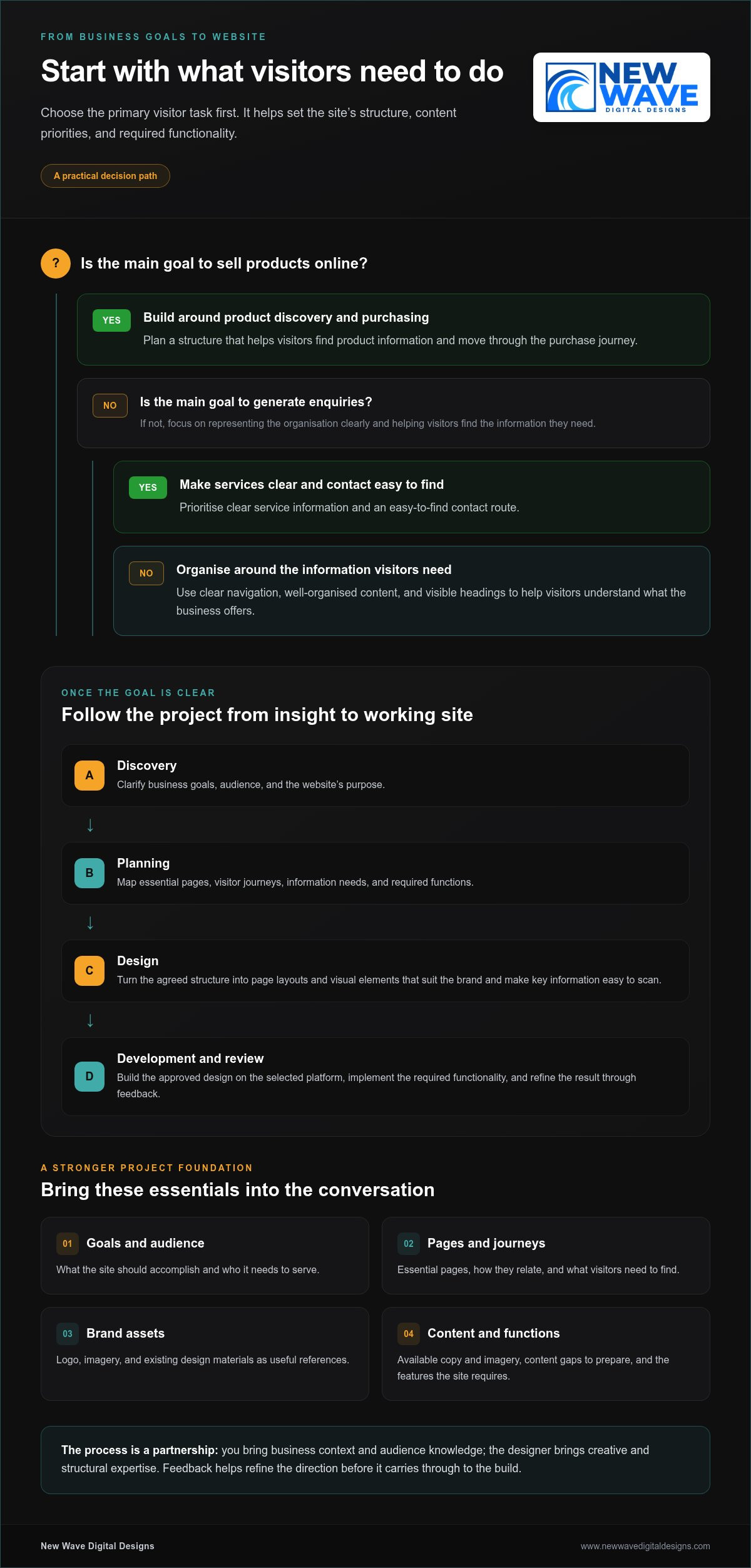
The better platform depends on what your website needs to do and who will look after it. Before comparing templates, name its primary job: attracting qualified leads, publishing useful content, managing bookings, or selling online. A consulting firm seeking enquiries has different priorities from a shop managing a growing product catalogue. Start with the task, then choose tools and design that support it.
Next, consider how the site will fit into your working week. Are you comfortable editing pages and adding content? How much time can you set aside for updates and routine upkeep? Would you rather use a managed environment, or make more decisions about hosting, extensions, and technical configuration? These answers matter as much as a feature list. A platform that fits your capacity is easier to maintain.
Squarespace is a managed website platform that combines the site-building experience and hosting in one service. WordPress has two distinct routes: WordPress.com is a hosted service, while WordPress.org provides open-source software commonly installed with a hosting provider. They aren’t interchangeable models. The WordPress Wikipedia article offers a broader overview of the software’s history and its role as a content management system.
Which small businesses may prefer Squarespace?
Squarespace may suit an owner who values a cohesive visual editing experience and wants a managed setup for a business website, portfolio, or service offering. It can be a practical fit if you expect to update service descriptions, team details, and other core pages yourself without building a custom technical stack. The managed model can reduce some operational decisions, but it doesn’t replace planning, regular content updates, or attention to how the site serves customers.
When might WordPress suit a small business better?
WordPress may suit a business that needs more control over its site structure, extensions, or development choices, particularly when its requirements call for a tailored setup. That flexibility comes with decisions about hosting, themes, plugins, and maintenance. A hosted WordPress.com site has a different responsibility profile from self-hosted WordPress. WordPress isn’t automatically the better choice for every growing business; the right fit depends on the complexity you need and the support available.
Use this quick orientation before comparing specific features:
- Lead generation: Prioritize clear service pages, persuasive calls to action, and a straightforward way to manage enquiries.
- Publishing: Consider how often you’ll add articles, organize content, and keep a useful library up to date.
- Bookings or sales: Map the customer journey and the functions the website must support before settling on a design.
- Limited technical time: Choose an operating model that fits the upkeep you can realistically handle, either personally or with ongoing support.
That is the practical heart of squarespace vs wordpress for small business: choose for the work the site must do and the people who will care for it. Design should make that work clearer, not distract from it.
How Squarespace and WordPress Work: Hosted Platform or More Hands-On Control?
A hosted website platform provides an environment for building and running a site as one managed service. With self-hosted WordPress, you use the open-source software but arrange hosting separately. That distinction shapes who makes decisions about infrastructure, updates, security, and technical configuration. It’s central to understanding squarespace vs wordpress for small business.
Squarespace is a hosted platform. WordPress can mean either WordPress.com, a hosted service, or WordPress.org software installed with a hosting provider. The names are related, but the operating arrangements aren’t identical. Comparisons such as this Forbes comparison of Squarespace vs. WordPress can help orient your research. First, identify which WordPress setup is being considered.
WordPress.com vs. self-hosted WordPress: what is the difference?
WordPress.com hosts websites through its service, with features and responsibilities shaped by the plan. Self-hosted WordPress uses software from WordPress.org, while the site owner or their team selects a hosting arrangement and configures the site. This can allow more control over hosting and development choices, but it also means more decisions. Before comparing platforms, clarify the hosting model, who manages it, and which parts of the site your team will control.
Who handles updates, hosting, and routine upkeep?
Separate platform infrastructure from site-level care. A provider may manage the underlying hosted environment, while the business still needs to maintain content, settings, accounts, and integrations. Self-hosted WordPress generally requires the site owner or a support team to coordinate more of the technical work.
- Squarespace: The platform manages hosting and platform-level maintenance. The business remains responsible for site content, configuration, and reviewing whether the website continues to meet its needs.
- WordPress.com: Hosting is part of the service, but plan features and responsibilities can vary. Review the current service details instead of assuming every setup includes the same management.
- Self-hosted WordPress: Hosting must be arranged separately. Updates to WordPress, themes, and plugins, along with backups and security tasks, need an owner, a hosting arrangement, or a maintenance partner.
Plugins, themes, integrations, and custom development can add capabilities to a self-hosted site, but they also create components that need to stay compatible and maintained. A maintenance partner can support a WordPress or Squarespace site with ongoing care, hosting, or security services. Support can clarify responsibilities and reduce the technical burden, but no platform or maintenance arrangement makes routine attention unnecessary.
Platform features, plan inclusions, and service arrangements can change. Before building or migrating in 2026, review the current platform documentation and spell out who is responsible for hosting, updates, backups, and site-level changes. A clear handoff prevents important tasks from becoming assumptions. Custom website design and ongoing support can help align the platform setup with how your business operates.
Compare Squarespace vs. WordPress on Design, SEO, Content, and Growth
A useful comparison looks beyond headline features. Consider how you’ll shape the site, publish and refine content, connect the tools your business uses, and manage changes over time. In squarespace vs wordpress for small business, those day-to-day realities matter as much as the design you launch with.
| Criteria | Squarespace considerations | WordPress considerations | Best-fit signal |
|---|---|---|---|
| Design and editing | Visual editing and designed starting points support a cohesive look; layouts can be tailored within the platform’s framework. | Block-based editing, themes, and development options offer different ways to shape pages, depending on the setup. | Choose the workflow your team can confidently use to maintain the brand experience. |
| Content and search | Built-in tools support common site and SEO tasks; content organization and customization follow the platform’s capabilities. | Content workflows and SEO controls can be extended through the chosen configuration, including plugins on self-hosted sites. | Match your publishing rhythm and optimization needs to the tools you’ll actually use. |
| Extensions and integrations | Available connections and features depend on the platform and its current offerings. | Extensions can broaden functionality, while each added component brings setup and maintenance considerations. | List essential integrations first, then assess how they fit the specific setup. |
| Future changes | A more unified environment can suit businesses whose needs fit its available features. | More choice in structure and development can support tailored requirements, with added decisions to manage. | Consider likely changes, not hypothetical complexity. |
Which platform fits your content and search strategy?
Neither platform guarantees stronger search rankings. Results depend on useful content, sound technical execution, and consistent optimization, including clear page structure and relevant internal links. Squarespace provides built-in SEO tools for common needs, while WordPress setups can offer more granular options through plugins and configuration. Consider how your team plans, publishes, and improves pages, and whether it can sustain that work. Regular website maintenance services can help keep content and site elements cared for over time.
How should design needs and future growth affect the comparison?
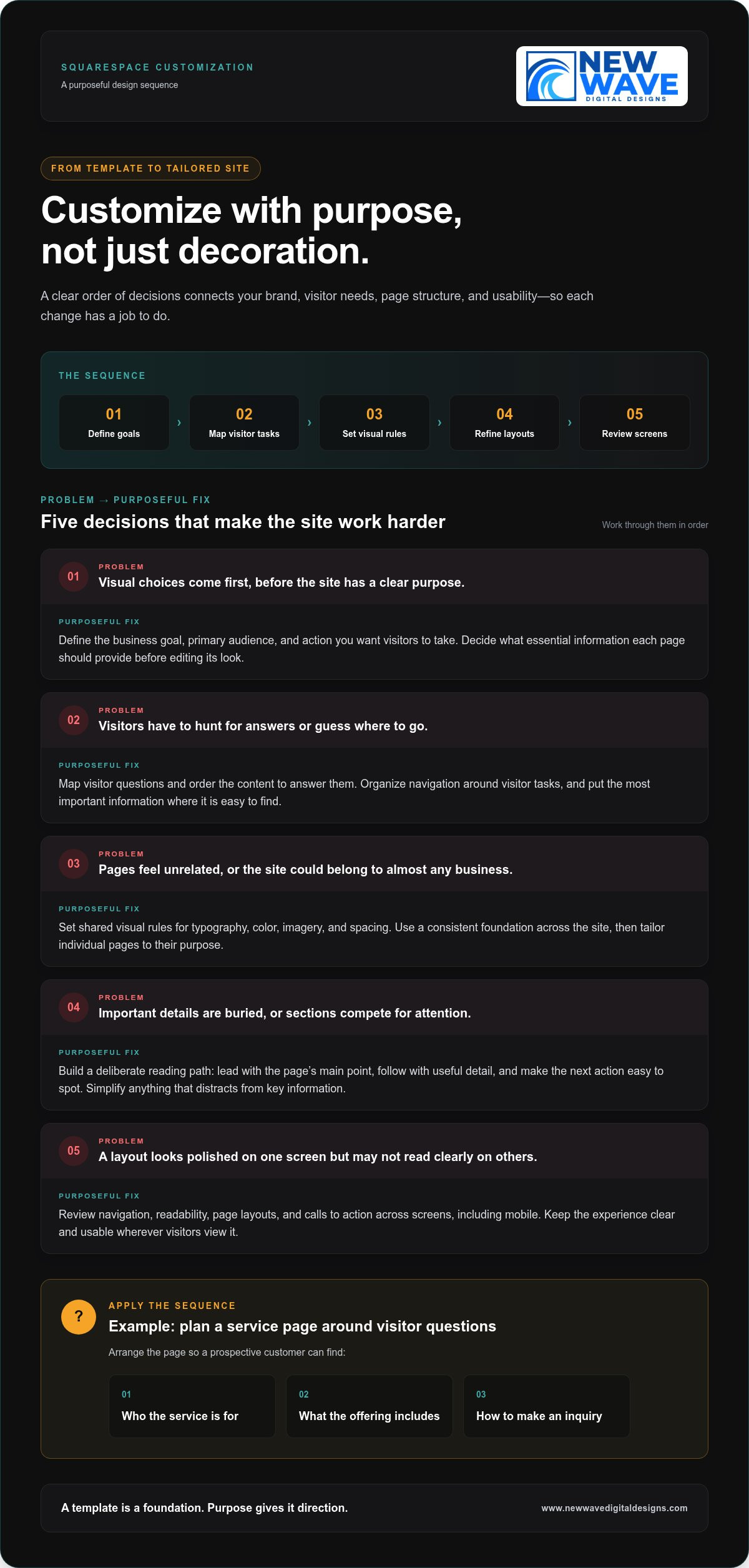
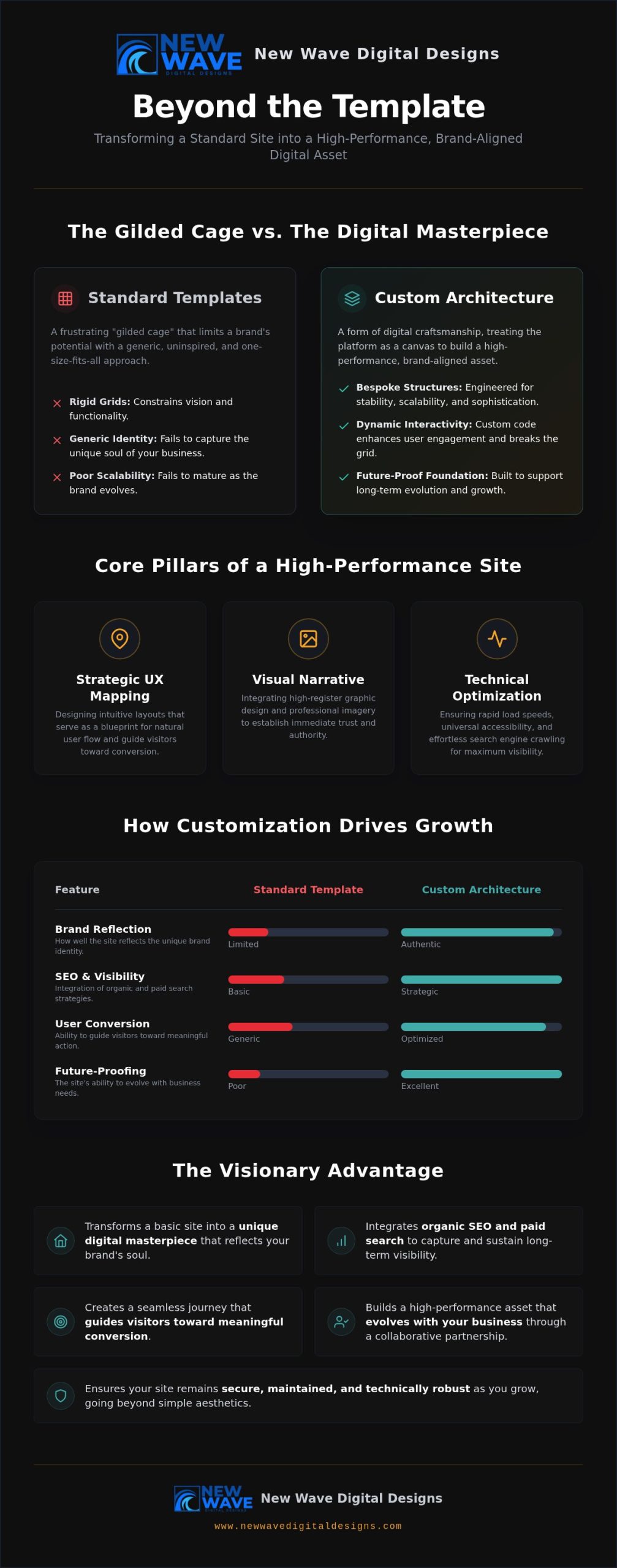
Start with the visual identity and functionality your business genuinely needs. A service firm may need polished pages and a clear enquiry path; an online shop may need room to manage products and refine the customer journey. Both platforms support design work, but custom requirements, integrations, and editing preferences can affect the best fit. Map the next plausible stage of growth, then weigh each platform’s capabilities against the time and support available to manage them.
For a more precise decision, assess the specific platform configuration rather than relying on broad labels. A carefully designed site can bring structure, content, and function into alignment on either platform. The strongest choice is the one your business can operate well as its needs evolve.

A Practical Squarespace vs. WordPress Decision Framework for Small Businesses
Turn the platform choice into a sequence of practical decisions, not a contest over which system is universally better. For squarespace vs wordpress for small business, begin with what the website must do, then weigh its capabilities against the time and support available to care for it.
- Define the goal. Decide whether the site should explain services, publish regularly, collect enquiries, take bookings, or support transactions. Choose one primary goal to guide the structure.
- Map required functions. List the essentials for launch, such as enquiry forms, a blog, a booking flow, or an online store. Separate these from features that would be appealing but can wait.
- Assess maintenance capacity. Identify who will create pages, publish updates, review integrations, and handle technical upkeep. Consider the time and expertise actually available, not an ideal future arrangement.
- Choose the platform model. Compare your requirements with each platform’s current capabilities, editing workflow, and operational responsibilities. Select the setup that meets your essentials without adding complexity you can’t support.
Match platform requirements to your business model
A service business focused on explaining its offer and receiving enquiries may value a clear, manageable site. A frequent publisher should consider how easily the team can create, organize, and refresh content. A business with custom requirements may value more control over structure or development, provided someone can manage that added flexibility. These are useful starting profiles, not fixed platform prescriptions.
Quick scorecard: Write a short answer in each category before comparing platforms.
- Must-haves: What must work at launch for the website to serve customers?
- Nice-to-haves: Which features could wait until there’s a clear reason to add them?
- Ownership needs: Who controls the domain, content, accounts, and key site decisions?
- Available support: Who can take responsibility for publishing, technical upkeep, and changes?
Plan for ownership, maintenance, and a future platform change
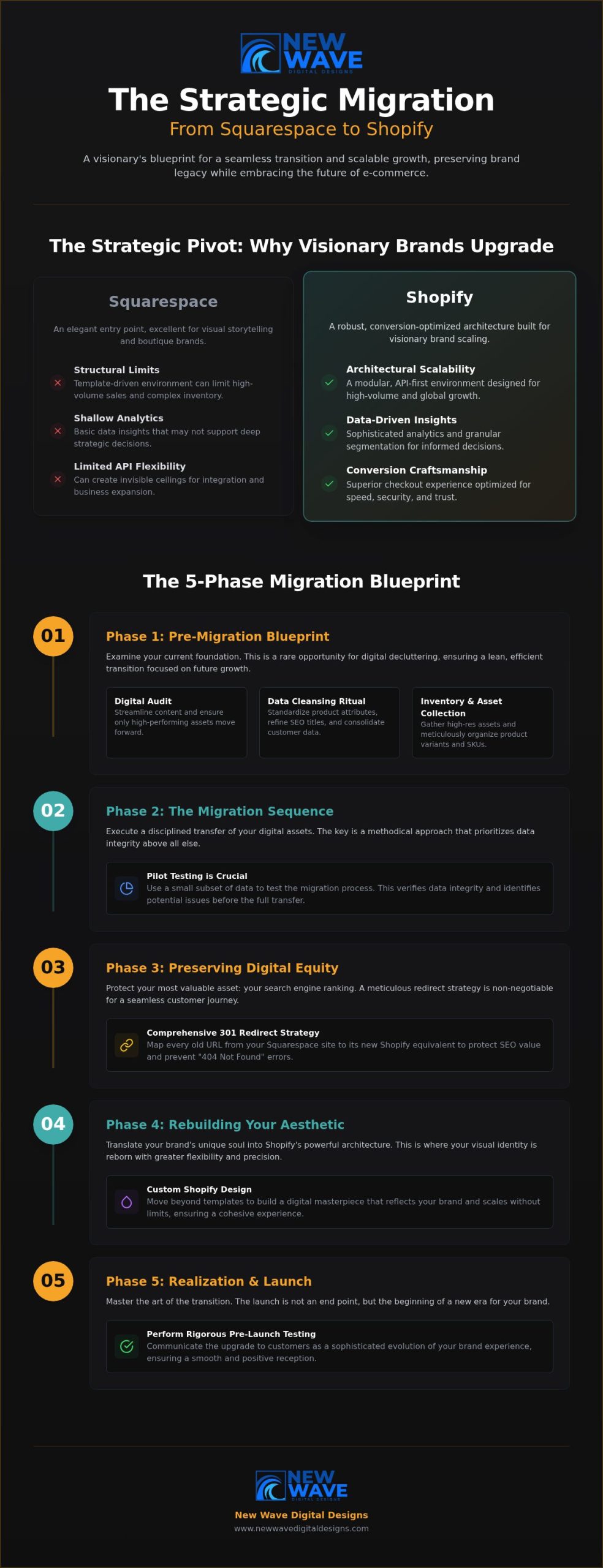
Before committing, assign recurring tasks to a person or support partner. Include content edits, security practices, backups, and technical updates in the plan, with responsibilities suited to the chosen setup. If a migration may be needed later, record where the domain is managed and organize content and media files. Plan redirects and review what can move; designs and functions may need to be rebuilt rather than transferred unchanged.
Use this pre-build checklist to make the handoff clearer:
- Content: Gather page copy, images, service details, and publishing priorities.
- Domain: Record account access and who is responsible for domain settings.
- Integrations: List essential connected tools and the role each one serves.
- Accessibility: Review readable text, meaningful headings, image descriptions, and keyboard-friendly navigation.
- Launch: Assign responsibility for reviewing pages, testing key tasks, and managing post-launch updates.
A considered plan connects platform choice to the realities of ownership. Plan a custom Squarespace or WordPress website around your business goals and available support.
Turn Your Platform Decision Into a Thoughtful Small-Business Website
A platform decision becomes useful when it shapes a website around the business, not just its software. A considered discovery process connects your goals, brand, content, and operational capacity to a practical choice between Squarespace and WordPress. New Wave Digital Designs creates custom websites on both platforms, bringing design and technical planning together so the structure serves the way your business works.
What a platform-aware design process should address
Begin with the brand’s character and the actions visitors need to take. A clear user journey, responsive layouts, and well-organized content help turn visual identity into a site people can use across devices. Project requirements then inform the platform: a focused service site may need a different setup from one with specialized features, complex integrations, or distinct content workflows. For a tailored Squarespace approach, explore custom Squarespace website design.
The squarespace vs wordpress for small business decision shouldn’t stop at launch-day appearance. A strong build also considers how pages will be edited, how new content will fit the site, and who will manage changes. For WordPress, that may include planning the hosting and extensions that support the requirements. For Squarespace, it means shaping the available tools and design framework around the business. Either way, deliberate design can make the site feel cohesive without losing sight of its purpose.
Build for launch and the work that follows
Launch planning brings together content, functionality, and ownership. Prepare page copy and media, review navigation, test key interactions, and clarify who is responsible for routine edits after the site goes live. A clear handoff gives the business a workable path from launch into daily use, whether the owner updates content directly or works with ongoing support.
Care continues after launch. Website maintenance and support can help keep site elements current and functional, while managed hosting and security services address important operational needs. The right arrangement depends on the platform and agreed responsibilities. A thoughtful plan doesn’t remove every technical consideration; it makes ownership clearer and gives the site a considered foundation for future changes.
- Before launch: Confirm the site’s content, navigation, forms, and other essential functions.
- At handoff: Document account access and establish who handles content edits and technical tasks.
- After launch: Review the site as business needs change, and plan updates rather than allowing small issues to accumulate.
New Wave Digital Designs brings custom Squarespace and WordPress design together with website maintenance, hosting, and security support. Explore a website design partnership to shape a website around your goals and the way you’ll care for it.
Set Your Website Up for Its Next Chapter
Turn your platform shortlist into a clear project brief. Note what visitors should understand, what action you hope they’ll take, and what your team can comfortably manage. Then consider how you’ll recognize when the site needs to change: a new service, a shift in your audience, or a different way of working may call for fresh content or functionality.
The decision in squarespace vs wordpress for small business doesn’t need to anticipate every possibility. It should give your business a considered foundation now, with room to reassess priorities as they develop. A thoughtful design partnership can translate those priorities into a digital experience that feels true to your brand and practical to manage.
New Wave Digital Designs creates custom websites on Squarespace and WordPress, with website maintenance, hosting, and security support for the work that continues after launch. Explore a website design partnership to shape a site around your business’s next chapter.
Frequently Asked Questions
Is Squarespace or WordPress easier for a small business to manage?
Squarespace’s managed environment can simplify some routine platform responsibilities, while WordPress management varies with the setup. For squarespace vs wordpress for small business, consider whether you’re using WordPress.com or self-hosted WordPress, how comfortable you are managing site administration, and whether maintenance support is available. Updating a service page, for example, is different from handling a plugin conflict or hosting issue. Neither platform is effortless, and ease depends on your site and support plan.
Can a small business rank on Google with Squarespace?
Yes, a Squarespace site can support search visibility, but no platform guarantees a place in search results. Rankings depend on useful, relevant content, sound technical implementation, and ongoing SEO work. A service business, for example, can build focused pages that explain its services clearly and answer customer questions. Those pages still need to be maintained and improved over time. Platform choice alone doesn’t determine search performance, so set realistic goals and assess results regularly.
Is WordPress.com the same as WordPress.org?
No. WordPress.com is a hosted service, while WordPress.org distributes WordPress software commonly used with separate hosting. That difference affects how much control you have and who handles hosting and maintenance tasks. Details can also depend on the specific plan or hosting arrangement. If a proposal or comparison simply says “WordPress,” clarify which model it means before assessing features, costs, or responsibilities. The distinction can change what your business needs to manage.
Can I move a Squarespace website to WordPress without losing SEO?
A careful migration can preserve important search signals, but it can’t guarantee unchanged rankings. Before moving, document existing URLs and plan redirects for pages whose addresses will change. Carry over relevant metadata and content, then review internal links and test that key pages work on the new site. Some platform-specific features or design elements may need rebuilding. After launch, check for broken links, missing pages, and indexing issues so you can address problems promptly.
What happens to my website if I stop using Squarespace?
Your website relies on an active Squarespace account, so cancelling may affect its availability and included services under the platform’s current terms. Before making changes, review those terms and plan what happens to your domain, content, and files you may need. Squarespace exports may not include every content type or site element, so don’t assume the full site will transfer intact. Make an inventory of essential pages and assets before you cancel or begin a migration.
Do I need a developer to run a WordPress website?
Not necessarily. Some owners can handle routine publishing, such as adding an article or updating a page, without developer help. Technical setup, custom functionality, troubleshooting, or ongoing maintenance may call for specialist support, depending on your skills and site configuration. Editing content is separate from managing hosting, security practices, updates, and backups. Decide who owns each responsibility before launch, so a task doesn’t fall through simply because the site appears easy to edit.