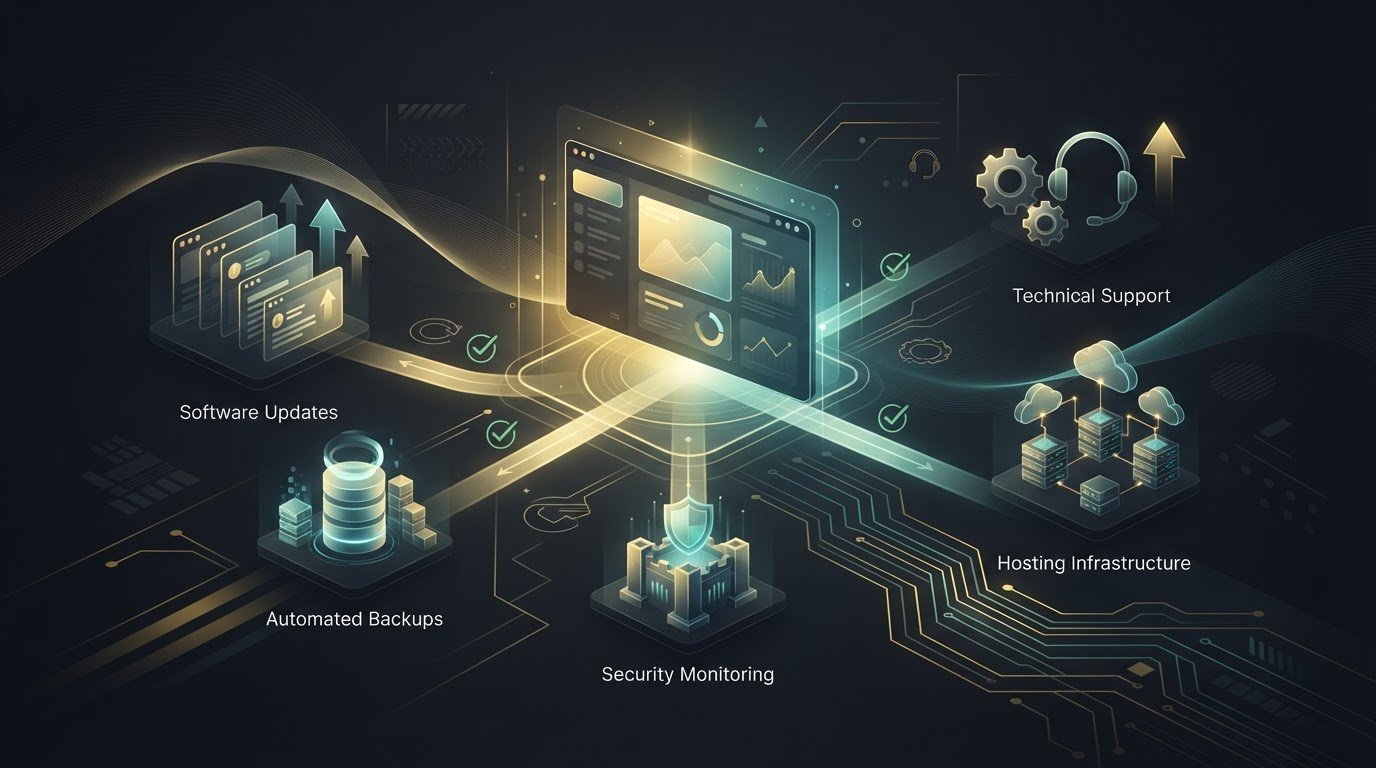
What if the best maintenance plan is the one with fewer services but clearer responsibilities? When comparing managed wordpress maintenance plans, it’s easy to focus on long feature lists and still be unsure what happens when an update causes a conflict or a security issue puts your site at risk.
That uncertainty is reasonable. WordPress needs ongoing care, but not every task belongs in every plan. Managed hosting alone may not address problems within your site’s themes, plugins, or forms. The right fit depends on how your site works, which tasks you can handle, and where you want expert support.
This guide explains what maintenance can and can’t do, then shows you how to compare service scope, hosting, security, and support. You’ll learn to match updates, backups, and technical help to your site’s needs, rather than paying for features that don’t serve a clear purpose.
Key Takeaways
- Managed wordpress maintenance plans can cover different areas of care, so compare responsibilities rather than counting features.
- Separate hosting, site updates, security, and technical support to understand where each service begins and ends.
- Assess your website’s business importance, complexity, and in-house maintenance capacity before choosing a level of support.
- Match ongoing services to real site needs, and avoid paying for extras that don’t add meaningful value.
- New Wave Digital Designs provides maintenance, support, managed hosting, and security to help care for your WordPress site.
Managed WordPress Maintenance Plans: What Ongoing Care Actually Solves
A website can look finished and still need attention behind the scenes. WordPress core software, themes, plugins, and hosting environments change over time. Your site may also gain new features or serve different business needs. A managed WordPress maintenance plan provides recurring technical care for a live website, focused on upkeep and support rather than hosting alone. That distinction is a useful starting point: maintenance looks after the application, while hosting provides the environment where it runs.
For a plain-language overview of the platform, What is WordPress? explains its role as a content management system. For site owners, the practical point is that WordPress consists of interconnected parts. A change to one part can affect another, so ongoing care involves understanding how those pieces work together, not simply keeping the site available on a server.
What does managed WordPress maintenance mean?
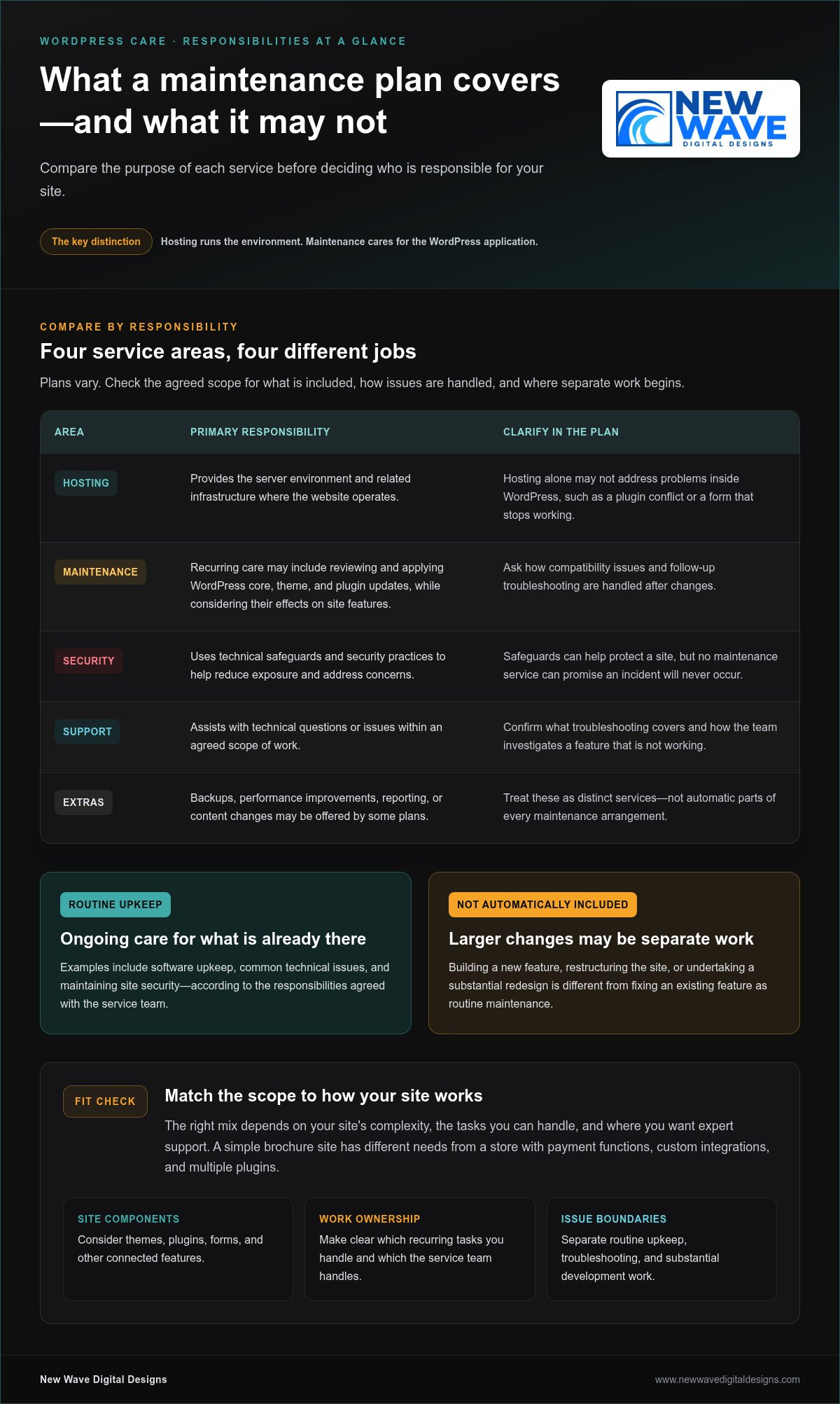
Managed care means recurring oversight of a website’s technical condition, with responsibilities agreed between the site owner and the service team. Routine upkeep may include reviewing and applying software updates, addressing common technical issues, and maintaining site security. Because the scope varies, a clear plan should distinguish included maintenance from work handled separately.
That boundary matters. Fixing a problem with an existing feature is different from building a new feature, restructuring the site, or undertaking a substantial redesign. Those are development projects, not automatically part of routine upkeep. A maintenance relationship can provide a way to discuss larger projects, but defining the boundary in advance helps avoid confusion when a request comes up.
Hosting and support may accompany maintenance, but each describes a different responsibility. Hosting concerns the server environment and its operation. Maintenance focuses on the WordPress site and its components. Support is the assistance available when a question or issue arises. These services can work together, but hosting alone doesn’t necessarily address a plugin conflict or a form that stops working after a site change.
Why does an active website need ongoing care?
A functioning site is not a finished technical system. WordPress, its plugins and themes, and the hosting environment can change independently. Site owners may also add content, adjust settings, or rely more heavily on a feature as the business grows. Over time, those changes can introduce compatibility issues or leave software out of date. Neglected upkeep doesn’t make a failure inevitable, but it can make problems harder to notice and resolve.
For example, a contact form may appear normal but stop sending inquiries after a software change. A theme update might also alter the display of a carefully arranged page. Regular attention helps surface changes and gives someone responsibility for investigating their effects. It can’t promise uninterrupted performance, but it can support a more dependable foundation for everyday business activity.
That’s the purpose of managed wordpress maintenance plans: to establish an ongoing rhythm of technical care and clear ownership when a question or problem arises. New Wave Digital Designs provides website maintenance and support alongside managed hosting and technical security solutions, connecting related responsibilities in an approach to WordPress care.
What Managed WordPress Maintenance Plans May Include
A useful plan is more than a bundle of features. It groups work by purpose and makes clear who handles each responsibility. Common components include software upkeep, security measures, hosting, and technical support, though the scope differs. The right mix depends in part on site complexity: a simple brochure site has different needs from a store with payment functions, custom integrations, and multiple plugins.
- Software upkeep: Reviewing and applying WordPress core, theme, and plugin updates, while considering whether changes affect site features.
- Security: Using technical safeguards and security practices to help reduce exposure and address concerns.
- Hosting: Providing the server environment and related infrastructure where the website operates.
- Support: Helping investigate technical questions or issues within an agreed scope of work.
Some plans may also include backups, performance improvements, reporting, or content changes. Treat these as distinct services, not automatic parts of every maintenance arrangement. The U.S. Department of Energy’s Government Web Maintenance Standards offers a useful reference for the broader role of web maintenance, including technical upkeep, accessibility, and performance. Its guidance provides context, not a universal checklist for every WordPress site.
Updates, security, and hosting responsibilities
Updates keep core software, plugins, and themes current, but applying them is only one part of the task. A change can affect a form, checkout, or page layout, so plans may differ in how they handle compatibility and follow-up troubleshooting. Security is layered too: safeguards can help protect a site, but no maintenance service can promise that an incident will never occur. Hosting supports the site at the server level; it doesn’t necessarily cover issues within WordPress itself. A managed arrangement can connect these responsibilities while making their boundaries clear.
Support, troubleshooting, and work beyond routine care
Support describes how technical questions or problems are handled. A maintenance task is a defined piece of recurring upkeep; troubleshooting may require investigation to find out why a feature isn’t working. Repairing an existing form differs from building a new booking system, adding a custom feature, or redesigning several pages. Larger requests may need a separate project scope.
Clear descriptions help set expectations before work begins. Look for plain language about what routine care covers, how hosting responsibilities relate to site-level work, and where additional development begins. This clarity becomes more important as a site accumulates plugins, integrations, and business-critical features. Managed wordpress maintenance plans should fit the way your site operates, rather than simply offering the longest feature list.
New Wave Digital Designs provides website maintenance and support alongside managed hosting and technical security solutions. Explore ongoing WordPress website care to see how these connected responsibilities can align with your site’s needs.
How to Compare Managed WordPress Maintenance Plans Fairly
Feature lists can make two plans look similar while leaving the most important question unanswered: who takes responsibility when something needs attention? Compare responsibilities and fit before counting features. A focused plan may suit a straightforward site whose owner can handle some tasks. A broader managed arrangement may make more sense for a complex site or a team with limited in-house technical capacity. Neither approach is automatically better.
Which plan dimensions deserve a side-by-side comparison?
Compare the work itself, who performs it, and how it connects to the rest of your website’s operation. For each task, note whether it’s covered, excluded, or handled separately. This makes gaps easier to spot, especially when one plan bundles hosting with maintenance and another treats them as separate responsibilities.
| Comparison area | Focused arrangement | Broader managed arrangement |
|---|---|---|
| Routine upkeep | May cover a defined set of maintenance tasks, with other work left to the site owner. | May assign a wider range of recurring site-care responsibilities to the service team. |
| Hosting | May be separate, leaving server-related matters with the hosting provider. | May bring managed hosting into the same relationship as site maintenance. |
| Security | May focus on specified technical measures, with boundaries around investigation or remediation. | May connect security services with broader technical oversight. |
| Support and extra work | May limit assistance to defined tasks or handle additional requests separately. | May provide a wider support scope, while still distinguishing routine care from project work. |
Use the table as a framework, not a rating system. For each area, clarify what the plan covers, who does the work, and what happens if an issue falls outside the stated scope. An explicit exclusion is easier to plan around than one that comes to light only after a problem arises.
How should you assess support expectations?
Distinguish a routine request, such as asking about a planned maintenance task, from an urgent incident or complex development work. Don’t compare plans only by whether they advertise support. Find out what kinds of issues the support covers, how requests are submitted, and how out-of-scope work is handled. Clear expectations make for a more useful working relationship than broad, undefined promises.
Look for plain descriptions of communication, responsibility, and next steps. A vague promise of “complete care” tells you less than a defined scope that explains who investigates a plugin conflict or how a new feature is treated. If your site has e-commerce, custom integrations, or other business-critical functions, check that the described responsibilities account for that complexity. Managed wordpress maintenance plans are easier to compare when their limits are as clear as their included services.
Choose a Managed WordPress Maintenance Plan for Your Site
The right level of care depends on more than the number of features listed. Start with what your website supports, how complex its setup is, and what your team can reliably manage. These factors help distinguish essential ongoing care from added services that may not contribute much to your site’s operation.
Match maintenance needs to site complexity
Start by assessing the site’s role in your business. A website that mainly shares information has different operational demands from one that processes orders, captures leads, publishes frequently, or gives customers access to accounts. Technical complexity matters, but it’s only part of the picture: a simple site may still be business-critical if customers rely on it to reach you.
- Measure business importance. Identify the site’s main purpose and the likely impact of a disruption. Would visitors lose access to purchases, inquiry forms, customer resources, or time-sensitive information?
- Map technical complexity. Consider the number and role of plugins, external integrations, custom features, and how often the site changes. A store connecting payments, inventory, and email tools has more moving parts than a static set of service pages.
- Review maintenance capacity. Decide who can oversee updates, identify issues, and coordinate technical work. Count only the tasks your team can handle consistently, not the ones someone might have time for in an ideal week.
Frequent publishing can add review needs as themes, layouts, and plugins interact with new content. Custom functionality and integrations can make troubleshooting more involved because an issue may affect several connected tools. Your needs can also change as the business adds features or relies more heavily on the site. Revisit your assessment when the site changes.
Set priorities before comparing plan options
Turn your assessment into a short priority list. Note the functions that must work, the likely impact if each is disrupted, and the responsibilities you’ll retain in-house. This gives you a practical basis for comparing managed wordpress maintenance plans without assuming the broadest scope is automatically the best fit.
- List critical functions, such as checkout, lead forms, account access, or core publishing tools.
- Identify the maintenance responsibilities your team can own and sustain.
- Separate essential care from optional additions, such as performance work or content updates, based on actual site needs.
- Flag complex features that may need clearer technical oversight or a defined project scope.
A focused arrangement may suit a site with few integrations and an owner who can take responsibility for some upkeep. A more involved site may call for support that reflects its connected features and business importance. The aim is a thoughtful fit, not the longest feature list. For ongoing website maintenance and support, explore WordPress maintenance support as part of a considered approach to your site’s needs.
Ongoing WordPress Maintenance with New Wave Digital Designs
A maintenance plan is most useful when it reflects how your website works. New Wave Digital Designs provides ongoing website maintenance and support, managed hosting, and technical security solutions. Together, these services address the site itself, the environment it runs in, and the technical help that supports its continued operation.
A considered approach to ongoing site care
Maintenance is continued technical stewardship, not a one-time intervention. A site’s structure, plugins, integrations, and business purpose all shape the care it needs. Experience designing WordPress websites provides context for understanding how those elements fit together, where a change may have wider effects, and which responsibilities need clear ownership.
That perspective matters as a website evolves. A business may add a lead-generation feature, expand its content, or change how visitors use an existing function. Ongoing care helps keep technical needs in view as those changes take shape. It doesn’t remove every risk or promise a particular outcome; it gives you a considered basis for addressing work within the agreed scope.
New Wave Digital Designs connects website maintenance and support with managed hosting and security solutions. This brings related responsibilities together instead of treating each technical concern as an isolated task. A clear understanding of what the site depends on, what support it needs, and where larger development work begins helps keep the arrangement aligned with business priorities.
Move from comparison to a clear next step
You’ve compared the kinds of care a plan may cover and considered where responsibility sits. Now apply those decisions to your own site: identify its essential functions, note the work your team can manage consistently, and prioritize support that matches its complexity. The best-fit arrangement has relevant scope and understandable boundaries, not simply the longest service list.
Your website’s maintenance needs may change as the site evolves. Adding integrations or custom functionality, for example, may call for a different balance of upkeep and technical support. Revisit your priorities when those changes occur so your maintenance arrangement continues to reflect how the website serves your business.
Explore New Wave Digital Designs’ website maintenance services to learn how ongoing care can support your site. For a maintenance approach suited to your WordPress website, connect with New Wave Digital Designs and take the next step toward clearly defined support.
Choose Care That Can Grow With Your Website
Your website will keep changing as your business evolves. Revisit its maintenance needs when you add features, change how customers use it, or shift who manages its technical upkeep. This helps keep your support arrangement relevant instead of letting it become a checklist built for an earlier version of your site.
The strongest managed wordpress maintenance plans make room for clear responsibilities and changing needs. New Wave Digital Designs brings ongoing maintenance and technical support together with managed hosting and security solutions, informed by experience designing WordPress websites. The goal is an approach to ongoing care shaped around your site, rather than a one-size-fits-all checklist.
Explore WordPress maintenance and support with New Wave Digital Designs and take a thoughtful next step toward support that fits your website. Start by outlining your site’s key functions and the responsibilities you want ongoing help with.
Frequently Asked Questions
What is included in a managed WordPress maintenance plan?
A managed WordPress maintenance plan may include core, theme, and plugin upkeep, security measures, backups, and technical assistance, but the exact scope varies. Match the tasks in a plan to the parts of your site they affect. For example, if a booking plugin is central to your business, clarify whether the arrangement covers investigating compatibility issues or only routine software upkeep. This helps uncover practical gaps before they interrupt day-to-day work.
Are managed WordPress hosting and maintenance the same thing?
No. Managed hosting focuses on the server environment that runs your website, while maintenance focuses on the WordPress application and its components. Services can overlap, but one doesn’t automatically include the other. For instance, a hosting provider may manage server settings without being responsible for investigating why a booking plugin conflicts with another feature. Compare responsibilities at both levels so you know who handles infrastructure concerns and who looks after site-specific issues.
Do small business websites need a WordPress maintenance plan?
Some small business sites benefit from ongoing professional care, especially when the owner can’t reliably manage technical tasks. The decision depends on what the site does and how much the business relies on it. A simple page with contact details may need a different level of oversight from a site that accepts appointment requests or customer inquiries. Consider the impact of a missed form submission, not just the site’s size or appearance.
How often should a WordPress website be maintained?
There isn’t one schedule that suits every WordPress site. Review maintenance needs regularly, and pay attention to available updates, security notices, and changes to important site functions. A major plugin change or new checkout feature may warrant a review beyond routine upkeep. Rather than relying on a calendar alone, consider how quickly you need to respond when a change could affect visitors, inquiries, or transactions.
Can a WordPress maintenance plan prevent every security problem?
No maintenance plan can guarantee that a website will never face a security issue. Technical safeguards and attentive upkeep can help reduce exposure, but risks may also involve compromised passwords, third-party services, or mistakes in site configuration. Treat security as ongoing risk management, not a promise of invulnerability. Understand which protections and incident-related responsibilities are in scope, and maintain sensible access practices for everyone who can sign in to your website.
What is the difference between WordPress maintenance and website support?
Maintenance usually refers to planned technical upkeep, while support is assistance with questions or problems as they arise. They can be part of the same relationship, but they aren’t identical. Applying a software update is a maintenance task; asking why an editor can’t publish a page is a support request. A clear scope explains which requests are handled as routine care and which may need separate troubleshooting or project work.
How do I choose the right managed WordPress maintenance plan?
Choose based on your site’s essential functions, technical complexity, and the work your team can manage consistently. Write down what would be most disruptive if it stopped working, such as a payment form or customer login, then compare plans for responsibilities around hosting, security, and support. The right fit addresses meaningful needs without adding unnecessary services. Revisit your choice as your website gains features or changes purpose.